21
1
3
2
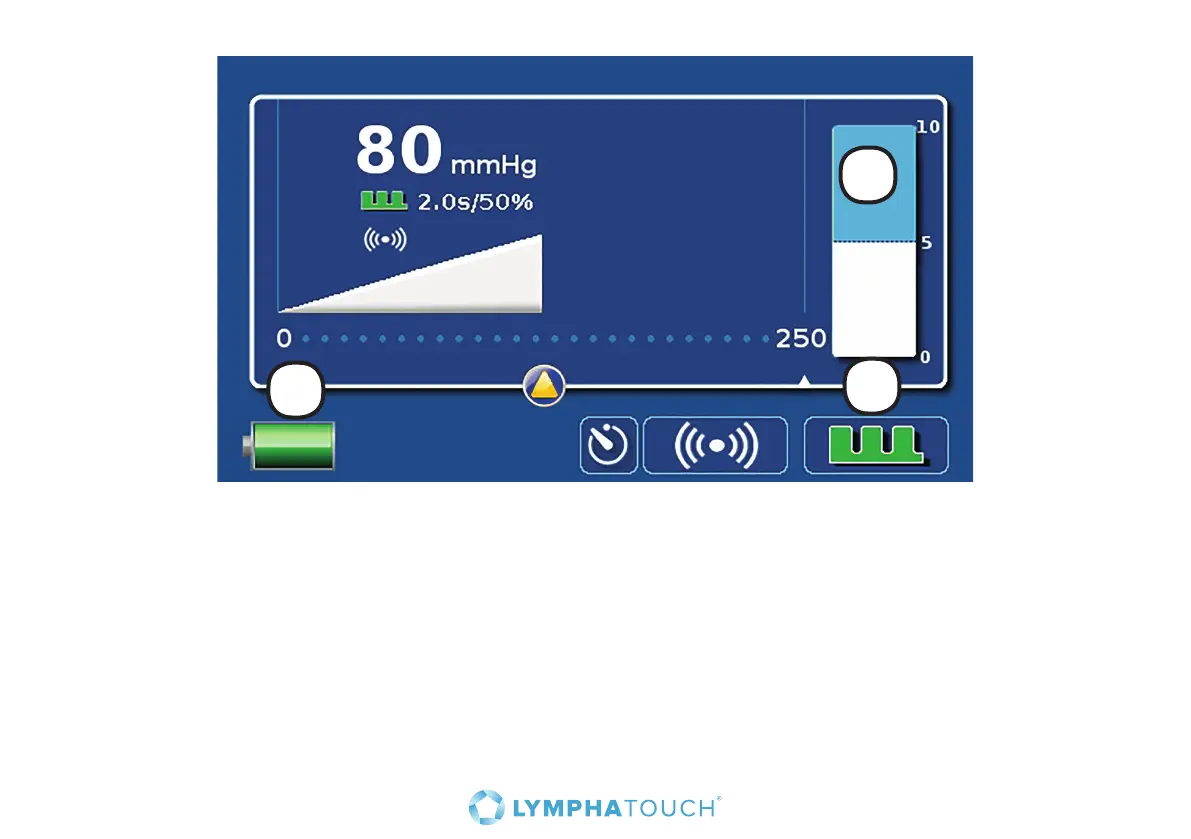
1. The bar on the right hand side of the screen indicates the distension of the skin in the middle of the
treatment cup, as a result of the applied negative pressure.
2. The battery icon in the lower left hand corner indicates the battery charge level. When the device
is connected to the mains, the top of the battery icon is a power plug icon and when the battery is
charging, a flash icon.
3. During treatment, it is possible to choose either pulsating or continuous treatment. The pulsation
button at the bottom right is green with bristles when pulsation is activated. Button is green and
continuous when continuous treatment is selected. To modify the pulsation setting, touch the pulse
button on the main screen, and the pulsation setting screen will appear.


 To Next Page