7
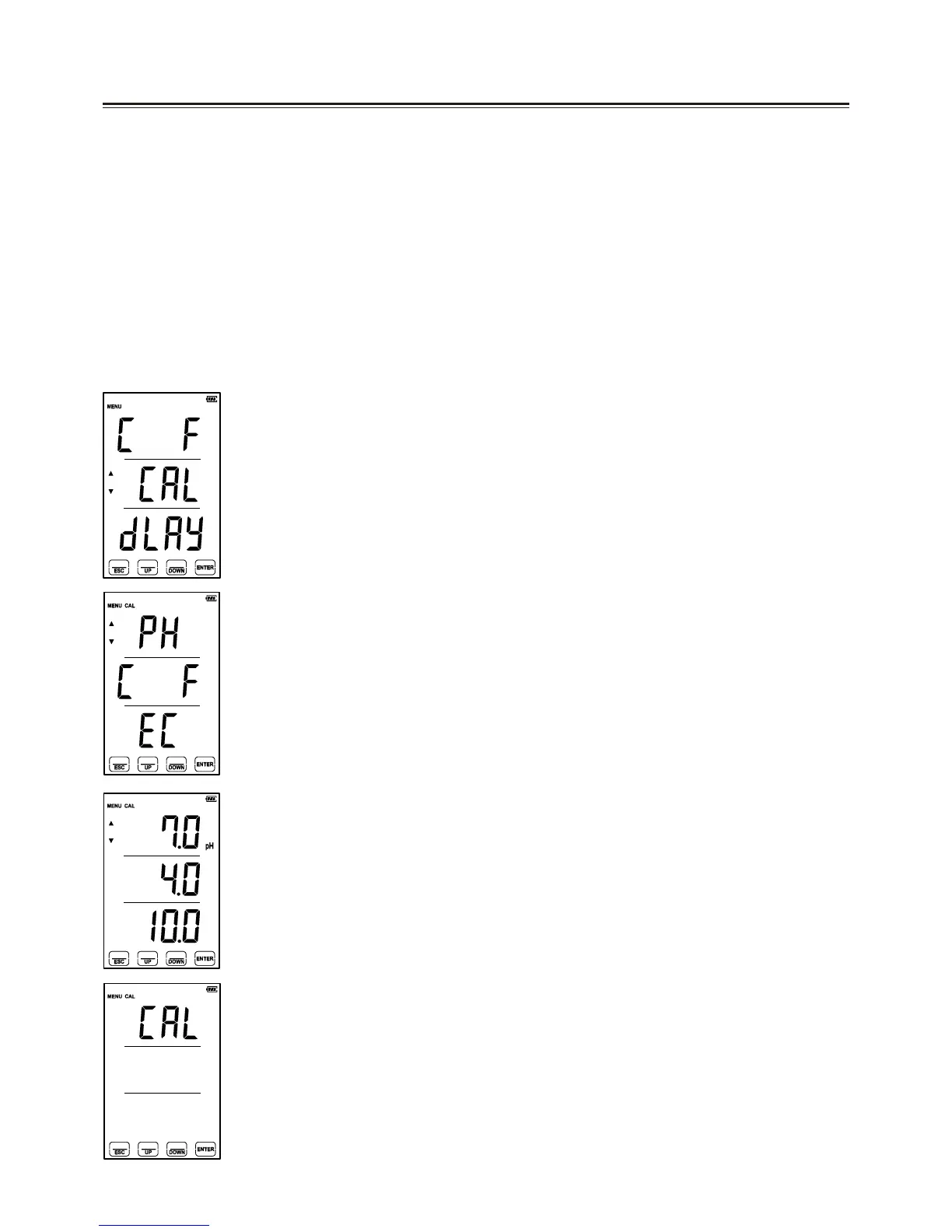
1. From HOME SCREEN, press and hold the [MENU] button
for 3 seconds to select [MENU] mode.
2. Once in [MENU] mode use the [DOWN] key, and select
“CAL”, then press [ENTER] key.
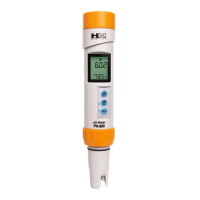
3. The CAL screen will appear “PH”, “C F” , and “EC”.
Select “PH” by pressing the [ENTER] key to enter pH
calibration mode.
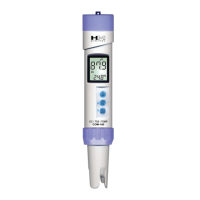
4. The values“7.00”, “4.00”, “10.00”will appear on the screen.
Immerse the pH electrode in pH 7.00 buffer solution and
wait.
5. Move the cursor to “7.00” by using the [UP/DOWN] keys,
and touch [ENTER] to start pH 7.00 calibration.
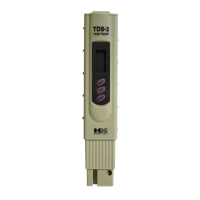
6. After calibration has begun, “C..CA..CAL” will blink in this
order across the screen.
7. The word “End” will appear on the screen after 2-30 seconds
when calibration is complete. If there’s a problem with the
electrode “Err” will blink three times on the screen and will
automatically return to the pH calibration menu.
8. Once this is completed, repeat calibration for pH 4.00 or pH
10.00 following steps 1-5 (
except select pH 4 or pH 10 in step 5).
[Warning]
• Calibration is required when replacing the electrode or after long-term
(inactive) storage to ensure accurate readings.
• Calibrate 1st to pH 7.00 then pH 4.00, or pH 10.00 buffer solutions, based
on your application.
C. pH Calibration


 To Next Page