The Quick Guide included in the HMD Barbie Phone box will walk
you through the following steps:
HMD Barbie Phone requires a physical SIM card
. If your current device uses an eSIM, or if you’re
you should contact your wireless service carrier.
got a physical SIM card already, keep going!
3: Insert the memory card
1
microSD memory card will be useful if you plan to take a lot of photos and want
storage capacity, or if you want to download MP3 music files to listen to from
. If you don’t have a memory card now, just skip this step. You can easily come
4: Insert the pink battery
5: Replace the back cover
have 3 designs to choose from!
sure to plug in your phone into a wall outlet with the pink charger that comes in
. A full charge should last you an entire day with normal usage.
2
phone turns on. Experience
familiar ‘Hi Barbie!’ boot
turn on your HMD Barbie Phone
the perfect start to your
conditions.
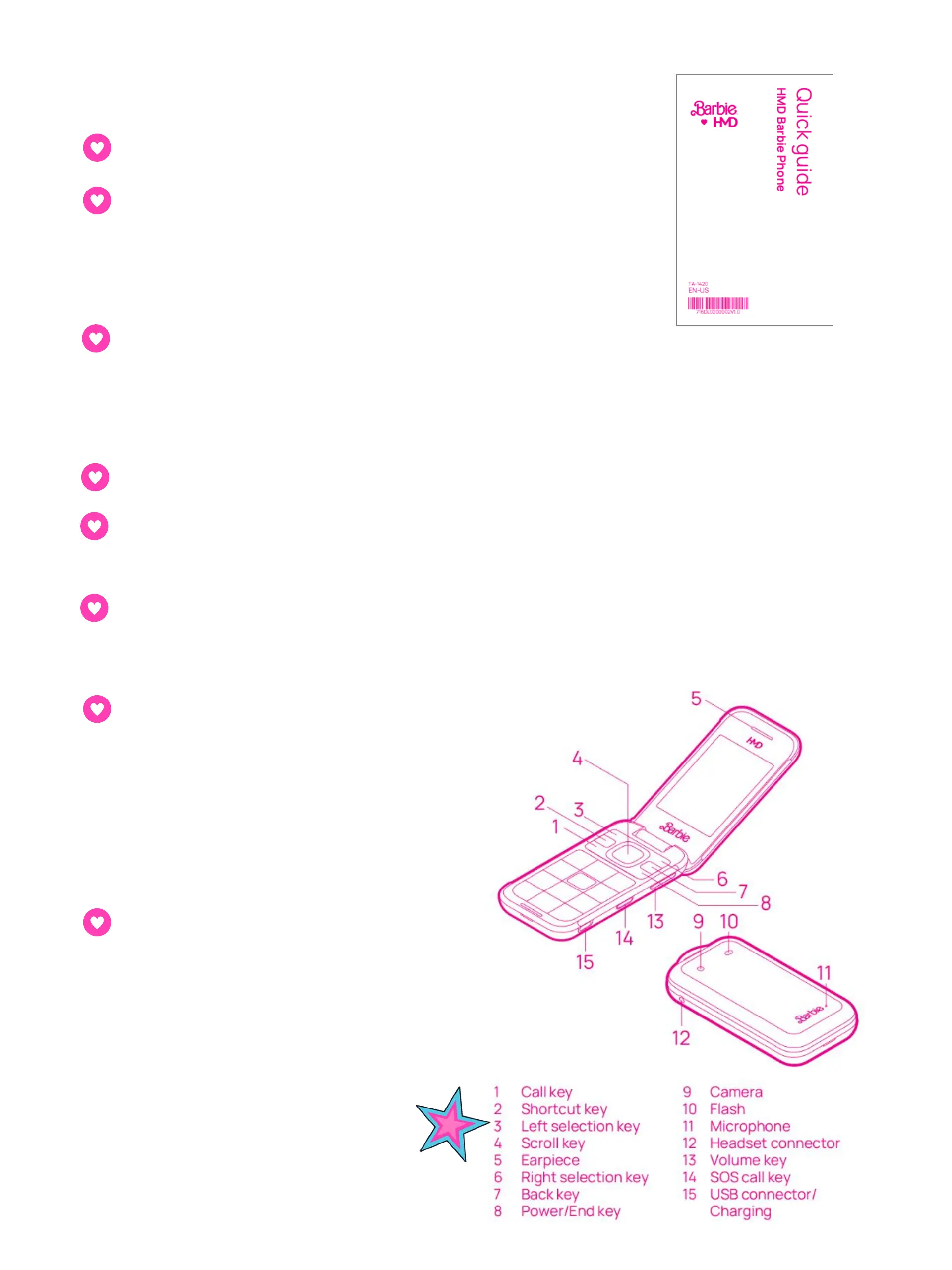
EASY REFERENCE
KEYPAD GUIDE



 To Next Page