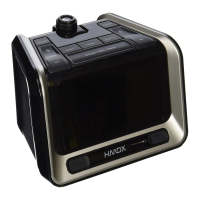
6 7
2.PresstheSOURCEbuttonontheCubeuntilFMandstationfrequencyappearsonthe
display.
3.UsetheFORWARDandREVERSEbuttonsonthetopoftheunitortheSET/TUNE
dial to select desired station.
4.PressthePOWERbuttontoturnunitoff.
To set/listen to station presets
1.Whileinradiomode,useFORWARDandREVERSEbuttonsortheSET/TUNEdialto
select desired station.
2. Press and hold the MEM button on the top of the Cube to add the station to your
presets.UsetheFORWARDandREVERSEbuttonstoselectthedesiredpreset
number(1-10),thenpressMEMagaintoset.
3. To listen to station presets, press the MEM button on the unit to scroll through the
radio presets.
Sleep Feature
WhilelisteningtotheBluetooth®,radioorAUXsources,presstheSNOOZEbutton
to activate the sleep feature. This allows you to set a sleep timer for 90, 80, 70...10, or
5minutes.Onceset,theunitwillcontinueplayingforthesetlengthoftime,thenwill
automatically turn off.
Setting and Using the Alarms
SETTINGALARM1orALARM2(Figs.1&2)
1. Make sure the unit is plugged in, but powered off.
2.Pressandholdthedesiredalarmbutton(ALARM1orALARM2)locatedonthetopof
the Cube. The hour will begin flashing.
3.UsetheSET/TUNEdialontopoftheCubetoadjustthehour,payingattentiontothe
AM and PM indicators.
4.Pressthealarmbuttonagainandtheminutewillbeginflashing.UsetheSET/TUNE
dial again to adjust the minute.
5.Pressthealarmbuttonagaintoselectthesource.TheCube’salarmcanbesetto
BeeporFMusingtheSET/TUNEdial.ThealarmcannotbesettotheBluetooth®
source.
6.PressthealarmbuttonagainandusetheSET/TUNEdialtoselectEVERYDAY,
WEEKDAYS,WEEKENDSorONEDAYsettings.
7.PressthealarmbuttonagaintoexitAlarmSettingmode.
TURNING OFF THE ALARM / SNOOZE OPERATION (Fig 2)
The Cube Bluetooth® clock radio is equipped with gradual wake, which means that the
alarm begins soft and slowly gets louder over the course of two minutes. This will ensure
a non-jarring wakeup.
• PresstheSNOOZEbarlocatedonthetopoftheCubeandthealarmwillsoundagain
in nine minutes.
Pleasenote:YoumayonlypresstheSnoozebuttonduringtheAlarmmodeforone
hour(7times).Aftertheseventhtime,thealarmwillturnoffandwillnotsoundagain
until the next set time.
• Toturnoffthealarm,pressanybuttononthetopoftheunit(exceptSnooze).
One Day Alarm (Hotel Setting)
This alarm clock is equipped with a 1-Day Alarm feature, which allows the alarm to be
set for one day only. To activate this feature:
1.MovetheHOTELswitchlocatedonthebottomoftheCubetotheONposition.Once
thisswitchisintheONposition,thealarmtimewillneedtobereset.Pleaseseethe
SettingandUsingtheAlarmssectionforinstruction.
Please note:
• Whenthe1-Dayalarmfeatureisactivated,thealarmwillonlysoundonce.Oncethe
alarmisturnedOFF,itwillnotsoundagainuntilthealarmisreset.
• Whensettingthealarmfora1-Dayalarm,youwillbepromptedtosetthehour,
minute,andalarmsource,butwillNOTbepromptedtosetthe7,5,or2-dayalarmas
this feature will be disabled for both alarms.
Battery Precautions
• Useonlythesizeandtypeofbatteriesspecified.
• Wheninstallingbatteries,observeproper+/-polarities.Incorrectinstallationofbattery
may cause damage to the unit.
• Iftheunitisnotgoingtobeusedforalongperiodoftime,removebatteriestoprevent
damage due to possible battery leakage.
• Donotdisposeofbatteriesinfire.Batteriesmayexplodeorleak.
Thisproductcontainssmallpartsthatmaypresentachokinghazardforyoungchildren.
Caution:AllservicingofthisproductmustbeperformedbyauthorizedHMDXService
Personnel only


 To Next Page
 Loading...