Need help?
Do you have a question about the HME Clear-Com ARCADIA Series and is the answer not in the manual?
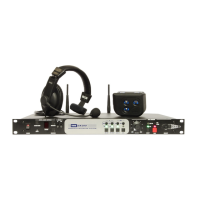
Overview of the Arcadia Central Station, its features, and capabilities.
Example setup of Arcadia with FreeSpeak II Wireless using E1 connectivity.
Configuration example for Arcadia with FreeSpeak II Wireless and a splitter.
Setup for Arcadia with FreeSpeak II and Edge Wireless IP Transceivers.
Example of a split frequency setup involving multiple wireless bands.
How to use Arcadia as a host for the HelixNet system.
Configuration example combining FreeSpeak E1 and HelixNet.
Details on the connectors, controls, and indicators on the front panel of the Arcadia.
Information about the touchscreens on the Arcadia's front panel.
Details on the connectors and indicators located on the rear panel.
Instructions on how to power the Arcadia Central Station.
Recommendations for Ethernet cables used with Clear-Com systems.
How to manage Stage Announce and Program Feed audio.
Steps to set the management IP address for the Arcadia Central Station.
Managing passwords, addresses, and system configurations.
Overview of the menu options available on the front panel.
Instructions for accessing, logging in, and managing CCM settings like passwords and IP.
Procedures for backing up and restoring system configurations.
How to configure various settings for the Arcadia Central Station in the CCM.
Managing channels, groups, and roles within the CCM for communication setup.
How to monitor the status of connected devices and system components.
Instructions for connecting FreeSpeak transceivers using E1.
Steps to add FreeSpeak IP transceivers to the system.
Configuring the network setup for IP transceivers.
Procedures for registering FreeSpeak beltpacks with the system.
How to connect HelixNet user stations to the network.
Steps for pairing HelixNet user stations with the base station.
Steps for configuring Dante connections and ports.
Introduction to using 2-wire intercom devices.
Guidelines for interconnecting 2-wire equipment.
How to configure the port function for 4-wire connections.
Guidelines for interconnecting 4-wire equipment.
Steps to upgrade firmware via the CCM.
How to upgrade firmware using a USB stick.
How to activate additional licenses online.
How to activate additional licenses offline.
Information on using different types of security certificates.
How to force HTTPS for secure connections.
Pinout details for GPIO connectors.
Pinout details for 2-wire XLR connectors.
Pinout details for 4-wire connectors.
Technical specifications for the Arcadia Central Station.
Details on the system's capacity limits.
Reference table for front panel audio settings.
Reference table for front panel host settings.
Reference table for networking settings.
Reference table for administration settings.
FCC compliance information for the device.
RF exposure warnings and compliance statements.
Disposal instructions for WEEE waste.
 General
| Brand | HME |
|---|---|
| Model | Clear-Com ARCADIA Series |
| Category | Intercom System |
| Language | English |

 To Next Page