Gyro Mode Setup:
Please use the 5th channel to switch between (advance/beginner/gyro off) modes,
and the 6th channel to adjust gyro sensitivity. Therefore a 3-position switch for the
5th channel and a rotary switch for the 6th channel are best for this purpose.
Radio setup:
Go to the menu and choose wing mode. Then choose Delta wing.
(Consult your radio instruction manual for a proper channel setup)
Gyro Calibration. Work time: 1-2 mins:
The gyro on the DSM2 receiver board will automatically self-calibrate, the gyro on the Frsky
receiver board needs to be manually calibrated.
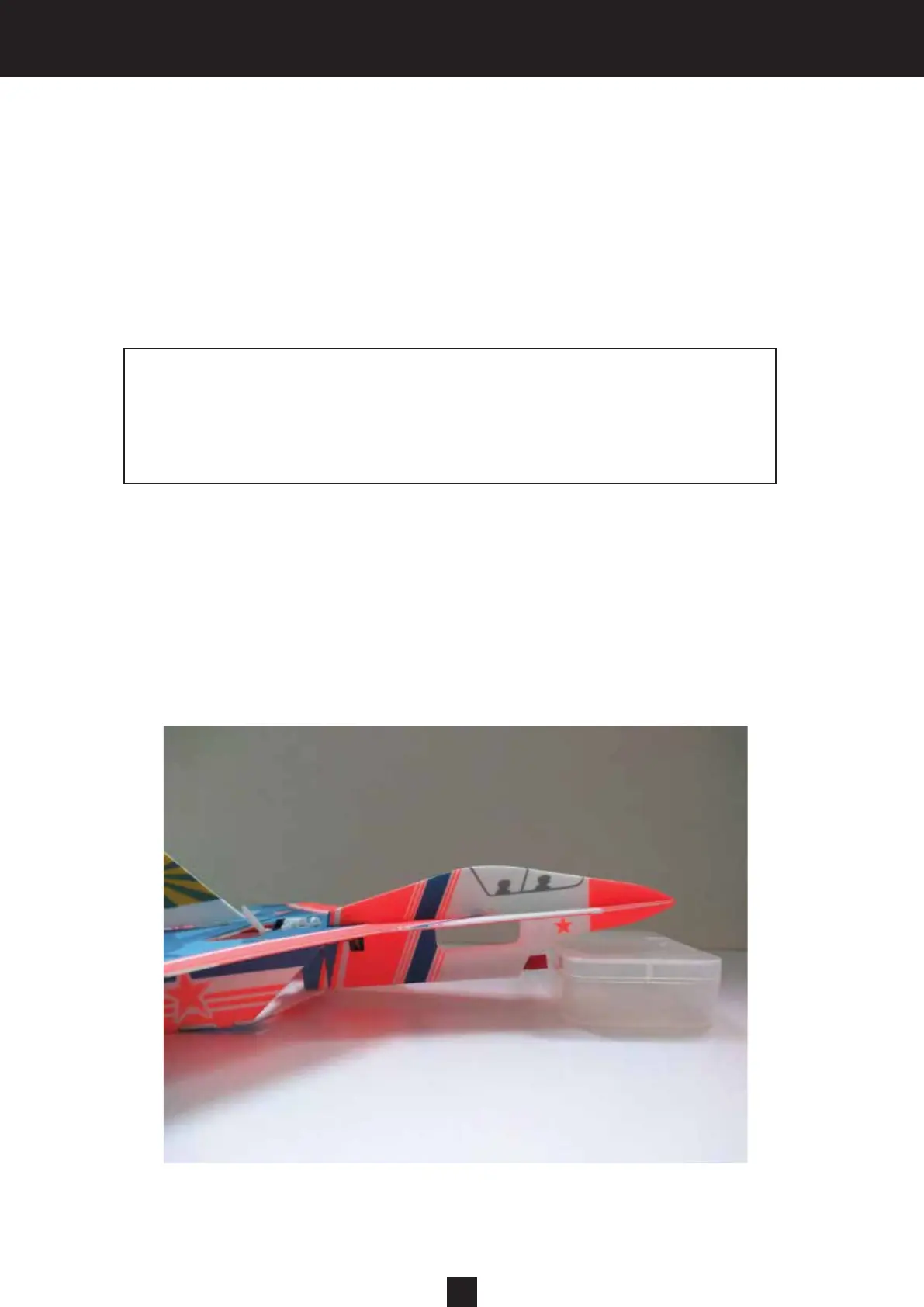
Here is the Frsky receiver gyro board calibration procedure: Disconnect the flight battery pack
after successfully binding. Place the plane on a level ground and then tilt the nose up to about
10 degrees (as shown below). Reconnect the flight battery and flip the 5th channel switch up
and down at least 3 times (within 30 seconds after reconnecting battery); the red LED on the
receiver will flash and then turn solid, which indicates successful calibration.
2
Advance mode: Place the 5th channel switch in the upper position.
Beginner mode: Place the 5th channel switch in the middle position.
Gyro off: Place the 5th channel switch in the lower position.
Consult your radio instruction manual for the proper
programming setup.
Please repeat the above procedure if calibration fails.



 To Next Page