3
Transmitter
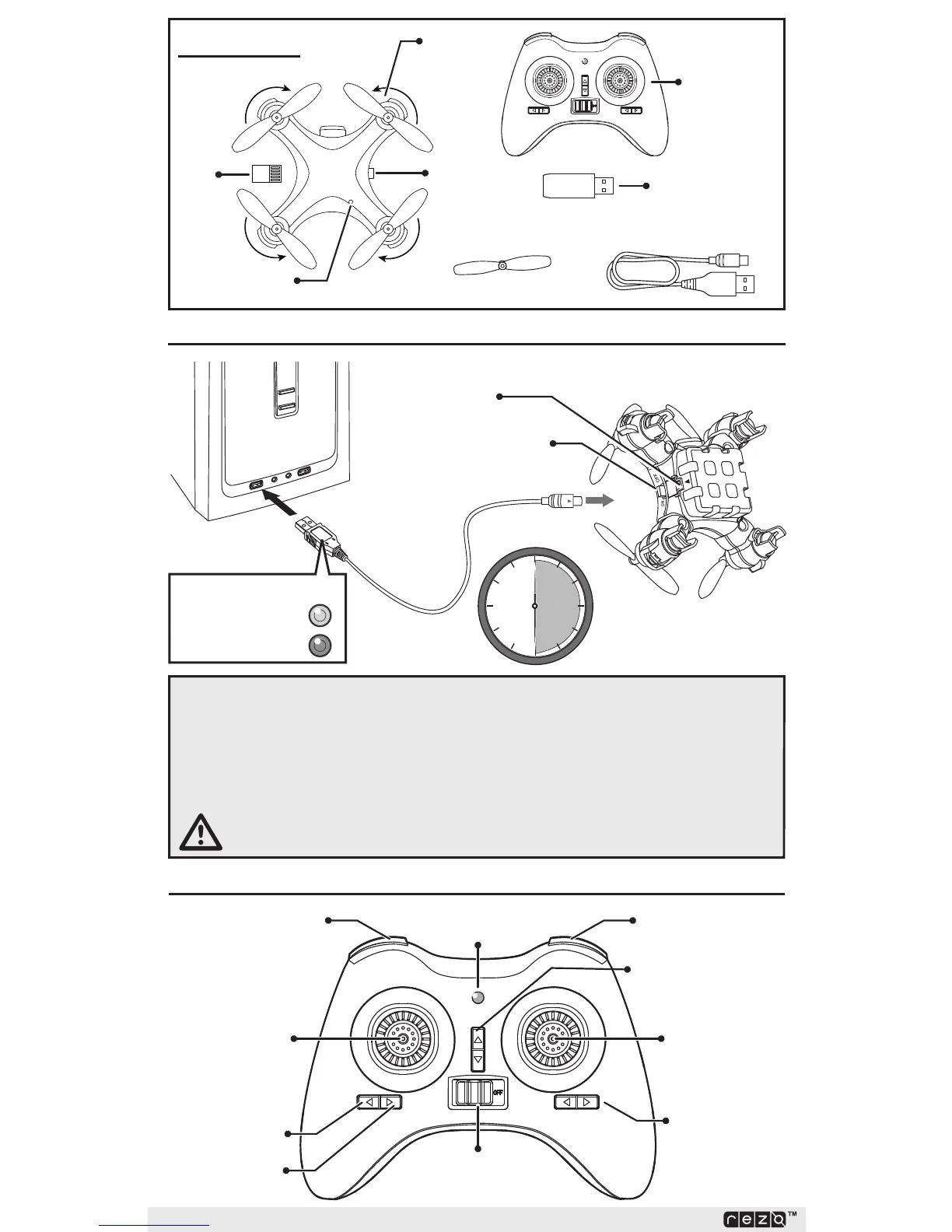
BatteryCharging
1. Connect the charging cable to the quadcopter, paying close attention to the
on the port.
2. Connect the charging cable to a powered USB.
3. The battery will charge in approximately30minutes.
TheLEDsequencefortheUSBchargerisOFF=charging,
SolidRed=chargeiscomplete.
CAUTION: Incorrectly plugging the charging cable into the quadcopter
charging port can damage the product.
ON / OFF
CHARGING (OFF)
READY (Solid Red)
ChargerLED
~30
MIN.
Charging Port
Power Indicator
Camera - Still
Camera - Video
Headless Mode
Throttle /
Triple Rate
On / Off
Switch
Left / Right Trim
Control / Flip
Auto Takeoff /
Auto Land
Forward / Back Trim
BoxContents
SD
Card
Main
Rotor
Photo/
Video
On/Off
Switch /
Charging
Port
Props
Transmitter
SD Card
Reader
USB Charging Cable
USB
Port



 To Next Page