5
TripleRates
The quadcopter has 3 operation modes: beginner,
intermediate, and advanced:
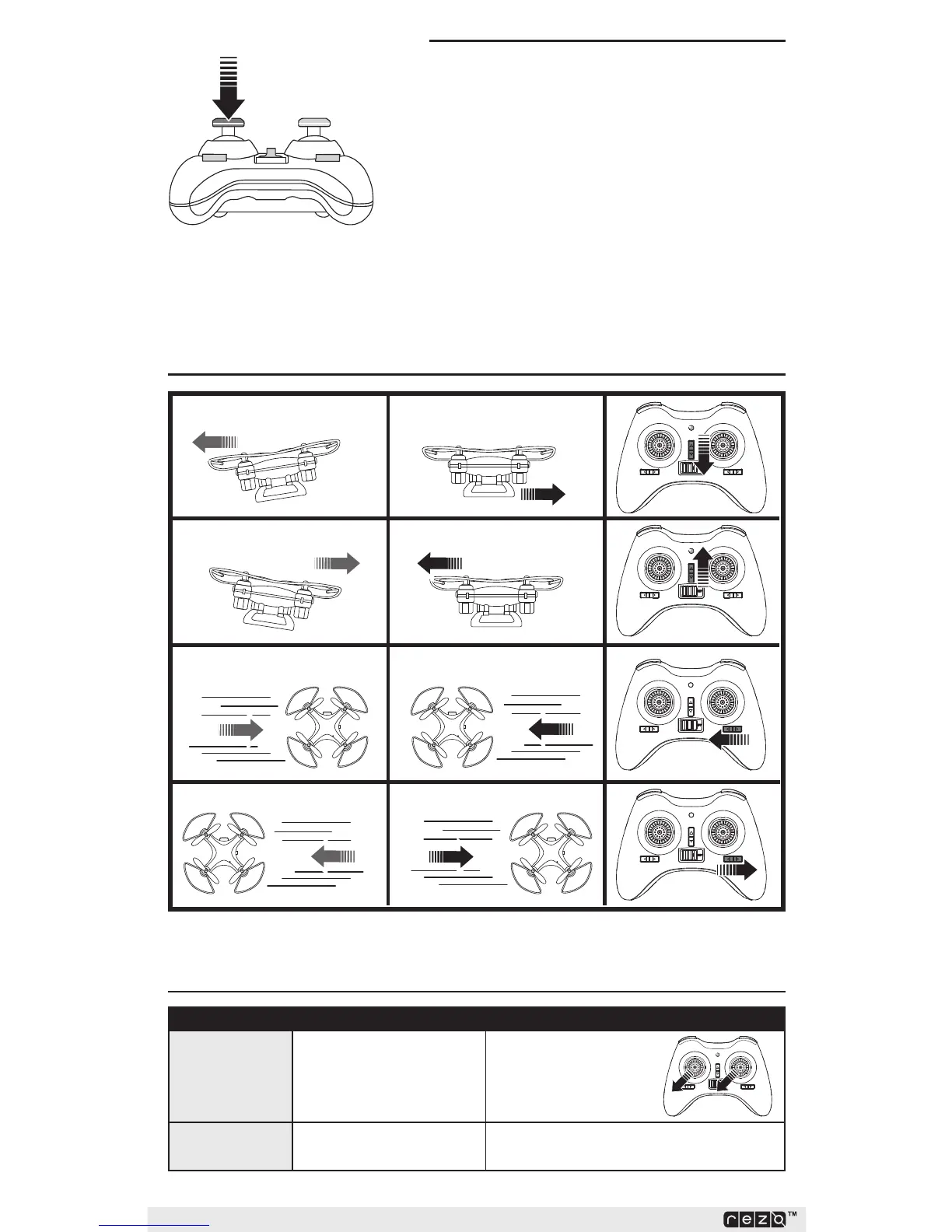
Press the THROTTLE stick in to enter the setting mode.
• The transmitter beeps once, indicating beginner
mode (sensitivity 30%).
• The transmitter beeps twice, indicating
intermediate mode (sensitivity 50%).
• The transmitter beeps three times, indicating
advanced mode (sensitivity 70%).
Higher sensitivity means a faster quadcopter! Lower
sensitivity means a slower quadcopter.
Trimming
Drift Left
Trim Right
Trim Left
Drift Right
Drift Forward
Drift Backward Trim Forward
Trim Backward
Problem PossibleCause Solution
Quad drifts or
changes altitude
on its own
Sensor is out of calibration
Press the THROTTLE and
CONTROL sticks to the
left bottom corner.
Quad flips over
upon takeoff
Propellers are not installed
correctly
Check propeller direction and condition
TroubleshootingGuide



 To Next Page