6
ReplacementParts
Part # Description
HBZ9200 Guards, Rezo Ultra Small Micro
HBZ9201 Red body, Rezo Ultra Small Micro
HBZ9202 Yellow body, Rezo Ultra Small Micro
HBZ9203 Props, Ultra Small Micro
HBZ9204 Blue body, Rezo Ultra Small Micro
HBZ9205 Orange body, Rezo Ultra Small Micro
PhotographsandVideos
Photography
1. After setup, press the STILL key on the transmitter.
2. The red indicator LED on the quadcopter flashes once per
photo taken.
3. After the flash, the photograph is stored to the SD card.
VideoOperation
1. After setup, press the VIDEO key on the transmitter.
2. The red indicator LED on the quadcopter stays solid.
3. Press the VIDEO key again. The indicator LED turns off,
indicating that video recording has stopped.
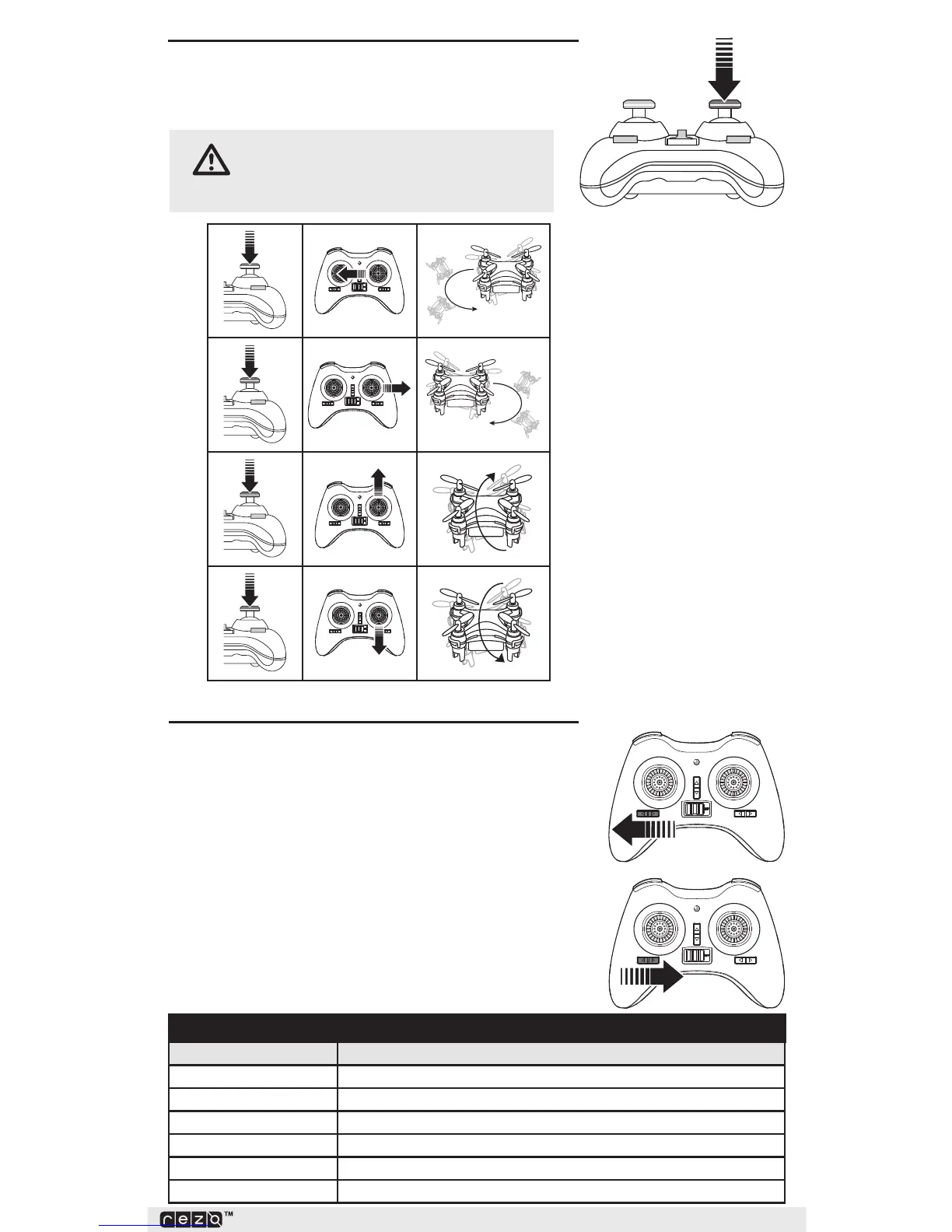
LeftSideFlip
RightSideFlip
FrontFlip
BackFlip
FlipMode
The quadcopter has 4 flip directions.
Press the CONTROL stick. The transmitter beeps, indicating
flip mode.
CAUTION:The quadcopter can perform 360
degree arial flips. The quadcopter must be at
least 1m above the ground.



 To Next Page