53
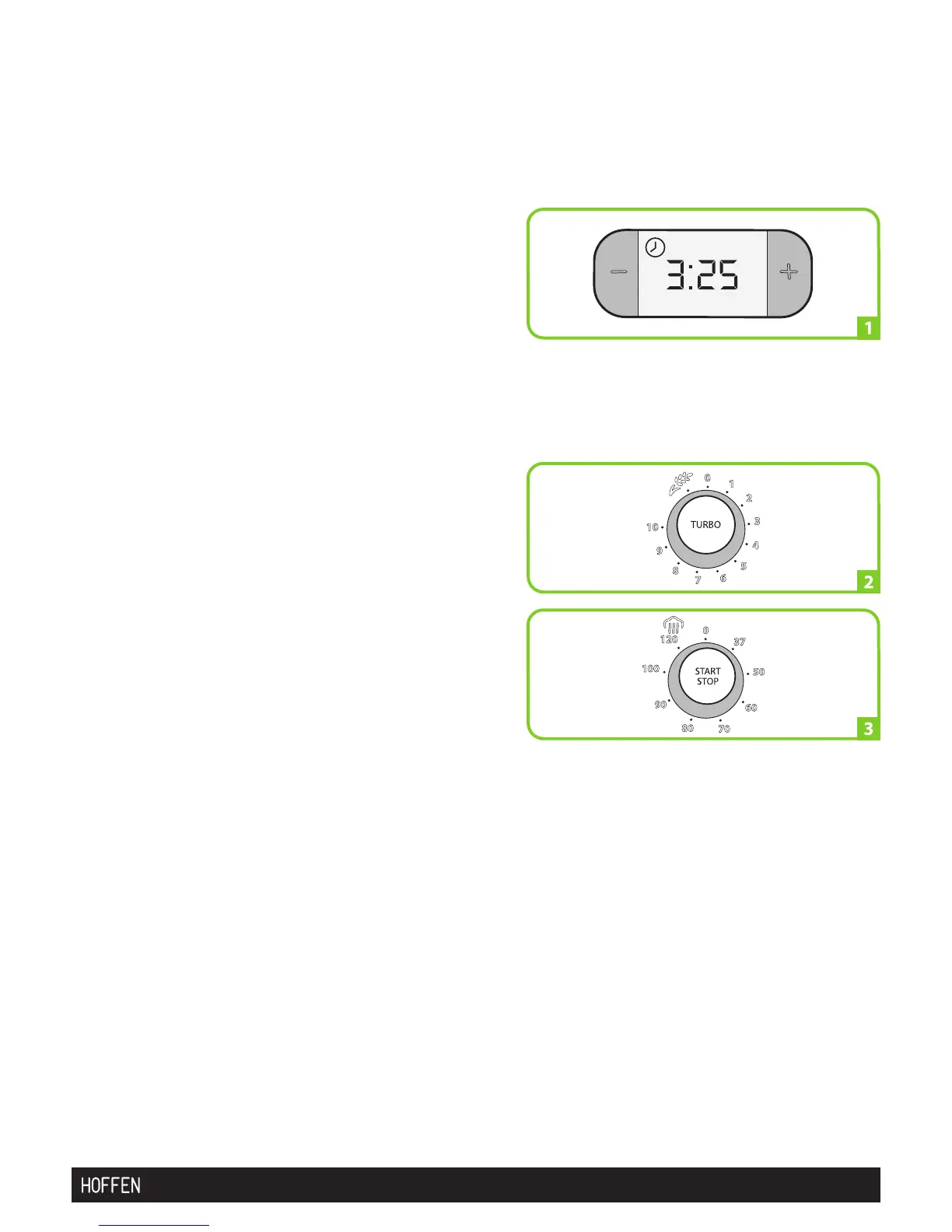
Timer button or Timer (picture 1)
Press buttons "-" and "+" to regulate the time.
Time can be dened between 1 second and a
maximum of 60 minutes. Press and hold the
button to increment the timer display. Press both
"-" and "+" buttons at the same time to return the
timer to 00.00.
Set the time according to the recipe, by pressing
buttons "-" and "+" near the display.
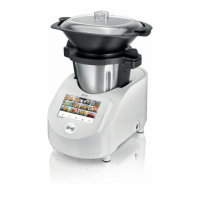
Speed selector (picture 2)
Turn the speed selector to the right to select the
speed rotation of the blades, to positions:
1/2/3/4/5/6/7/8/9/10. Turn the selector to the
left for the dough mode.
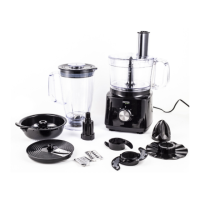
Temperature selector (picture 3) Turn the
temperature selector to the right and select the
temperature you need for cooking:
37°/50°/60°/70°/80°/90°/100°/120°C. The preset
temperature flashes and then glows steadily
when the cooker reaches that temperature.
When the mixing process and the timer finish, a buzzer sound is heard. It is possible
to programme a speed without a preset time, during which the cooker will work for
1 minute. Once that time is up, the cooker works for 3 more seconds and reverses the
rotation direction of the blades for the bowl to be removed.


 To Next Page