05
Bluetooth Connection
1. Make sure the gimbal is powered on.
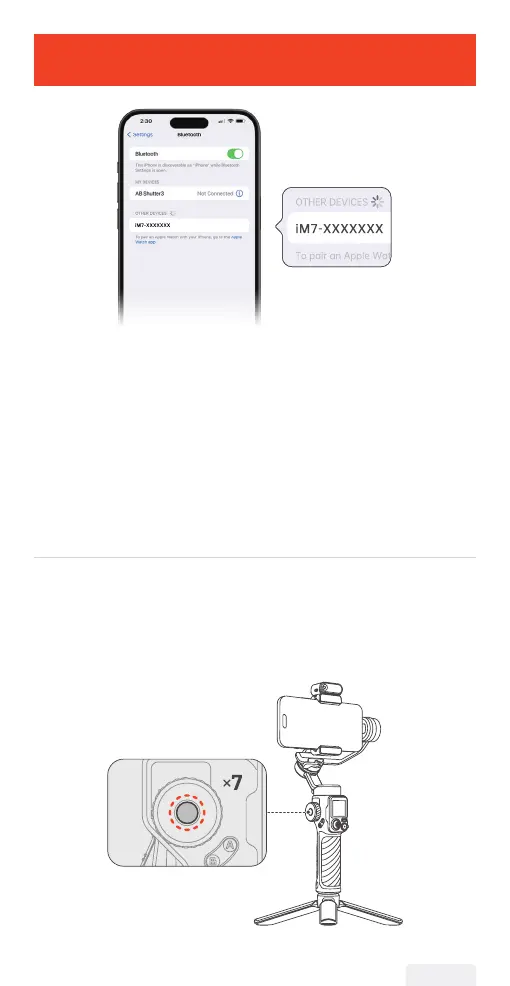
2. Activate Bluetooth on your smartphone and select the device
named "iM7-XXXXXXX" from the list of available devices.
3. Follow the on-screen instructions to connect and pair.
4. A steady light on the Bluetooth indicator signies a successful
connection.
Unable to nd my gimbal in the Bluetooth device list, or the
gimbal's Bluetooth is connected to another phone?
To resolve this, clear the gimbal's Bluetooth information and
reconnect by following these steps:
① Press the side roller seven times. The Bluetooth icon on the
display will indicate that the Bluetooth connection has been cleared.
② Follow the Bluetooth connection instructions to reconnect.
06


 To Next Page