Need help?
Do you have a question about the Hohem iSteady Mobile+ and is the answer not in the manual?
How to charge the iSteady Mobile+ using a USB adapter.
How to check the iSteady Mobile+ battery status using LED indicators.
How to use the gimbal to charge other smartphones.
Steps for mounting a phone in horizontal orientation on the gimbal.
Steps for mounting a phone in vertical orientation on the gimbal.
How to adjust brightness and color of the fill light.
Controls for gimbal movement and mode status lights.
Controls for zoom and indicators for Bluetooth connection.
Button for switching gimbal modes and auto calibration.
Button for powering on/off and taking photos/videos.
Explains PF, PTF, L, and POV operational modes.
Adjusting video settings like exposure, resolution, and frame rate.
Using smart tracking and configuring app parameters.
Controlling focus/zoom and applying beauty filters.
Using gesture commands and video templates.
Steps to perform auto calibration for optimal performance.
Instructions for updating the gimbal's firmware via the app.
Technical details of the gimbal and fill light components.
 General
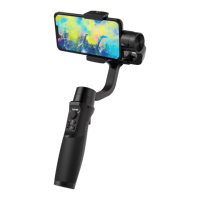
| Type | Smartphone camera stabilizer |
|---|---|
| Material | Fiberglass, Nylon |
| Mounting | 1/4\ |
| Motorized | No |
| Pan range | 0 - 600 ° |
| Product color | Black |
| Compatible products | iPhone 12, 12 pro, 12 pro max, iPhone 11, 11 Pro, 11 Pro Max, XS, XS Max, SE2, XR, X, 8 Plus, 8, Samsung Galaxy S20 Ultra, S20+, S20, S10+, S10, S9+, S8, Note 10+, Note 9, A50s, HUAWEI Mate 30 Pro, Mate 30, Mate 20 Pro, Mate 20, Mate 10, Mate 9, P40 Pro, P40, P30 Pro, P30, P20 Pro, P20, Nova 5, HONOR 30 Pro, 30, 20 Pro, 20, 8X, Xiaomi Mi CC9 Pro, Mi 10 Pro, Mi 10, Mi 9, Mi 8, Mix 2S, Mix 2, OnePlus 8 Pro, 8, Google Pixel 4XL, Pixel 4, realme X2, |
| Maximum device width | 89 mm |
| Minimum device width | 58 mm |
| Maximum weight capacity | 0.28 kg |
| Charging time | 3.5 h |
| Operating time | 12 h |
| Battery voltage | 3.7 V |
| Battery capacity | 1800 mAh |
| Operating temperature (T-T) | -10 - 45 °C |
| USB 2.0 ports quantity | 1 |
| Cables included | USB |
 Weight and Dimensions
| Weight | 489.7 g |
|---|

 To Next Page