6
• If no mobile phone is detected or the motor is overloaded due to improper
phone balance, the Gimbal will shut down after a warning beep.
First Use
Scan the QR code to watch the tutorials.
Caution:
• Smartphones with 6.7-inch or larger screens, such as iPhone 15 Pro Max, should
be mounted almost level with the floor.
• If your phone case is bulky, we recommend that you remove it before
installation.
Horizontal Mode
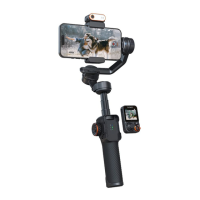
• Pull the phone clamp and mount the phone.
• Push the phone to the rightmost to get close to the motor.
• Loosen the knob and slide the arm to balance the Gimbal. Left Small phone e.g.,
iPhone 15 (6.1 inches) Right Large phone e.g., iPhone 15 Pro Max (6.7 inches)
• Tighten the knob.
• Long-press the power button to turn on. At least for three seconds.
Vertical Mode
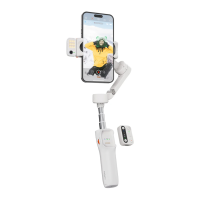
• Loosen the knob, slide the arm to the leftmost, and tighten the knob.
• Rotate the phone clamp 90 degrees.
• Pull the phone clamp and mount the phone. Adjust the phone up or down to
roughly balance the Gimbal.
• Once the phone is roughly balanced, long-press the power button to turn on. At
least for three seconds.
Caution: Do not rotate the phone clamp while the Gimbal is powered on.
Quick Switch to Portrait Mode: After switching to portrait mode, the joystick only
controls the phone to rotate left and right.
The following scenarios do not support quick switching:
• In POV mode
• When the handle is perpendicular


 To Next Page