7
• When the app setting of the left/right joystick is roll
Ultra-Wide-Angle Shot
• Capture stunning Ultra-Wide-Angle Shot by pressing the trigger four times. The
roll motor will move in front of the phone screen, providing unobstructed views.
• Default Mode has no obstruction in front of the phone screen.
Note: Ultra-Wide-Angle Shot can only be switched while shooting horizontally.
Magnetic Attachment
• Position the fill light close to magnetic contact (with the "hohem" logo facing
upward). The magnet on the fill light will automatically attract and attach to the
Gimbal.
Operation
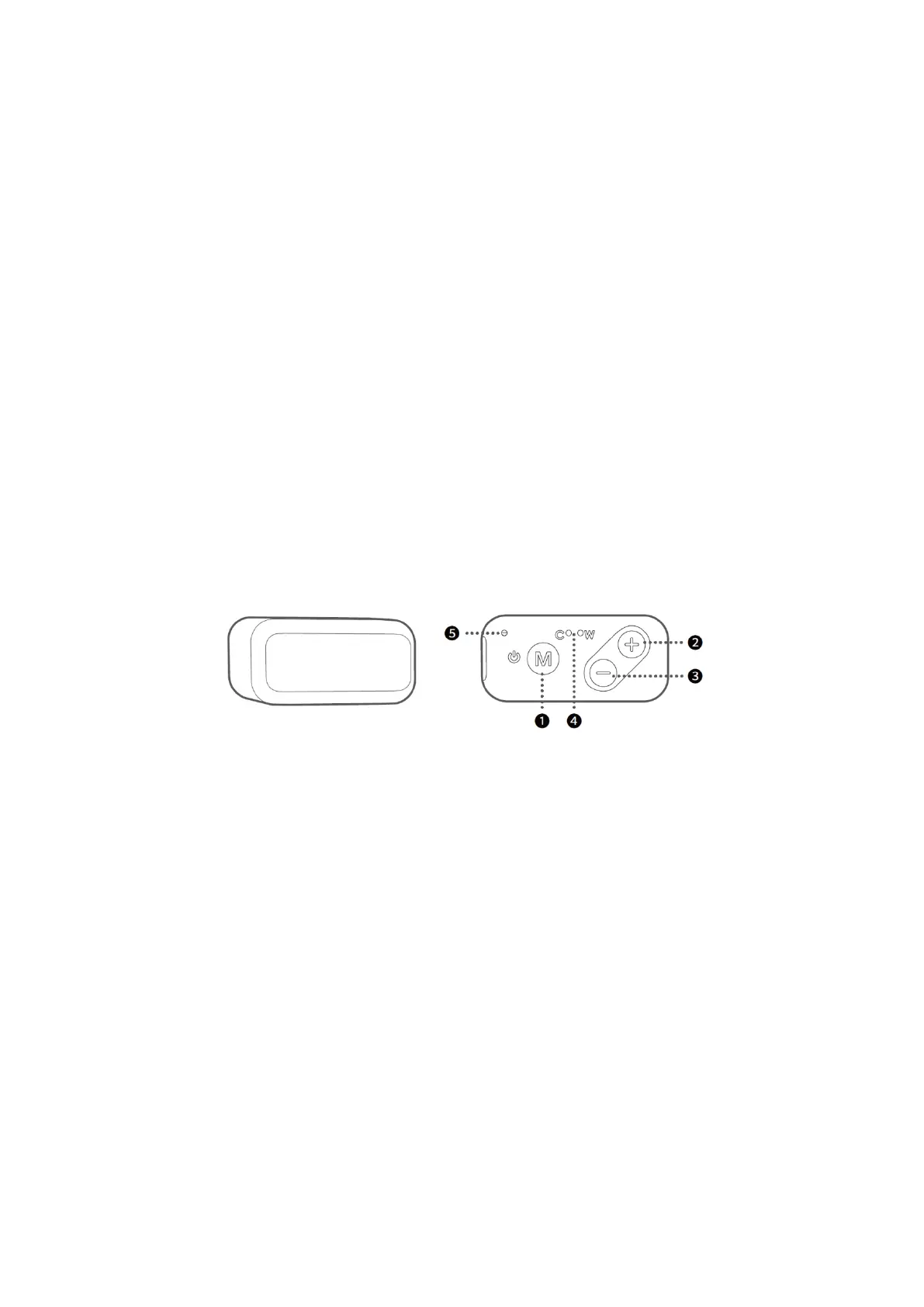
Adjust the brightness of Cold Light, Warm Light, and Natural White Light with 10-level
adjustable settings.
1. M Button (Turn ON/OFF fill light)
Press and hold for three seconds: Turn on/off the fill light.
Single press: Switch between Cold, Warm, and Natural White light.
2. Plus "+" Button
Single press: increases the brightness in ten levels.
3. Minus "-" Button
Single press: decrease the brightness in ten levels.
4. Fill Light Indicator
"C" indicator lighting alone: Cold light in use.
"W" indicator lighting alone: Warm light in use.
"C&W" indicators both lighting: Natural white light in use
5. Power Indicator
Flashes red: Charging.
Solid red: Fully Charged.


 To Next Page