Need help?
Do you have a question about the Hohem iSteadyMobile Plus and is the answer not in the manual?
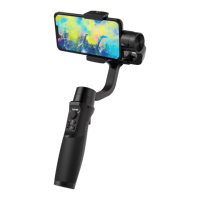
Controls tilt and pan movements of the gimbal.
Displays gimbal status and working modes.
Allows focus and zoom adjustments via the app.
Indicates gimbal's Bluetooth connection status.
Switches modes, initiates inception, and calibration.
Controls power, photo capture, and video recording.
Activates sport mode and recenters the gimbal.
 General
| Number of Axes | 3 |
|---|---|
| Tilting Angle | 320° |
| Rolling Angle | 320° |
| Battery Life | 12 hours |
| Operating Voltage | 3.7V |
| Max Payload | 280g |
| Control | Joystick, Buttons |
| App Supported | Hohem Gimbal App |
| Connectivity | Bluetooth |
| Foldable Design | Yes |
| Bluetooth Remote Control | Yes |
| Type | Gimbal Stabilizer |
| Compatibility | Smartphones |
| Features | Object Tracking, Time-Lapse, Inception Mode |
| Material | Aluminum |
| Mounting Options | 1/4" Screw Hole |

 To Next Page