04
Mounting & Powering On
Compatible smartphones:
≤ 7 inches (weight: ≤ 500g,
width: 58mm-90mm, thickness:
≤ 12.5mm)
Video
Tutorial
Tripod Installation & Axes Unlocking
a.Attach the tripod to the
bottom of the handle.
Unfold the tripod and place
the gimbal on a at surface.
➀
➁
b.Each axis of the gimbal is equipped
with a lock for easy storage and
setup. The gimbal is packaged in the
locked position. You can unlock it as
shown below.
Roll Lock
Pan Lock
Tilt Lock
Mounting & Balancing
Landscape
a.Attach the phone clamp
to the center of the phone.
Ensure the smartphone
is snug against the phone
clamp and the motor. When
mounting for landscape
shooting, make sure the
phone's camera is positioned
on the left side.
b.Unlock the roll arm latch and
push the arm to the left or right
until the phone is steady and
almost at level with the ground.
Then tighten the latch.
Portrait
a.Rotate the phone clamp by 90°
to the left as shown.
90°
b.Attach your mobile phone
with the camera positioned on
the top.
c.Adjust the roll arm to the left or right until the phone is steady and
almost at level with the ground.
Quick Switch to Portrait Mode
Hold the gimbal vertically, and tilt the handle as shown until the
smartphone automatically switch to portrait mode. Then slowly
rotate the handle and hold it horizontally.
Tips:After switching to portrait mode, the joystick only controls
the phone's left and right rotation. Note that quick switch to vertical
mode is not supported in POV mode.
Powering on & Standby
Make sure the tilt, roll, and pan locks are in the unlocked position
before using the gimbal.
Powering On
1.When the remote is attached to the handle, long press the
shutter button to power on the gimbal and the remote controller.
Shutter Button
2.When the remote is detached, long press the power button on
the handle to power on the gimbal. Long press the shutter button
on the remote to power on the remote controller.
Power ButtonShutter Button
Standby
Power Button
Double press: Enter the standby mode
Double press again: Wake up the gimbal
Ultra-Wide-Angle Mode
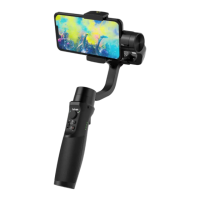
Default mode as shown in the image 1: There's no obstruction in
front of phone screen.
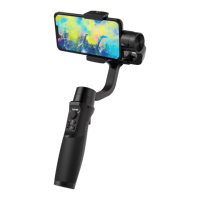
Ultra-wide-angle shot mode as shown in the image 2: The roll
motor shifts to the front side of the phone screen to avoid appearing
in rear shots.
❶ ❷
05


 To Next Page