Working Mode & Follow Speed
Working Mode
05
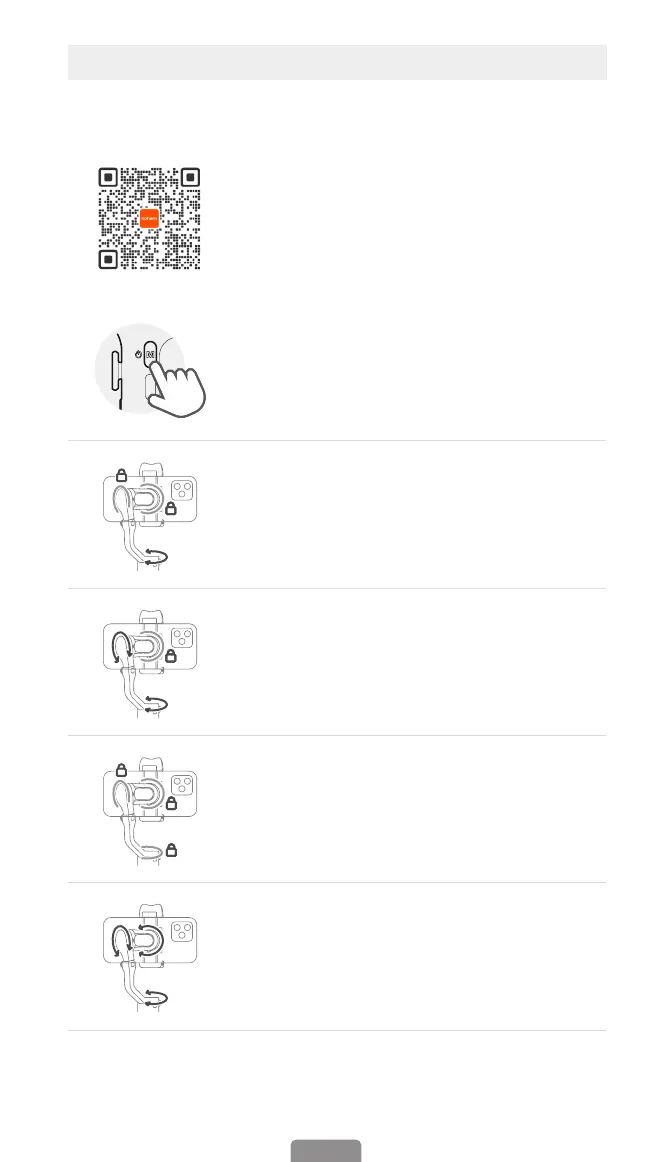
To switch between working modes,
please press the M button once.
Pan Follow
When you rotate the handle left/right, the camera will follow
the handle movements. The tilt motor does not follow within
the angle range of -45° ~+45° movement, if exceed this range,
the gimbal will follow the tilt movement, and the roll motor is
locked without following the movement.
Pan & Tilt Follow
This is the default working mode. When you rotate the handle
left/right/tilt up/tilt down, the camera will follow the handle
movements, and the roll motor is locked without following the
movement.
All Lock
The roll and pan motors are locked without following the
movement. The tilt motor does not follow within the angle
range of -45° ~+45° movement, if exceed this range, the gimbal
will follow the tilt movement.
POV (All Follow)
First person view
360° following movement(Pan/Tilt/Roll)
Scan the QR code to
view how to use
working modes.



 To Next Page