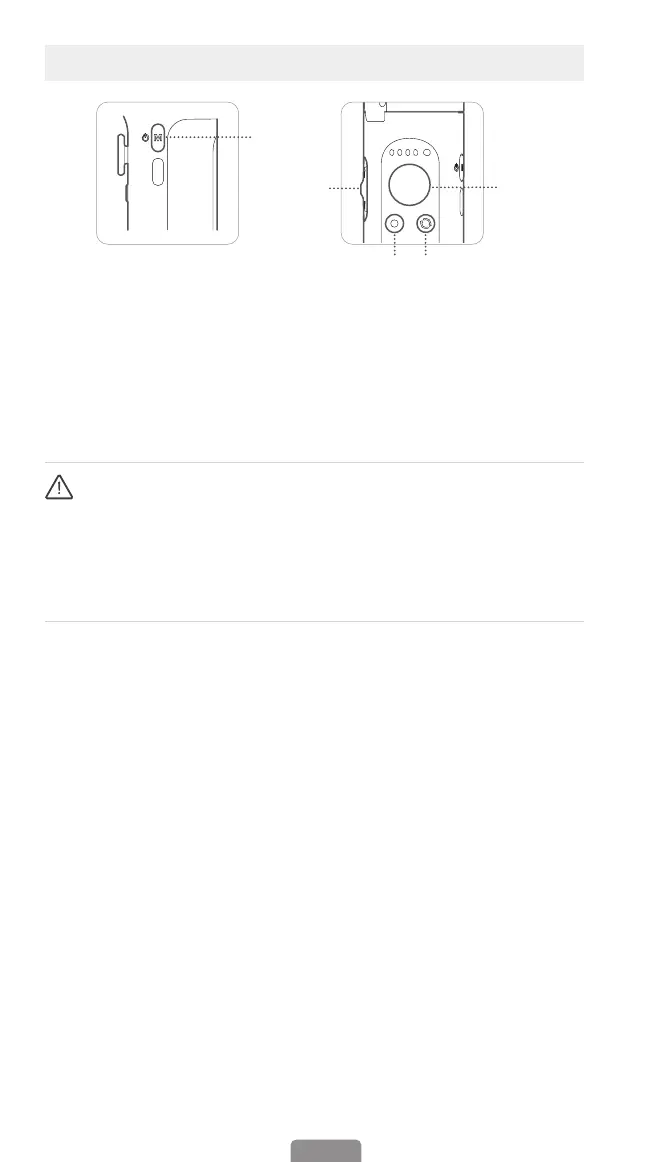
Button Function
04
①
②
③
④ ⑤
③
Zoom Slider
(Make sure that Bluetooth is already
connected.Only Available in the Hohem
Joy and Android 10.0 or later.)
Push up:
Zoom in
Push down:
Zoom out
④
Shutter Button (Please ensure the
Bluetooth pairing)
Press once:
Take photo, Start/End video
Press twice:
PHOTO/VIDEO switch
Press three times:
Front/Rear camera
switch (Make sure that Bluetooth is
already connected.Only Available in
the Hohem Joy and Android 10.0 or
later.)
⑤
Function Button
Press once:
Landscape mode/Portrait
mode
Press twice:
Recenter the gimbal
Press three times:
180° inception mode/
180° spin shot (auto rotation)
Press seven times:
Remote control*
pairing
When paired with a remote control*
Press function button once:
Cancel
pairing
Press function button twice:
Clear the
paired remote control* (The paired
remote control will be unavailable and
needs to be re-paired.)
Press on function button:
Check the
gimbal battery level
(Remote control is sold separately.)
①
M Button(Power Button)
Press and hold for 3s:
Power on/o
Press once:
Switch between working
modes (PTF-PF-L-POV)
Press twice:
Standby mode (Press M
button to exit)
Press ve times:
Auto calibration
②
Joystick
Up/Down:
Tilt rotation control
Left/Right:
Pan rotation control
(It is able to control the roll rotation
through "Left/Right Joystick" Setting
in Hohem Joy App)
*Before pressing Zoom Slider and Shutter Button, please make sure that the
Bluetooth is connected.
Follow steps below:
1.Turn on the Bluetooth of your mobile device.
2.Search for devices and tap on the device name starting with "V2S".
3.It is connected when the Bluetooth indicator shows green.



 To Next Page