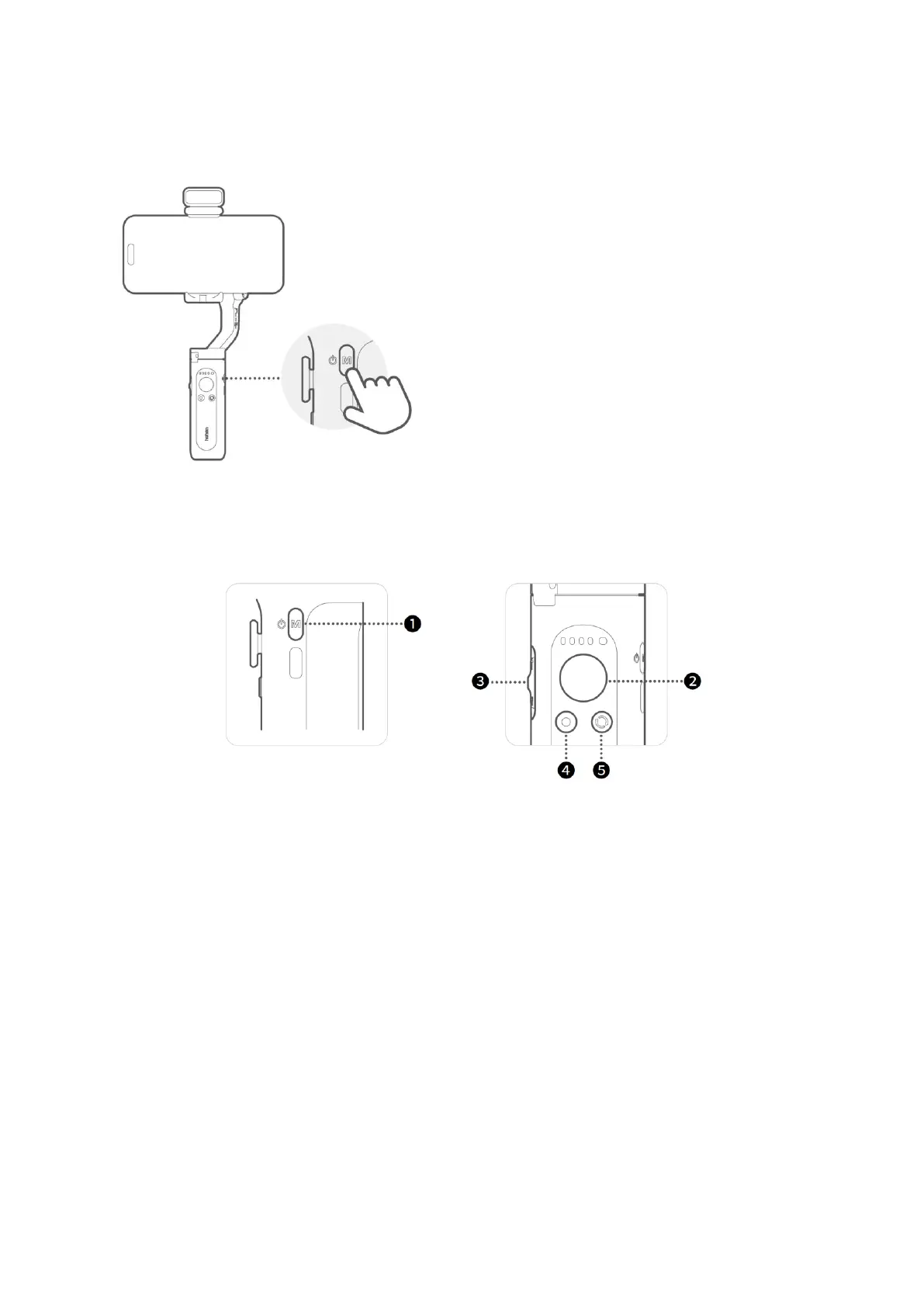
1. Power on
Press and hold the M button (power on/off
button) for three seconds.
2. Bluetooth connection through the app
Enable Bluetooth on your smartphone.
Launch the Hohem Joy app and follow the
prompts to connect iSteady XE.
Button Functions
1. M Button (Power button)
• Press and hold for three seconds: Power on/off.
• Press once: Switch between working modes (PTF / PF / L / POV).
• Press twice: Standby mode (press any button to exit).
• Press five times: Auto calibration.
2. Joystick
• Up/Down: Tilt rotation control.
• Left/Right: Pan rotation control.
• Roll rotation can be controlled using left/right joystick after setting it in the
Hohem Joy app.
3. Zoom Slider
• Available in the Hohem Joy app. Bluetooth pairing is necessary.
• Push up: Zoom in.
• Push down: Zoom out.



 To Next Page