09
07 Buttons and Gimbal Modes
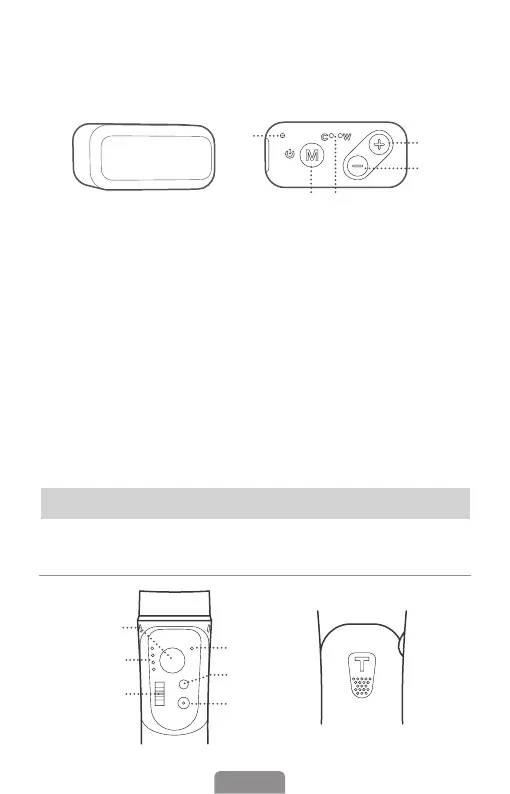
Buttons and Indicators
❶
❷
❸
❹
❺
❻
❼
Operation
Cold Light / Warm Light / Natural White Light (10-Level Adjustable Brightness)
❹
❸
❷
❺
❶
❶ M Button (Turn on/o ll light)
Press and hold for 3s: Turn on/o
the ll light
Press once: Cold/warm/natural the
white light switch
❷ Plus "+" Button
Single press to increase brightness
in ten levels
❸ Minus "-" Button
Single press to decrease brightness
in ten levels
❹ Fill Light Indicator
("C" is short for cold; "W" is short for
warm.)
C indicator lighting alone: Cold
light in use
W indicator lighting alone: Warm
light in use
C&W indicators both lighting:
Natural white light in use
❺ Power Indicator
Flashing red: Charging
Solid red: Fully Charged












 To Next Page