11
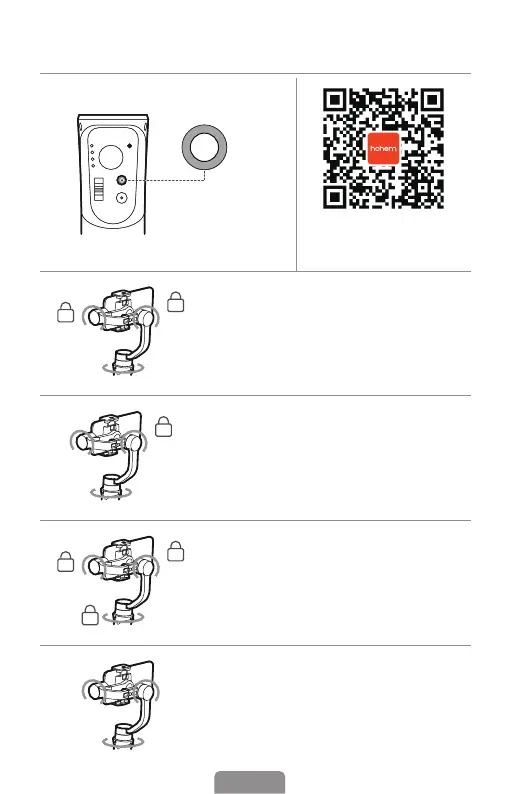
Gimbal Modes
Tap the button to
switch dierent
working modes
with light on.
Scan the QR code to
watch the tutorials.
PF (Pan Follow)
Default mode, tilt & roll axis both locked,
camera is able to move to left or right
smoothly.
PTF (Pan & Tilt Follow)
Roll axis locked, camera is able to
move to left/right, and tilt up/down.
L (All Locked)
The camera stays in its current orientation.
POV (AlI Follow & Inception)
All Follow - Tilt axis, roll axis and pan axis all
follow the movement of the gimbal.
Inception - Hold the gimbal horizontally and
push joystick to left or right.












 To Next Page