EasyManua.ls Logo

Hohem iSteadyPro4 - Gimbal Mode Button; Working Modes Explained; Off-line Calibration

Hohem iSteadyPro4
116 pages
Print Icon
To Next Page IconTo Next Page
To Previous Page IconTo Previous Page
Loading...
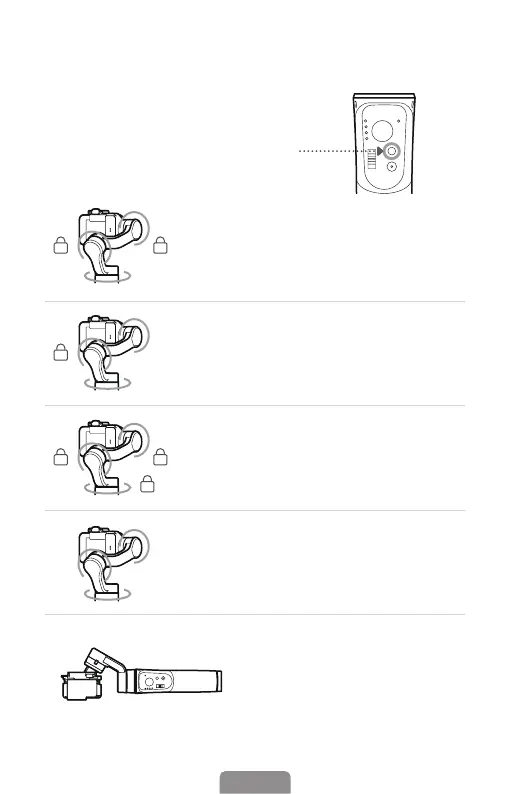
Gimbal Mode Button
Tap the button to switch
di󽗿erent working modes
with light on.
Long Press for 6 Seconds



O󽗿-line Calibration
(Bluetooth indicator stays on)
PF (Pan Follow)





PTF (Pan & Tilt Follow)

L (All Locked)
All Follow - 

Inception - 

POV (AlI Follow & Inception)
06EN

Table of Contents

Related product manuals