B
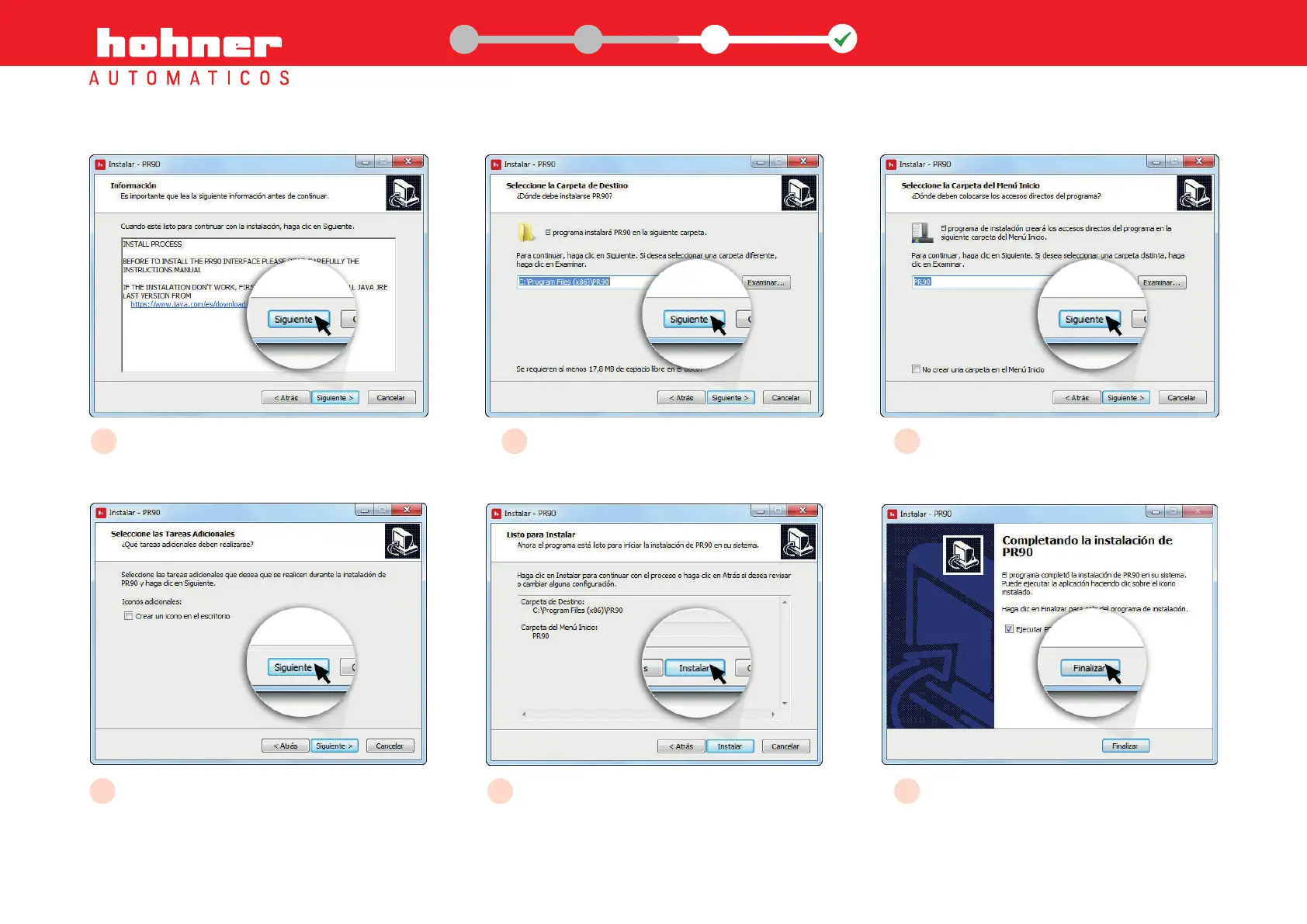
Automatic alert about the installation
process
C
The program will install PR90 - HOHNER
in the chosen folder
D
The installation will create short cuts to the
program in the chosen Start Menu folder
E
Choose the additional tasks; create a desktop
icon
F
The program is ready and configured for
installing PR90 on your system
G
Finish the installation and exit the installation
wizard
2
www.encoderhohner.com +34 972 160 017 info@encoderhohner.com
1
1
32
USER MANUAL
PR90 / PR90H


 To Next Page