EN-16
Cascaded Connection
Multiple hubs can be cascaded to expand the number of headsets. The hub suppos
two cascade methods — cascade via 4-wire analog signals and cascade via IP digital
signals. Generally, it is recommended to cascade two hubs using 4-wire analog
signals, and cascade three or more than three hubs using IP digital signals.
It is recommended to use a CAT5e cable for cascade and use the 568B stan-
dard for the RJ45 inteace.
Standard Network Cable Specications Max Length
CAT5e
CAT6e
300 meters
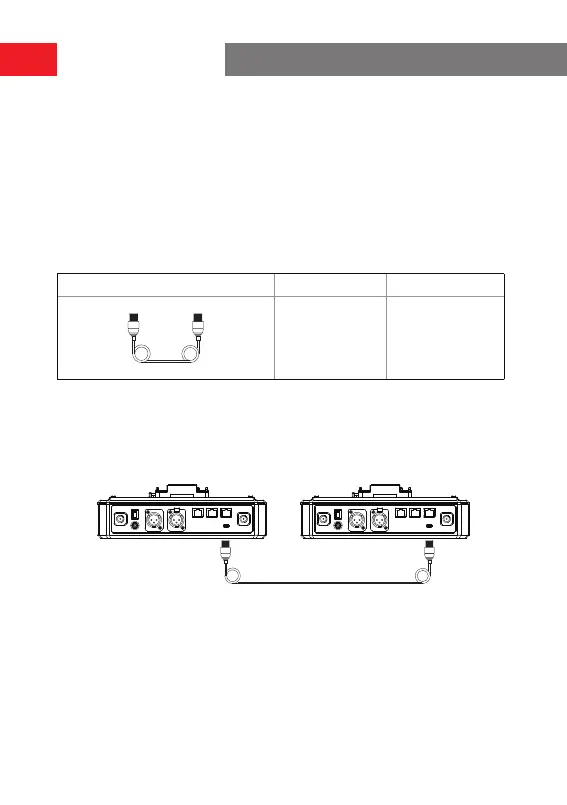
Two-System Cascaded Connection via the 4-Wire Inteace
Use a standard network cable to connect two hubs via the 4-wire inteace. The
length of the network cable is up to 300 meters.
Network cable of 300 meters
Network cable of 300 meters
Operation Guide


 To Next Page