EasyManua.ls Logo

Holman iWeather - User Manual

Holman iWeather
24 pages
Print Icon
To Next Page IconTo Next Page
Loading...
WS5019
INSTRUCTION MANUAL
Weather
Forecaster
WS5019 Weather Forecaster.indd 1 15/09/2015 8:08 am
Question and Answer IconNeed help?

Do you have a question about the Holman iWeather and is the answer not in the manual?

Summary

Weather Forecaster Overview

Technical Specifications

Indoor Unit Features

Details about the indoor unit's keys, display, calendar, languages, alarms, forecasts, barometer, and altitude settings.

Outdoor Sensor Specifications

Provides technical details for the outdoor sensor, including frequency, battery type, channels, and transmission range.

Glossary of Terms

Sensor Operation

Manual Time Setup

Daily Alarm Setup

Programming: Snooze, Time Format, and Units

Snooze Function Operation

Explains how to activate the snooze function when the alarm sounds, causing it to repeat after five minutes.

Time Format (12;24 Hour)

Describes the user's option to display the time in either a 12-hour (AM/PM) or a 24-hour format.

Temperature Units (°C;°F)

Details how to switch the temperature display between Celsius (°C) and Fahrenheit (°F) units.

Programming: Temperature Alerts and Min;Max

Weather Forecasts Explained

Moon Phase Display Guide

Humidity and Battery Indicators

Low Battery Indicator

Explains the symbol that warns when batteries need replacement in the weather station or outdoor sensor.

Wireless Connection and Troubleshooting

Outdoor Sensor Connection

Instructions for selecting channels and establishing a wireless connection with the outdoor sensor unit.

Connection Troubleshooting Tips

Offers advice on unit placement and avoiding interference to ensure optimal wireless signal reception.

Warranty Details

Summary

Weather Forecaster Overview

Technical Specifications

Indoor Unit Features

Details about the indoor unit's keys, display, calendar, languages, alarms, forecasts, barometer, and altitude settings.

Outdoor Sensor Specifications

Provides technical details for the outdoor sensor, including frequency, battery type, channels, and transmission range.

Glossary of Terms

Sensor Operation

Manual Time Setup

Daily Alarm Setup

Programming: Snooze, Time Format, and Units

Snooze Function Operation

Explains how to activate the snooze function when the alarm sounds, causing it to repeat after five minutes.

Time Format (12;24 Hour)

Describes the user's option to display the time in either a 12-hour (AM/PM) or a 24-hour format.

Temperature Units (°C;°F)

Details how to switch the temperature display between Celsius (°C) and Fahrenheit (°F) units.

Programming: Temperature Alerts and Min;Max

Weather Forecasts Explained

Moon Phase Display Guide

Humidity and Battery Indicators

Low Battery Indicator

Explains the symbol that warns when batteries need replacement in the weather station or outdoor sensor.

Wireless Connection and Troubleshooting

Outdoor Sensor Connection

Instructions for selecting channels and establishing a wireless connection with the outdoor sensor unit.

Connection Troubleshooting Tips

Offers advice on unit placement and avoiding interference to ensure optimal wireless signal reception.

Warranty Details

Overview

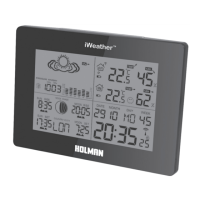
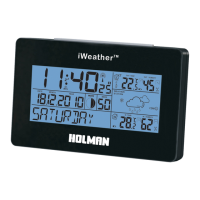
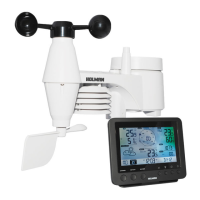
The Holman iWeather Weather Forecaster (model WS5019) is an intelligent environmental data device designed to provide comprehensive weather information and time-keeping functions. This device includes both an indoor unit and an outdoor sensor, offering a range of features for monitoring environmental conditions.

Function Description:

The iWeather Weather Forecaster primarily functions as a weather station, providing real-time indoor and outdoor temperature and humidity readings, as well as weather forecasts. It incorporates a continuous perpetual calendar up to 2099, displaying the date, month, and day of the week in a 12/24 hour format. The day of the week display is available in seven languages: German, English, Italian, French, Dutch, Spanish, and Danish.

A key feature is its weather forecasting capability, offering five different forecasts: sunny, partly sunny, cloudy, rainy, and stormy. The weather symbol can also be selected manually. The device includes a barometer and displays 12-hour air pressure history, with an altitude-setting function for accurate air pressure calculation.

For time-keeping, it offers a dual alarm with a snooze function that activates every five minutes. Alarm A1 is set for Monday to Friday, while A2 is for Saturday and Sunday. The device also tracks moon phases and provides sun rise/set and moon rise/set times for 176 cities.

The indoor unit features a blue background illumination LED for enhanced visibility. It also includes a low battery indication for both the indoor unit and the outdoor sensor.

Important Technical Specifications:

  • Indoor Unit:

    • Keys: MODE, +, -, HISTORY, CHANNEL, SNOOZE/LIGHT.
    • Time Display: 12/24 hour format.
    • Calendar: Continuous perpetual calendar up to 2099.
    • Day of Week Languages: German, English, Italian, French, Dutch, Spanish, Danish.
    • Weather Forecasts: 5 types (sunny, partly sunny, cloudy, rainy, stormy), with manual selection.
    • Barometer: Displays 12-hour air pressure history, altitude-setting for air pressure calculation.
    • Alarms: Dual alarm with 5-minute snooze function.
    • Temperature Range (Inside): 0°C to +50°C.
    • Humidity Range (Inside): Dry (below 40%), Comfortable (40%-70% at 20-28°C), Humid (70%-90%).
    • Temperature Display: Elective in °C or °F.
    • Moon Phase: Yes.
    • Sunrise/Sunset/Moonrise/Moonset: For 176 cities.
    • Illumination: Blue background illumination LED.
    • Battery: 2 x AA, LR06, 1.5V.
  • Outdoor Sensor:

    • Frequency: 433 MHz.
    • Channels: 3 channels.
    • Transmitting Distance: 50M (open area).
    • Temperature Range (Outside): -20°C to +60°C.
    • Battery: 2 x AAA, LR03, 1.5V.
    • Placement: Sit at least 1 meter off the ground.

Usage Features:

  • Initial Setup: Requires installing batteries in the outdoor sensor first, then the indoor unit. The indoor unit will prompt for altitude setting and weather symbol selection. It then connects to the outdoor sensor, a process that takes about 3 minutes. If reception fails, pressing "CHANNEL" for more than 3 seconds can re-initiate the connection.
  • Manual Time Setup: To set the time manually, hold the "MODE" button for 3 seconds. The year, month, date, time zone, and language can then be adjusted using the "+" and "-" buttons, confirming each step with "MODE". The clock automatically exits setup mode after 20 seconds of inactivity.
  • Daily Alarm Setup: Press "MODE" to switch to A1 alarm display. Hold "MODE" for 3 seconds to set the alarm time (hour and minutes) using "+" and "-" buttons. Press "MODE" to confirm. Repeat for A2 alarm. Alarms can be activated/deactivated by pressing "+" when the respective alarm time is displayed.
  • Snooze Function: When an alarm sounds, press "SNOOZE/LIGHT" to activate the snooze function, which repeats the alarm after 5 minutes. Any other key press stops the snooze.
  • 12/24 Hour Mode: The time display can be toggled between 12-hour (AM/PM) and 24-hour formats.
  • °C/°F Temperature Display: The temperature unit can be switched between Celsius and Fahrenheit by pressing the "-" button.
  • Max/Min Temperature/Humidity: Press "+" to display the maximum and minimum indoor/outdoor temperature and humidity.
  • Temperature Alert: Select a channel using "CHANNEL". Hold "-" in the outdoor area to select ON/OFF for the alert. Use "MODE" and then "+" or "-" to set upper and lower temperature limits. An alert symbol appears when activated. Hold "-" to toggle the alert on/off.
  • Illumination: Press "SNOOZE/LIGHT" to activate the display illumination for 5 seconds.
  • City/Country Code Selection: The device allows selection of a city from a comprehensive list (provided in the manual) to determine sunrise/sunset and moonrise/moonset times.

Maintenance Features:

  • Low Battery Indication: The device displays a low battery symbol when the batteries in either the indoor unit or the outdoor sensor need to be replaced. It is recommended to replace batteries in both units simultaneously when this symbol appears.
  • Wireless Connection Tips: To ensure optimal performance, place indoor and outdoor units as close as possible. Avoid placing them near computers, TVs, or TV antennas to minimize interference. Concrete walls and floors can interrupt transmissions, so try to minimize such obstructions. If the connection is intermittent, reduce the distance between units. If the connection fails and then regains but displays incorrect information, it is advisable to remove batteries and perform a manual reset.

The Holman iWeather Weather Forecaster is designed for ease of use and provides a comprehensive overview of local weather conditions and time-related information, making it a valuable tool for environmental monitoring in homes or offices.

Holman iWeather Specifications

General IconGeneral
BrandHolman
ModeliWeather
CategoryWeather Station
LanguageEnglish

Related product manuals