EasyManua.ls Logo

Holman ASPECT - User Manual

Holman ASPECT
20 pages
Print Icon
To Next Page IconTo Next Page
Loading...
1 of 20
User Guide
WS5070W
Question and Answer IconNeed help?

Do you have a question about the Holman ASPECT and is the answer not in the manual?

Summary

Installation and Setup Guide

Wireless Outdoor Sensor Installation

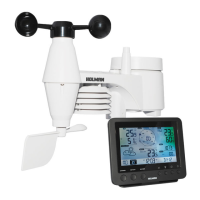
Instructions for installing batteries and assembling the 5-in-1 outdoor sensor.

Sensor Positioning Guidelines

Guidance on optimal placement for the 5-in-1 outdoor sensor.

Main Console Setup and Power

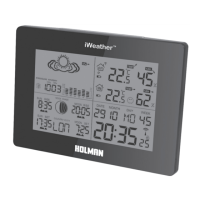
Instructions for installing backup battery and powering up the main console.

Sensor Pairing Procedure

Steps for pairing the main console with the wireless outdoor sensor.

Wi-Fi Connection Setup

Steps to connect the device to a Wi-Fi network.

Weather Underground Registration

Guide to registering the device on the Weather Underground platform.

Wi-Fi Configuration Details

Detailed steps for configuring Wi-Fi settings and connecting to a router.

Sensor Calibration

Instructions for calibrating various sensor parameters via the web interface.

Firmware Update Guide

Steps for updating the device firmware using a desktop computer.

Operation and Settings

Setting Alarm Times

How to set specific alarm times for the device.

Alarm Activation and Pre-alarm

Steps to activate the alarm function and pre-alarm with ice alert.

Weather Alert Configuration

Guide to setting up custom weather alerts for various parameters.

Product Maintenance

Battery Replacement Guide

Instructions for replacing batteries in the main console or sensor.

Product Specifications

Summary

Installation and Setup Guide

Wireless Outdoor Sensor Installation

Instructions for installing batteries and assembling the 5-in-1 outdoor sensor.

Sensor Positioning Guidelines

Guidance on optimal placement for the 5-in-1 outdoor sensor.

Main Console Setup and Power

Instructions for installing backup battery and powering up the main console.

Sensor Pairing Procedure

Steps for pairing the main console with the wireless outdoor sensor.

Wi-Fi Connection Setup

Steps to connect the device to a Wi-Fi network.

Weather Underground Registration

Guide to registering the device on the Weather Underground platform.

Wi-Fi Configuration Details

Detailed steps for configuring Wi-Fi settings and connecting to a router.

Sensor Calibration

Instructions for calibrating various sensor parameters via the web interface.

Firmware Update Guide

Steps for updating the device firmware using a desktop computer.

Operation and Settings

Setting Alarm Times

How to set specific alarm times for the device.

Alarm Activation and Pre-alarm

Steps to activate the alarm function and pre-alarm with ice alert.

Weather Alert Configuration

Guide to setting up custom weather alerts for various parameters.

Product Maintenance

Battery Replacement Guide

Instructions for replacing batteries in the main console or sensor.

Product Specifications

Holman ASPECT Specifications

General IconGeneral
BrandHolman
ModelASPECT
CategoryWeather Station
Rainfall Range0 - 9999mm
Wind Speed Range0 - 180km/h
Display TypeLCD
Rain GaugeYes
Wind Speed MeasurementYes
Wind Direction MeasurementYes
Wireless Range100 meters
Battery BackupYes

Related product manuals