11 of 20
Operation and Settings
Clock
This Main Console is designed to obtain the local time by synchronising with the assigned internet time
server. If you want to use it offline, you can set the time and date manually. During initial start-up, press
and hold SENSOR/Wi-Fi for 6 seconds and set the Main Console back to Normal Mode.
1. In Normal Mode, press and hold CLOCK SET for 2 seconds.
2. The setting sequence is as follows:
TIME ZONE DST ON/OFF HOUR MINUTE 12/24 HOUR FORMAT YEAR MONTH
DAY M-D/D-MFORMAT TIME SYNC ON/OFF WEEKDAY LANGUAGE
3. Press or to change the value. Press and hold or for quick-adjust.
4. Press CLOCK SET to save and exit Clock Set Mode, or the unit will
automatically exit 60 seconds later without pressing any key.
In Normal Mode, press CLOCK SET key to switch between year and date display.
During the setting, you can press and hold CLOCK SET for 2 seconds to return to Normal Mode.
Moon Phase
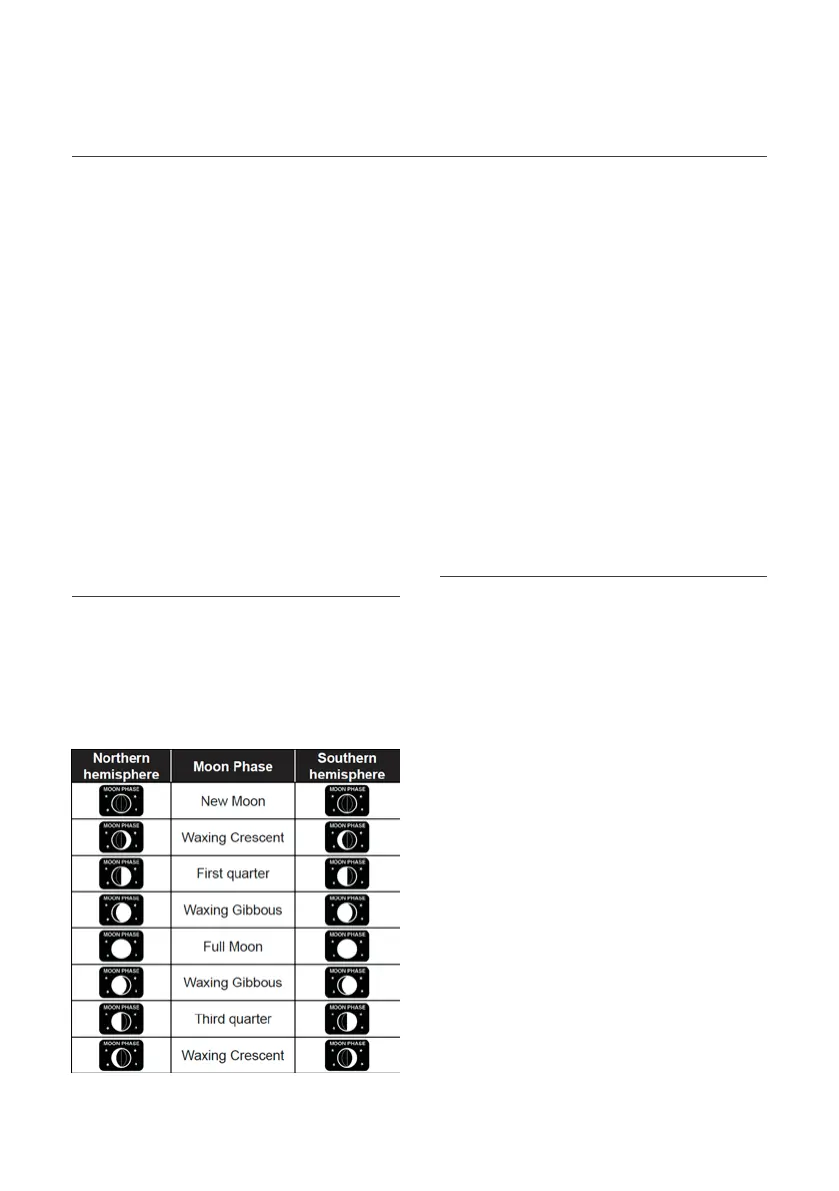
The moon phase is determined by the time, date and
time zone. The following table explains the moon phase
icons of the Northern and Southern hemispheres. Refer
to Pointing the 5-in-1 Wireless Outdoor Sensor
Towards South section about how to
setup for the Southern hemispheres.
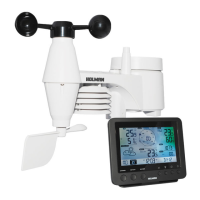
Pointing the 5-in-1 Wireless Outdoor Sensor South
The 5-in-1 Wireless Outdoor Sensor is calibrated
to point to North for the maximum accuracy.
However, for the user's convenience (e.g. users in
the Southern hemisphere), it is possible to use the
sensor with the wind vane pointing to South.
1. Install the 5-in-1 Wireless Outdoor Sensor
with its wind meter end pointing to South.
2. In Normal Mode of the Main Console, press
and hold INDEX for 10 seconds to enter into
Orientation Mode, then press INDEX again until
the N icon appears on the left bottom corner of
the LCD to enter into the sensor orientation.
3. Press or to change to Southern Hemisphere.
4. Press INDEX to confirm and exit.
Changing the hemisphere setting will
automatically switch the direction of
the moon phase on the display.


 To Next Page