7 of 20
Install Backup Battery:
1. Remove the battery door of the Main Console.
2. Insert a new button cell battery.
3. Replace the battery door.
Backups from Battery:
Time and Date
Max/Min and Past 24 Hours Records
Alert Setting Values
Offset Value of Weather Data and
Sensor Channel History
Built-in Backups:
Router Settings
Weather Server Settings
Main Console Power-up:
1. Plug the power adaptor to power
up the Main Console.
2. Once the Main Console has powered, up, all
the segments of the LCD will be shown.
3. The Main Console will automatically start AP Mode
If no display appears on the LCD after you plug the
adaptor, press RESET using a pointed object.
Setting LCD Viewing Angle: Press or in
Normal Mode to adjust LCD viewing angle to
fit table stand or wall mount situation.
Main Console Pairing
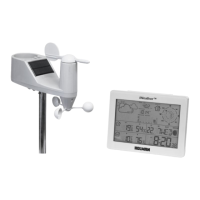
After inserting batteries, the Main Console will
automatically search and connect the wireless
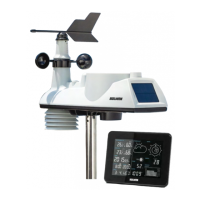
5-in-1 Wireless Outdoor Sensor (the sensor
antenna icon blinking). Once the connection is
successful, the antenna icon and readings for
outdoor temperature and humidity, wind speed,
wind direction and rainfall will appear on the LCD.
Changing Batteries and Manual Pairing
Whenever batteries are changed in the
5-in-1 Wireless Outdoor Sensor,
pairing must be done manually.
1. Replace all the batteries in the sensor.
2. Press SENSOR/Wi-Fi on the Main Console.
3. Press RESET on the
5-in-1 Wireless Outdoor Sensor
Installation and Setup (continued)
Wi-Fi Connection Setup
To connect this Aspect Wi-Fi Analyst to Wi-Fi, it
must be registered with Weather Underground.
Weather Underground setup instructions
are correct as of January 2019. Refer to
https://www.wunderground.com/ for details
if their registration process has changed.
Register your Aspect Wi-Fi Analyst
with Weather Underground:
1. Visit https://www.wunderground.com/ and click
JOIN in the top right corner and follow the prompts
to create an account. Note that your email address
must be validated by Weather Underground before
proceeding. If you already have an account with
Weather Underground you can simply LOG IN.
2. After logging in to your account, click MYPROFILE
and select MYWEATHERSTATIONS in the menu.
On the following page, click ADDANEWPWS.


 To Next Page