12 of 20
Setting Alarm Time
1. In Normal Time Mode, press and hold ALARM
for 2 seconds until the alarm hour digit flashes
to enter Alarm Time Setting Mode.
2. Press or key to change the value.
Press and hold or for quick-adjust.
3. Press ALARM again to switch the setting value
to Minute with the minute digit flashing.
4. Press or key to adjust the
value of the flashing digit.
5. Press ALARM key to save and exit the setting.
In Alarm Mode, the icon will display on the LCD.
The alarm function will turn on automatically
once you set the alarm time.
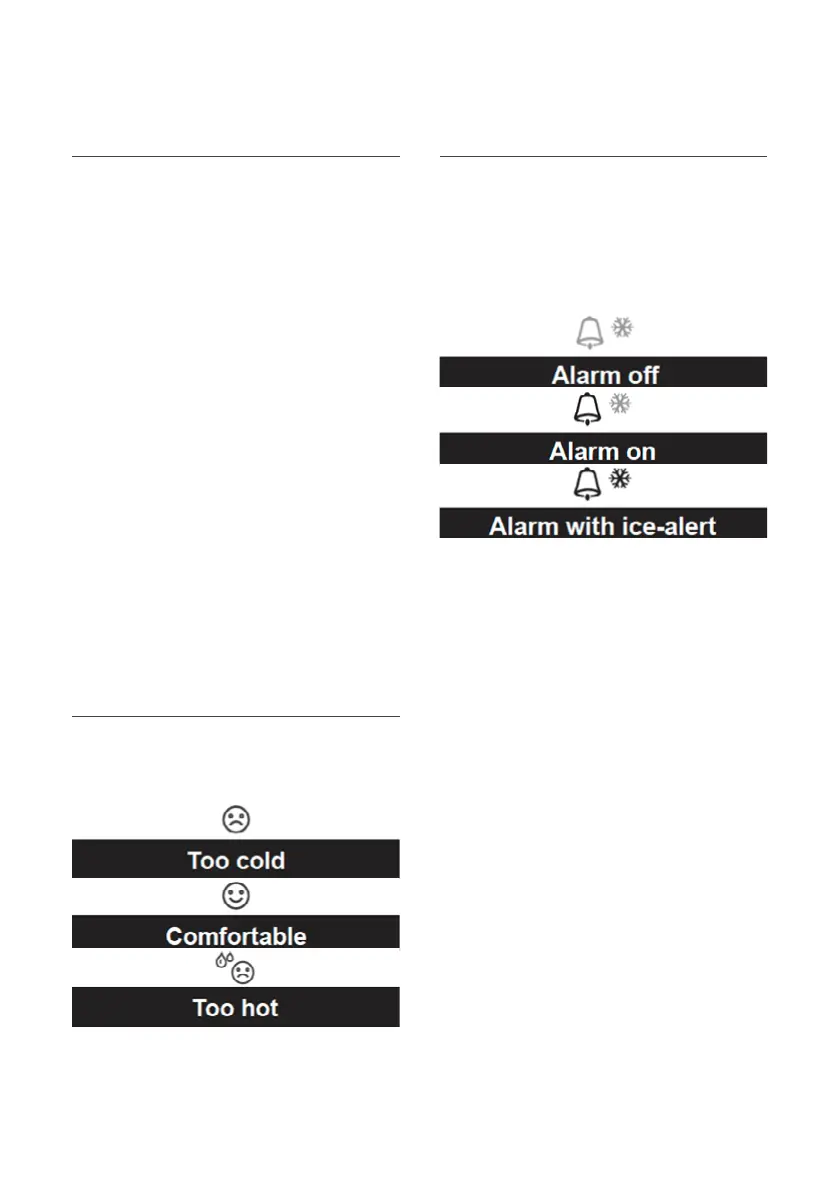
Comfort Indication
The comfort indication is a pictorial indication
based on indoor air temperature and humidity
in an attempt to determine comfort level.
There is no comfort indication when temperature
is below 0°C (32°F) or over 60°C (140°F).
Activating Alarm and Temperature Pre-alarm
1. In Normal Mode, press ALARM to
show the alarm time for 5 seconds.
2. When the alarm time displays, press ALARM
again to activate the alarm function, or
press ALARM key twice to activate the
alarm with ice pre-alarm function.
Once the ice pre-alert activates, the pre-set alarm
will sound and ice-alert icon will flash 30 minutes
earlier if the outdoor temperature is below -3°C.
Alarm will stop automatically after 2 minutes and
the alarm will activate again in the next day.
Pressing SNOOZE will snooze
the alarm for 5 minutes.
Pressing and holding SNOOZE for 2
seconds will stop the alarm.
By pressing ALARM will stop the alarm.
During the snooze, the alarm icon
will keep flashing.
Operation and Settings (continued)


 To Next Page