8
2 | CALIBRATION
Because Chroma Console’s effects are designed to color, overdrive, and
interact with each other, they are at their most exciting when calibrated to
match the input level of your instrument.
Calibration automatically sets the compression and saturation thresholds, as
well as many other effect parameters, to the right level for your instrument so
that you can focus on experimentation and having fun—not endlessly fussing
with volume controls.
You can choose one of 4 headroom levels (Low, Medium, High, or Very High)
selected either automatically or manually. Automatic calibration will pick the
level that the pedal deems most appropriate for the input material it samples,
but feel free to experiment and see which category suits your instrument best.
For cleaner and louder effects, select a higher input level.
For less headroom and earlier saturation, select a lower input level. You can
use the SENSITIVITY and EFFECT VOL secondary controls to further tweak the
saturation sensitivity and effect output levels later if you wish.
Chroma Console will always remember the most recent calibration setting
(even through power cycles) and will be applied to all presets. We recommend
re-calibrating when changing between instruments with distinctly different
output levels.
To automatically calibrate, simply begin playing your instrument after
entering the calibration menu. The indicator lights will change color, and
the pedal will listen to your instrument and place it into one of four input
headroom levels automatically.
If you’re using a guitar, simply strumming an open chord a few times
at your normal playing volume should do the trick. For synths, line level
sources, or any other instruments, play a few notes or chords to give
Chroma Console an idea of the level of signal it should expect to hear
most of the time. This measurement doesn’t have to be super precise—it
just needs to get the general level.
AUTOMATIC CALIBRATION
9
To manually choose a different input headroom level, tap one of the four
buttons to select your desired category.
MANUAL CALIBRATION
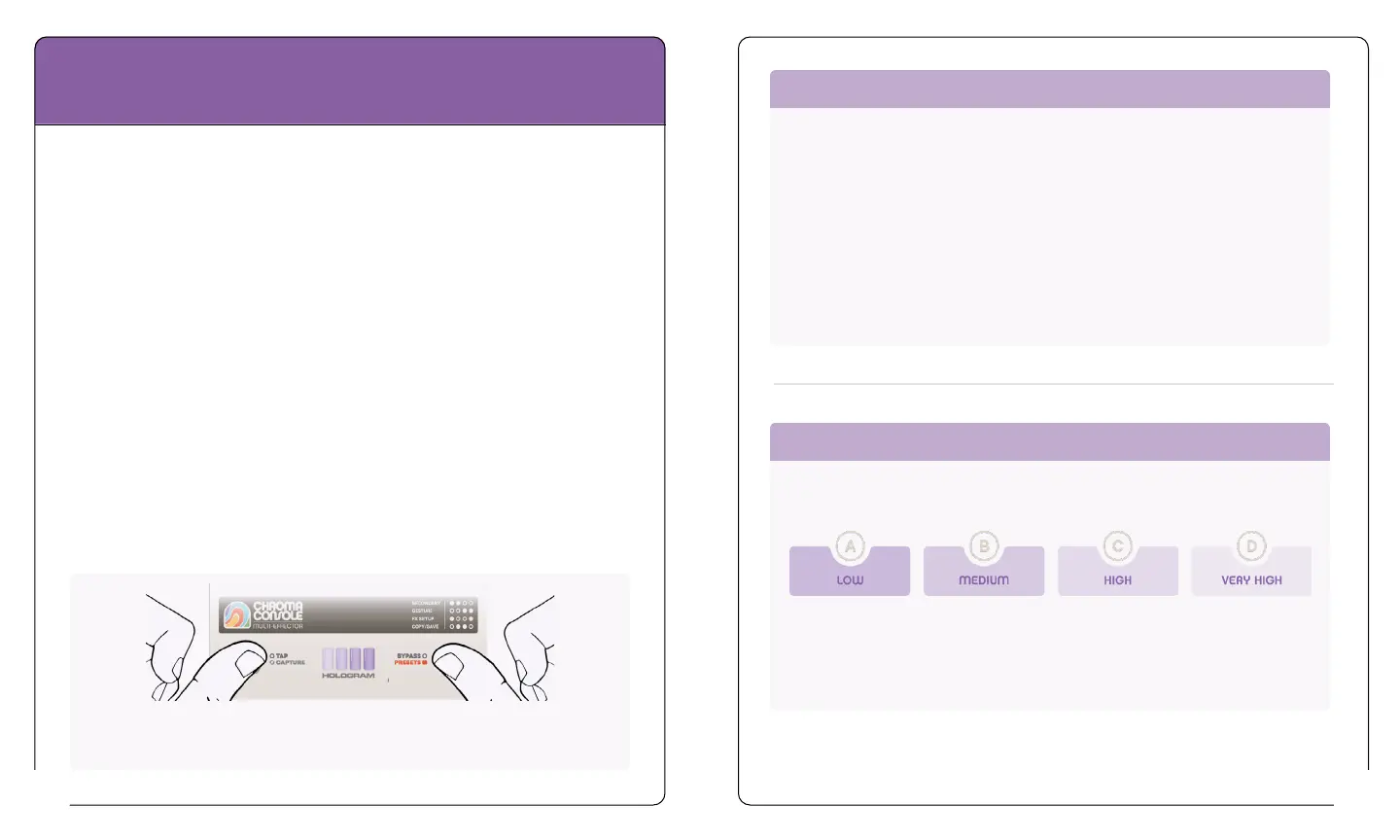
To enter the Calibration Menu, press and hold both footswitches
simultaneously until you see the indicator lights display a purple animation.
Many lower output
guitars or basses,
instrument level
synths, other low
output instruments.
Many guitars or
basses (humbuckers,
stacked pickups),
electric piano, some
synths
Hot output guitars
(high/overwound/
active pickups), most
line level instruments.
High output line level
signals, modular, etc.


 To Next Page