5
3 | NAVIGATION & CONTROLS CONT.
Controls the density of the eects.
Turn clockwise to add complexity
and variety. Activity function varies
preset to preset (see Eects).
ACTIVITY
Determines the eect duration or frequency.
Works in tandem with Activity knob. Repeats
function varies preset to preset (see Eects).
REPEATS
Secondary Control: sets Pitch Modulation
depth.
Activity + Repeats: the Activity and Repeats controls work together to provide a wide variety of tonal
options for each preset. In general, Activity gives you “more” or “less” of what each preset does,
and Repeats controls how long the eect goes on for. But rather than controlling any one specic
parameter, Repeats and Activity are both sophisticated macro controls that encompass many
dierent parameters to help you control each eect.
For example, in the Tunnel bank of eects, Activity controls the depth of the sample and lter
manipulation, while Repeats adjusts the amount of time it takes for the drone to decay.
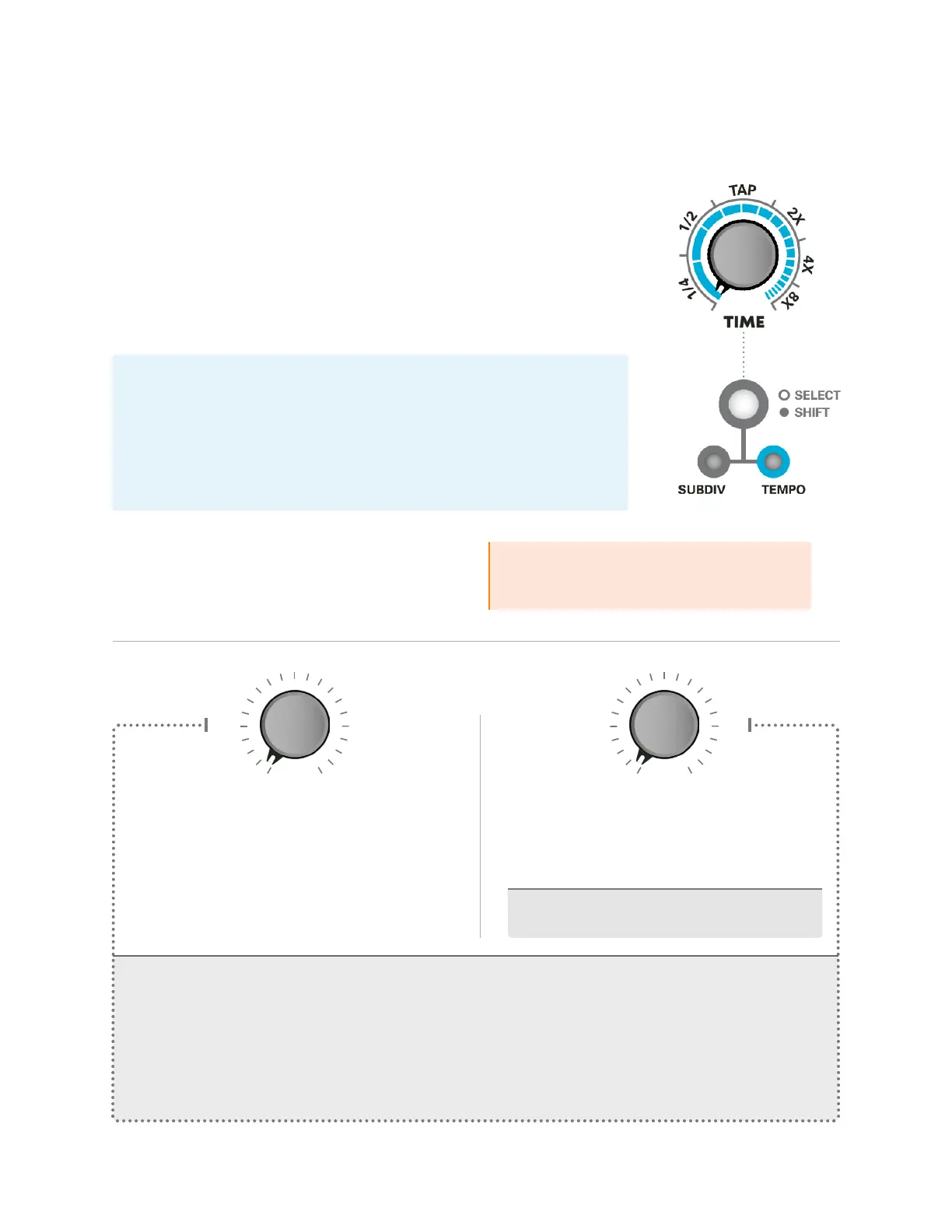
Controls either the Time Subdivision or Global Tempo.
SUBDIV: Determines the musical subdivision of the eect.
TEMPO: Time knob sets the overall global tempo. This mode oers a
manual alternative to Tap Tempo and allows for smooth acceleration/
deceleration of the tempo. In this mode, the eect subdivision is always
set to quarter notes.
*Note: Tap Tempo will still work while Tempo Mode is active.
Tapping this button will toggle the function of the Timeknob between
Subdivisions or Global Tempo. The corresponding light beneath the
button indicates the active setting.
When held, this button functions as a Shift
control, allowing access to a knob’s Secondary
Control. Secondary Controls are labeled in gray
text beneath the corresponding knob.
TIME
SELECT (tap) /SHIFT (hold)
PhraseLooper: Hold shift and turn Time
knob to change looper playback speed
(see Phrase Looper).


 To Next Page