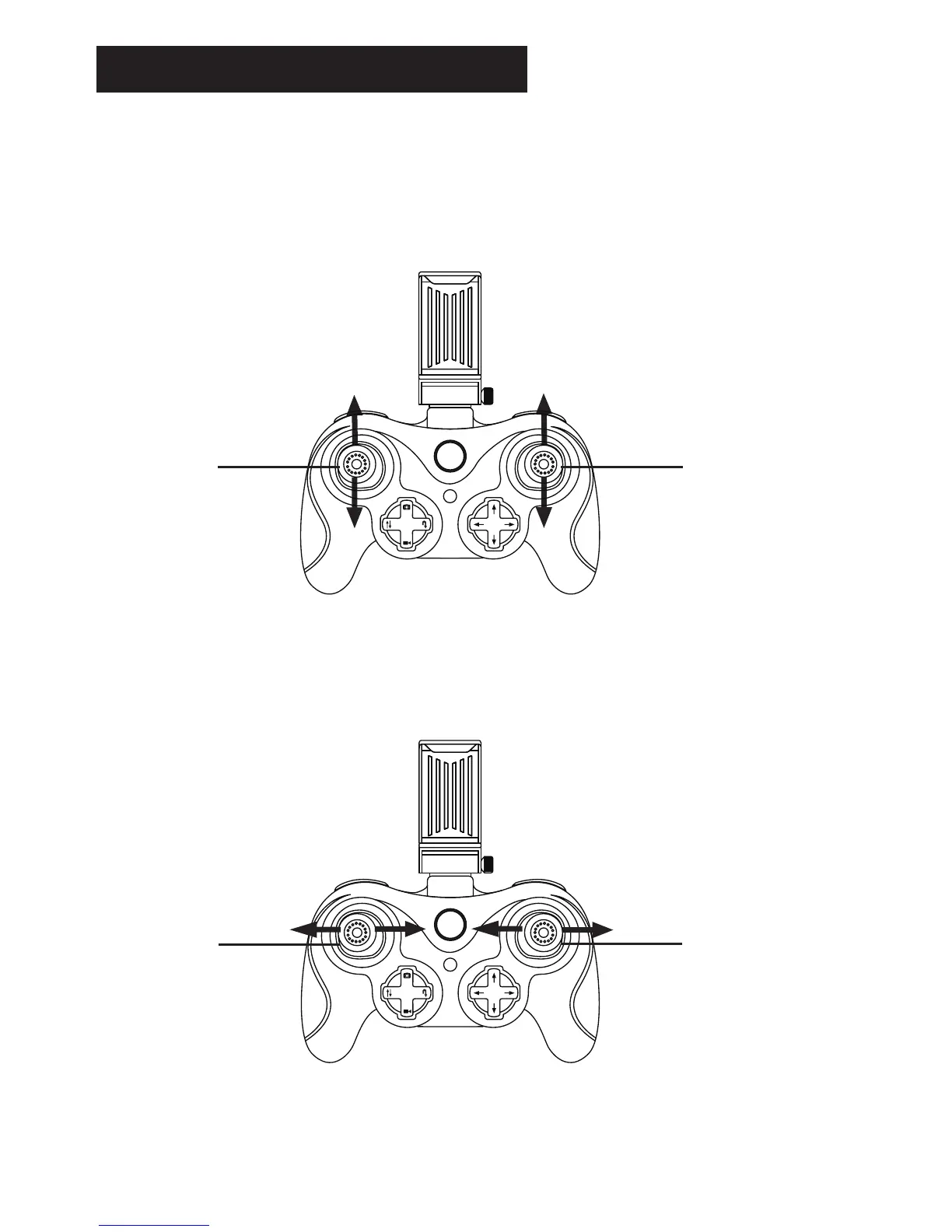
Transmitter Operation Mode
(MODE 2)
Left Stick
(Direction: Forward/Backward)
Right Stick
(Throttle: Ascending/
Descending)
(Rotate to Left/Right)
(MODE 2)
Left Stick Right Stick
(Direction: Leftleaning/Rightleaning)
1. Power on the transmitter, Left hand throttle MODE 2 will be default setting.
(Recoomended Mode!)
2. Plug the camera wire into the
slot on the bottom of the drone.
-7-
In order to meet the needs and preferences of any pilot, this drone offers two modes of
controlling the device that have been defined by industry standards.













 To Next Page