<TRIMMER>
FIB
Sideward
Fly
Trim
I ~
-~--
~
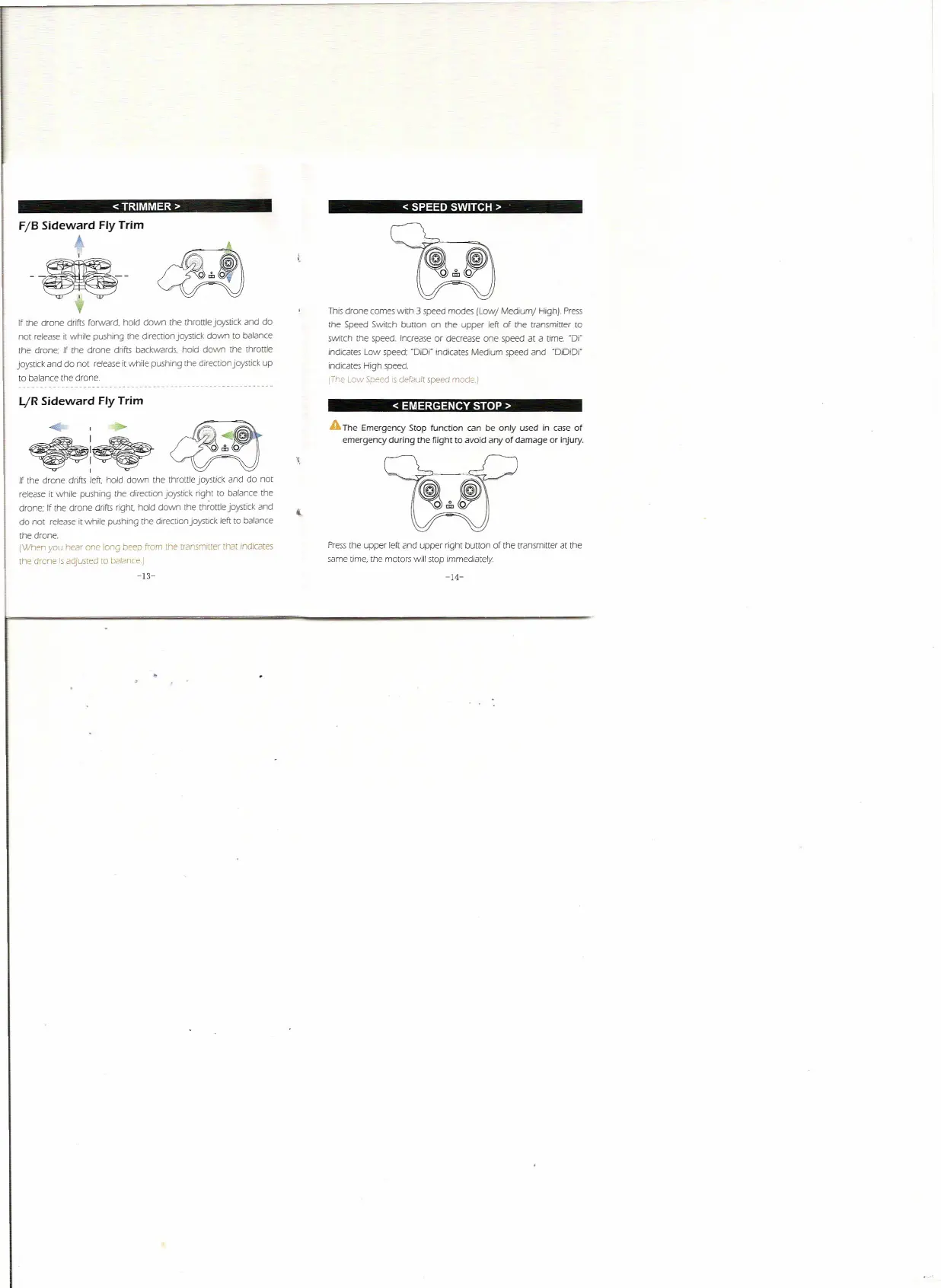
If the drone drifts forward. hold down the throttle joystick and do
not release
it
while pushing [he direction joystick down to balance
the drone; If the drone drifts backwards. hold down the
throttle
joystick and do not release it while pushing the direction joystick up
to balance the drone
I../R Sideward
Fly
Trim
I
If [he drone
drifts left.
hold down the
throttle
joystick and do not
release It while pushing the direction joystick right to balance the
drone; If the drone drifts right hold down the throttle joystick and
do not release
it
while pushing the drrection joystick. left to balance
tne orone.
{When you hear one long beep from [he transmitter that mcncates
the drone
IS
adjusted to balance.)
-13-
< SPEED SWITCH>
This drone comes with 3 speed modes {Low/ Medium/ HighJ. Press
the Speed Switch burton on [he upper left of the transmitter to
switch the speed. Increase or decrease one speed at a time. -OJ·
indicates Low speed; -DiD( indicates Medium speed and -DiDiD(
Indicates High speed.
[The Low Speed is default speed rnode.]
< EMERGENCY STOP>
A
The Emergency Stop function can be only used in case of
emergency during the flight to avoid any of damage or injury.
t
Press [he upper left and upper right button of the transmitter at the
same time, the motors will stop immediately.
-14-


 To Next Page