EasyManua.ls Logo

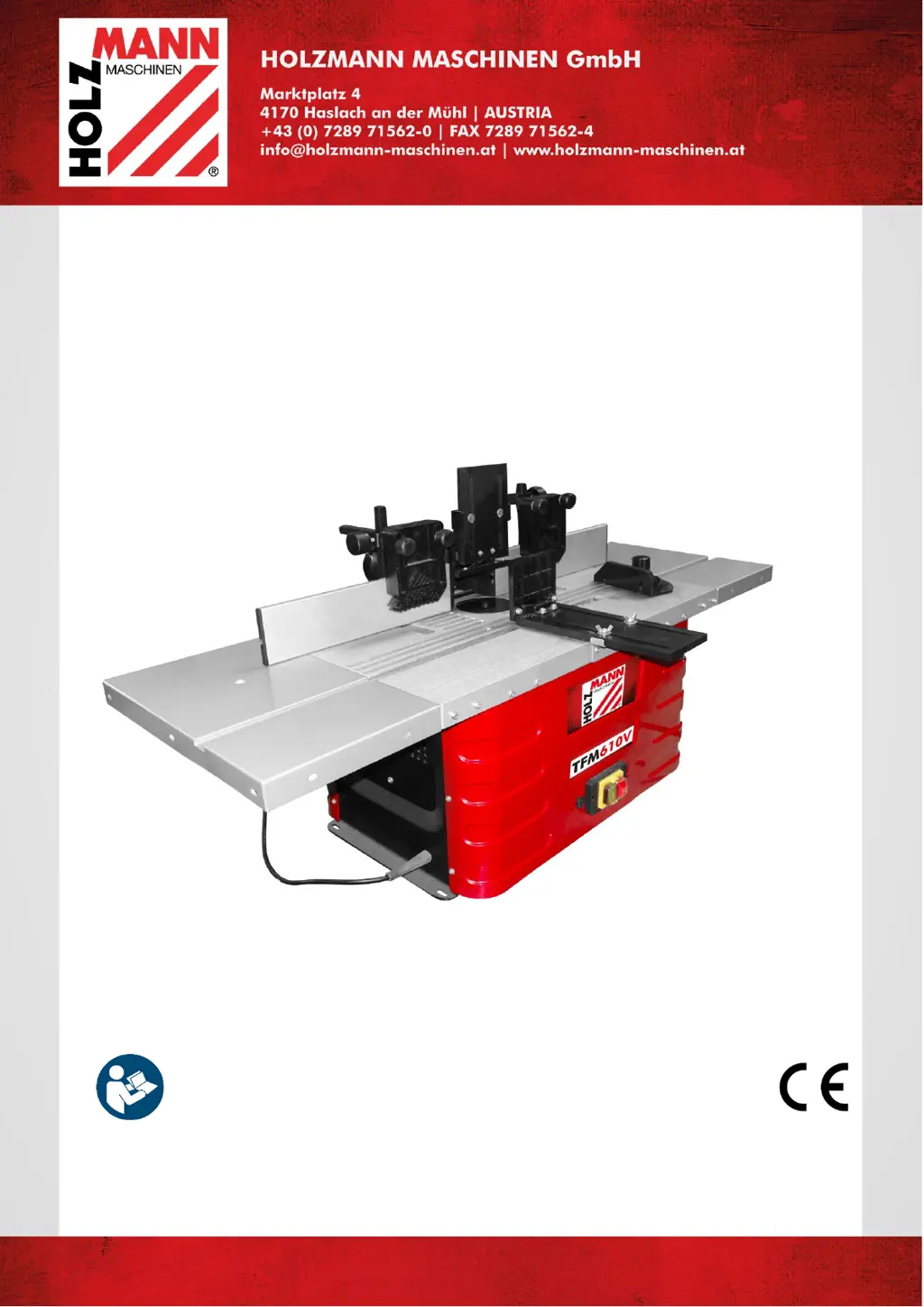
HOLZMANN MASCHINEN TFM610V - User Manual

HOLZMANN MASCHINEN TFM610V
39 pages
Go to English
Print Icon
To Next Page IconTo Next Page
Loading...
Vydání: 12.08.2019 Revize - 01 RaR - CZ/EN
CZ
NÁVOD K OBSLUZE
STOLNÍ FRÉZKA
Překlad / Translation
EN
OPERATING MANUAL
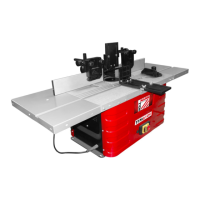
TABLE ROUTER
TFM610V

Table of Contents

Questions and Answers

  • J
    Jeremiah NelsonAug 3, 2025
    What to do if my HOLZMANN MASCHINEN Wood Router stops during machining?
    • J
      Joshua TaylorAug 3, 2025
      If your HOLZMANN MASCHINEN Wood Router stops during machining, it might be due to the overload protection being activated. This can happen if the tools are blunt or the feed or chip thickness is excessive. Replace the tool and wait for the motor to cool down before resuming work.
  • M
    Mark DavisAug 8, 2025
    Why does the speed drop during machining with my HOLZMANN MASCHINEN Wood Router?
    • S
      Shelly MendozaAug 8, 2025
      If the speed drops during machining with your HOLZMANN MASCHINEN Wood Router, it could be due to several reasons. You might be removing too much material at once, so try reducing the chip removal. Alternatively, the feed rate might be too high, so decrease it. Finally, a blunt tool can also cause this issue, so replace the tool if necessary.
  • J
    Juan TurnerAug 13, 2025
    How to fix a HOLZMANN MASCHINEN Wood Router that cannot be switched on?
    • C
      cynthiamooreAug 13, 2025
      If your HOLZMANN MASCHINEN Wood Router isn't switching on, the issue could be a lack of mains voltage. Check the power supply to ensure it's properly connected. Another possibility is that the carbon brushes are worn out. If this is the case, replace them.
  • B
    bradfordkatieAug 18, 2025
    How to improve a badly milling surface with my HOLZMANN MASCHINEN Wood Router?
    • D
      deborah86Aug 18, 2025
      If you're getting a badly milled surface with your HOLZMANN MASCHINEN Wood Router, it could be caused by a blunt tool. Replacing the tool might solve the problem. Another cause could be an uneven feed rate. Try working with a reduced feed rate and applying constant pressure.
  • T
    Travis HartmanAug 23, 2025
    Why does the dust collector port clog on my HOLZMANN MASCHINEN Wood Router?
    • R
      robert12Aug 23, 2025
      If the dust collector port keeps clogging on your HOLZMANN MASCHINEN Wood Router (when not using a dust collection system), it could be due to a few reasons. You might be removing too much material at once, so reduce the chip removal. A blunt tool can also cause clogs, so replace it if necessary. Also, using wood that is too wet can cause clogging, so replace the wood.
  • J
    Jamie BoltonAug 28, 2025
    What to do if HOLZMANN MASCHINEN Wood Router switches off automatically during idling?
    • D
      Daniel Roy Jr.Aug 29, 2025
      If your HOLZMANN MASCHINEN Wood Router switches off automatically during idling, it's likely due to a mains failure. Check the mains-side fuse. Because of undervoltage protection, the machine won't restart automatically; you'll need to switch it on again after the voltage recovers.

Summary

Preface

Safety

Intended Use

Specifies the machine's intended applications for wood and plastic machining.

Technical Restrictions

Details environmental conditions for safe and effective machine operation.

Prohibited Use and Misuse

Lists actions or conditions that constitute improper use of the machine.

User Requirements

Outlines necessary user qualifications, knowledge, and protective measures.

General Safety Instructions

Provides general guidelines for safe operation and maintenance.

Electrical Safety

Covers safe practices for electrical connections and usage.

Woodworking Machine Safety

Specific safety rules for operating woodworking machines.

Hazard Warnings

Defines the meaning of different hazard warning symbols used in the manual.

Transport

Assembly

Checking Scope of Supply

Instructions for verifying the delivered machine for damage or missing items.

Workplace Requirements

Specifies requirements for the installation location, including space and surface.

Workplace Electrical Connection

Highlights electrical safety requirements for workplace connections.

Power Supply Connection

Step-by-step guide for connecting the machine to the electrical mains.

Dust Collection Connection

Requirements for connecting and operating the dust collection system.

Assembling Machine Parts

Instructions for assembling parts that were disassembled for transport.

Protective Hood Assembly

Steps to install the protective hood for safety.

Pressure Pad and Downholder Assembly

Guide to installing the pressure pad and hold-down devices.

Table Extension Assembly

Instructions for attaching the table extension to the machine.

Miter Gauge Assembly

Steps to install and secure the miter gauge.

Machine Mounting

Instructions for securing the machine to a workbench.

Operation

Operation Instructions

Guidance on how to install and change the router cutter adapter.

Spindle Speed Adjustment

How to select and adjust the spindle speed for optimal cutting.

Milling Stop Adjustment

Steps to correctly position the milling stop for workpiece support.

Rabbet Cut Stop Setting

How to set the stop for making rabbet cuts accurately.

Pressure Pad Installation

Instructions for installing and adjusting pressure pads.

Miter Gauge Adjustment

How to adjust the miter gauge for specific angles.

Starting and Stopping

Step-by-step guide on how to start and stop the machine.

Operational Procedures

Detailed operational procedures for using the machine safely and effectively.

Cleaning, Maintenance, Storage, Disposal

Cleaning Procedures

Guidelines for cleaning the machine to maintain its condition and safety.

Maintenance

Information on machine maintenance and safety precautions.

Tool Exchange Safety

Safety precautions to take before exchanging tools.

Storage Instructions

Instructions for storing the machine properly to prevent damage.

Disposal Guidelines

Guidance on environmentally responsible disposal of the machine.

Troubleshooting

Wiring Diagram

Spare Parts

Ordering Spare Parts

Instructions on how to order genuine spare parts for the machine.

Exploded View

A detailed diagram showing all machine parts and their assembly.

Spare Parts List

A comprehensive list of all spare parts with identification numbers and quantities.

CE Certificate of Conformity

Warranty Terms (CZ)

Warranty

Outlines the warranty periods for different user types.

Reporting Defects

Procedure for reporting defects and initiating warranty claims.

Warranty Conditions

Specifies conditions and exclusions for warranty claims.

Claims for Compensation

Details limitations on liability for damages.

Service

Guarantee Terms (EN)

Warranty

Specifies warranty duration for DIY and professional use.

Report Defects

Steps for reporting defects and obtaining an RMA for warranty.

Warranty Regulations

Details warranty claim conditions, exclusions, and regulations.

Compensation Liabilities

Defines the extent of company liability for damages.

Service Information

Product Monitoring

Service Form

HOLZMANN MASCHINEN TFM610V Specifications

General IconGeneral
BrandHOLZMANN MASCHINEN
ModelTFM610V
CategoryLathe
LanguageEnglish

Related product manuals