9
time indicator will flash. To cancel the selections, hold two seconds for the left pot or
for the right pot. If both pots are canceled, the appliance will enter standby.
3.2. Pressing the menu choice key lets you select the menu you need. When pressed, the
temperature is adjusted by 5℃. Hold or to adjust the temperature rapidly. For
each menu, the temperature can be adjusted from 80-200℃. The time can be
adjusted by one minute (between 1-60 minutes).
3.3. Once you have loaded the recipe and selected the temperature and time, press the
power key – pot / will start working. The display will show the timer counting
down without flashing. The selected recipe indicator will be lit, whilst the other
indicators will be off.
3.4. To adjust the temperature or time during cooking, press the temp or time Key
once, then press or . The appliance will keep working when adjusting.
3.5. If you need to reset the recipe settings during cooking, lightly press the menu choice
key to pause – the heater and motor will stop working, whilst the recipe indicator
flashes. Adjust the recipe as required – you can also adjust the temperature and time.
3.6. To stop the appliance during cooking, press the power key. If there is no operation
after five minutes, the appliance will automatically enter standby.
3.7. To turn the appliance off during cooking, hold the power key for two seconds – the
heating tube and motor will stop working. The screen will display the word 'OFF' and
the buzzer will beep.
3.8. After cooking, the screen displays 'OFF' and the buzzer will beep five times. The
appliance will enter standby.
3.9. If you take out the frying pot during cooking, the screen will display 'OPEN' and the
machine will stop working. Once the frying pot is put back in, the machine will
continue working.
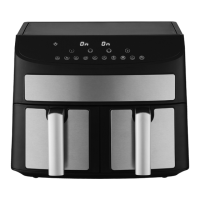
4. Double pot working mode
4.1 Starting the two pots
4.1.1. Select one pot, then choose one menu and set the time and temperature. Then
select the other side and also choose one menu, setting the time and temperature.
4.1.2. Press the power key icon for two pots to work at the same time. and pot 1
will flash at the same time – and pot 2 will do the same. Pot 1 and 2 will
display alternately, switching every three seconds.
4.1.3. First press to choose the left pot to set the menu, then pressing the power key
to start this side. Also you can press to choose the right pot to do the same
step.
4.1.4. When both pots are working, press the temp or time key once – the recipe will
display alternately on the left and right screen. After three seconds of no operation,
the screen will display the time.


 To Next Page