EasyManua.ls Logo

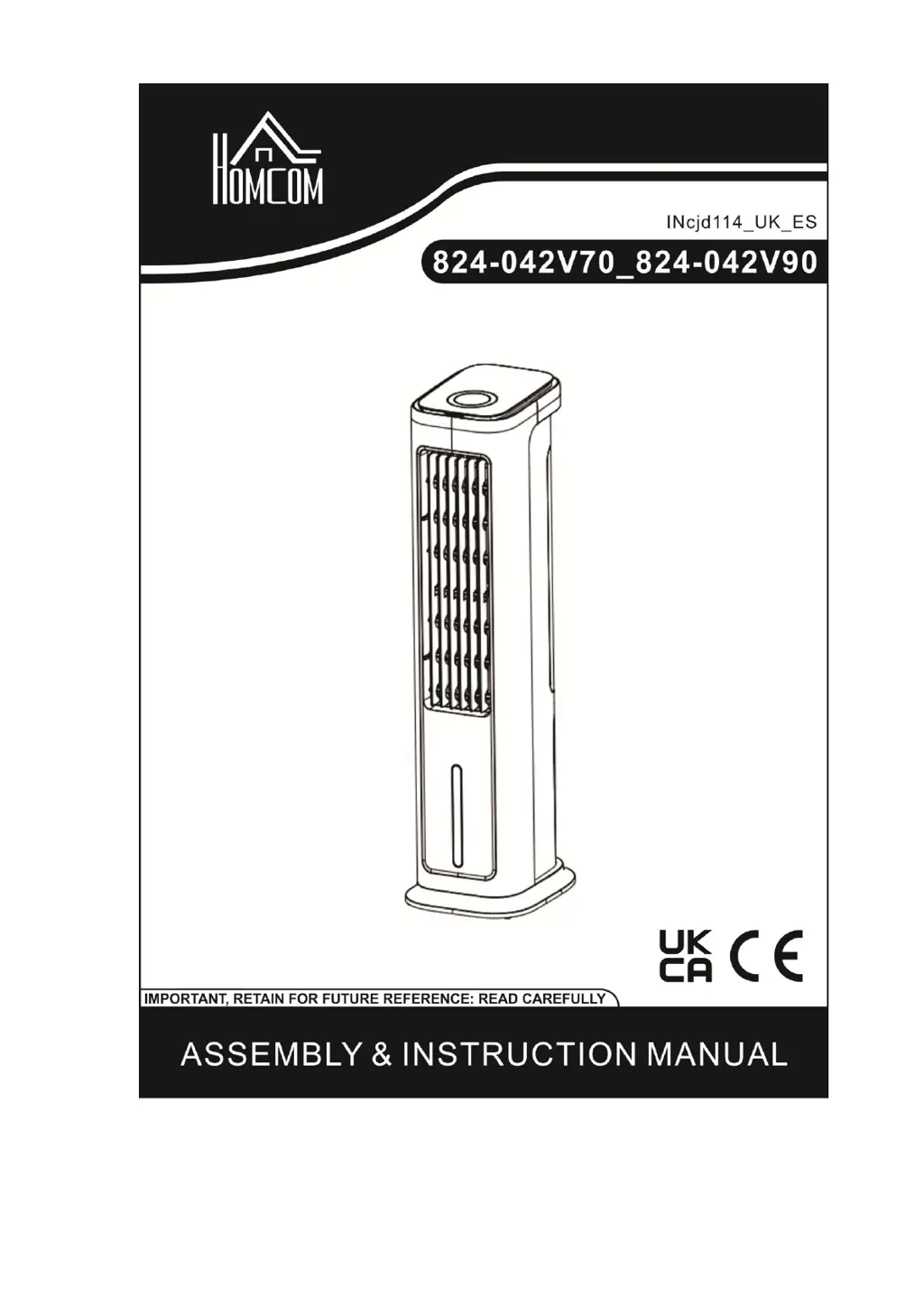
HOMCOM 824-042V70 - User Manual

HOMCOM 824-042V70
12 pages
Print Icon
To Next Page IconTo Next Page
Loading...

Questions and Answers

Summary

Introduction

Technical Specification

Product Diagram

Operating the Air Cooler

On;Off Control

Explains how to switch the unit on/off and enter standby mode via control panel or remote.

Fan Speed Adjustment

Details how to select fan speed levels (high, medium, low) using the speed button.

Wind Mode Selection

Describes choosing between Normal, Natural, and Sleep wind modes.

Sleep Mode Operation

Outlines the automatic speed reduction process in sleep mode.

Timer Function

Guides on setting the timer for 1-12 hours of operation.

Swing and Airflow Direction

Controls horizontal swing and manual vertical adjustment of airflow.

Cool Function Activation

Details activating the air cooler function using water for cooling.

Remote Control Usage

Explains remote operation, battery handling, and storage.

Operating the Water Tank

Using Ice Boxes

Safety Precautions

General Safety Checks

Ensures the appliance and cord are undamaged before operation.

Water Tank Handling

Instructs to unplug before removing the water tank.

Ventilation and Electrical Safety

Warns against inserting objects and operating near water.

Usage and Environment

Covers avoiding covers, direct sunlight, and exposure for vulnerable groups.

Power and Maintenance

Details unplugging, chemical use, and cleaning frequency.

Cleaning and Maintenance

Dust Filter Cleaning

Instructions for removing and cleaning the dust filter.

Cooling Pad Maintenance

Guidance on cleaning the cooling pad and its function.

Troubleshooting Guide

Fan Not Working

Addresses issues with the fan not operating and provides solutions.

Insufficient Cooling

Explains causes for poor cooling and how to resolve them.

Machine Continual Working

Troubleshoots issues with the machine continuing to work after shutdown.

Summary

Introduction

Technical Specification

Product Diagram

Operating the Air Cooler

On;Off Control

Explains how to switch the unit on/off and enter standby mode via control panel or remote.

Fan Speed Adjustment

Details how to select fan speed levels (high, medium, low) using the speed button.

Wind Mode Selection

Describes choosing between Normal, Natural, and Sleep wind modes.

Sleep Mode Operation

Outlines the automatic speed reduction process in sleep mode.

Timer Function

Guides on setting the timer for 1-12 hours of operation.

Swing and Airflow Direction

Controls horizontal swing and manual vertical adjustment of airflow.

Cool Function Activation

Details activating the air cooler function using water for cooling.

Remote Control Usage

Explains remote operation, battery handling, and storage.

Operating the Water Tank

Using Ice Boxes

Safety Precautions

General Safety Checks

Ensures the appliance and cord are undamaged before operation.

Water Tank Handling

Instructs to unplug before removing the water tank.

Ventilation and Electrical Safety

Warns against inserting objects and operating near water.

Usage and Environment

Covers avoiding covers, direct sunlight, and exposure for vulnerable groups.

Power and Maintenance

Details unplugging, chemical use, and cleaning frequency.

Cleaning and Maintenance

Dust Filter Cleaning

Instructions for removing and cleaning the dust filter.

Cooling Pad Maintenance

Guidance on cleaning the cooling pad and its function.

Troubleshooting Guide

Fan Not Working

Addresses issues with the fan not operating and provides solutions.

Insufficient Cooling

Explains causes for poor cooling and how to resolve them.

Machine Continual Working

Troubleshoots issues with the machine continuing to work after shutdown.

HOMCOM 824-042V70 Specifications

General IconGeneral
BrandHOMCOM
Model824-042V70
CategoryAir Conditioner
LanguageEnglish

Related product manuals