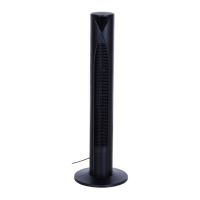
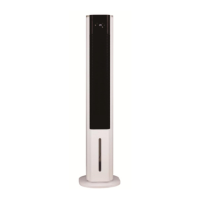
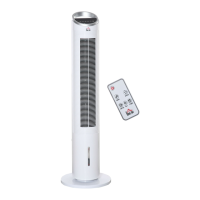
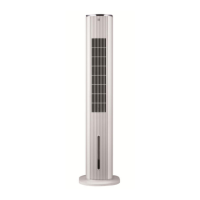
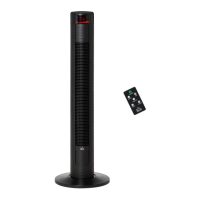
This document describes the Homcom Tower fan with cooling, model CTF4202TR-L. It is an assembly and instruction manual for a tower fan designed for indoor use.
Function Description:
The Homcom Tower fan is a cooling appliance that provides air circulation and a cooling function. It operates with multiple modes including Normal, Natural, Sleep, and Child mode, and offers adjustable fan speeds (low, medium, high). The fan also features an oscillation function to distribute air more widely. For enhanced cooling, it can utilize an ice box placed in the water tank. A timer function allows users to set the operation duration from 1 to 12 hours. The device can be controlled either manually via the control panel on the unit or remotely using the included remote control. It also includes a child lock function for safety.
Important Technical Specifications:
- Model No.: CTF4202TR-L
- Voltage: 220-240V~
- Frequency: 50-60Hz
- Power: 60W
- Battery for Remote Control: CR2025 button cell battery (included)
Usage Features:
- Assembly: The base of the fan needs to be assembled by aligning two parts in a crossed form and rotating one to lock them in place, then fixing the base to the fan body with four screws.
- Power On/Off: The fan is turned on or off by pressing the 'POWER' button on the control panel or remote.
- Speed Adjustment: Fan speed can be adjusted to low, medium, or high using the speed button. The current speed setting is displayed on the LED display.
- Operating Modes:
- Normal Mode: Fan operates at the set speed.
- Natural Mode: Fan cycles through low, medium, and high speeds (5 seconds each) to simulate a natural breeze.
- Sleep Mode: Fan speed gradually decreases over time. If set to high, it runs at high for 30 minutes, then medium for 30 minutes, then low until it stops. If set to medium, it runs at medium for 30 minutes, then low until it stops. If set to low, it runs at low until it stops. The LED display turns off after 30 seconds of inactivity in this mode.
- Child Mode: Activates automatically with a 3-hour timer and oscillation. The fan runs at high speed for 15 minutes, then medium for 15 minutes, then low until it turns off. Oscillation can be manually turned off. The LED display turns off after 30 seconds of inactivity.
- Timer Function: Allows setting the operation time from 1 to 12 hours. The LED display turns off after 30 seconds of inactivity.
- Oscillation Function: Activates or deactivates the fan's oscillation to distribute air across a wider area.
- Cooling Function: To activate, press the cooling button. For better cooling, fill the water tank with water up to the MAX mark and place a frozen ice box (frozen for at least 3 hours) into the water tank. Ensure the plug is removed before filling water. The water level should be at least at the 'MIN' level for cooling mode.
- LED Display: Shows current settings and room temperature. It can be temporarily switched off by pressing the LED button on the remote or holding the SPEED button on the control panel for more than 3 seconds. It reactivates with any button press.
- Child Lock: Activates by pressing the child lock button, disabling all other controls. Hold for 3 seconds to deactivate.
- Low Water Warning: If the fan is in cooling mode and the water level is low, an alarm will sound 3 times, the cooling icon will flash, and the cooling function will stop. Water needs to be refilled and the cooling function reset.
- Remote Control: All functions available on the manual control panel are also accessible via the remote control. The remote requires a CR2025 button cell battery; remove the insulation film before first use.
Maintenance Features:
- Cleaning:
- Always unplug the fan from the power source before cleaning or servicing.
- Use a soft tissue or cloth for general cleaning. For more persistent dirt, use a cloth dampened with warm soapy water.
- Do not use solvents (e.g., thinners) as they may damage the plastic casing.
- Water Tank Cleaning: Turn the water tank latch 90 degrees to open. Pull out the water tank, gently pinch the pressure plate of the water pump, and remove the water pump to clean the tank directly. Use a brush or tool for cleaning.
- Do not clean the transducer with metal or stiff materials to avoid damage.
- Do not put acid, alkalescence, or bleach scour into the water tank.
- Avoid spraying water onto the control panel to prevent electrical leakage.
- Empty and clean the water tank before storage and before next use.
- Ice Box: Do not open the cover of the ice box to avoid leakage. The ice box is made of environmental protection material, can be stored in a refrigerator, and reused repeatedly.
- Storage: When not in use, store the fan in a safe, dry, childproof location.
- Power Cord: If the supply cord is damaged, it must be replaced by the manufacturer, its service agent, or a similarly qualified person to avoid hazards.
- Servicing: Maintenance and repairs should only be performed by an authorized service agent or qualified personnel.
- Disposal: The product should not be disposed of with other household waste in the EU. It should be recycled responsibly to promote sustainable reuse of material resources. Return the used device to appropriate collection systems or contact the retailer for environmentally safe recycling.

 Need help?

 To Next Page
 General