EasyManua.ls Logo

Home Decorators Collection BERGEN - User Manual

Home Decorators Collection BERGEN
22 pages
Print Icon
To Next Page IconTo Next Page
Loading...
USE AND CARE GUIDE
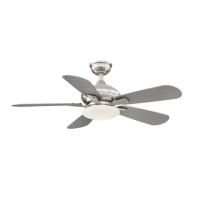
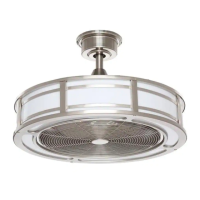
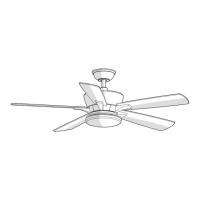
BERGEN 52 IN. CEILING FAN
Item #1003 236 534
#1003 236 535
Model #YG680-BN
#YG680-EB
THANK YOU
THANK YOU
Questions, problems, missing parts? Before returning to the store,
call Home Decorators Collection Customer Service
8 a.m. - 7 p.m., EST, Monday-Friday, 9 a.m. - 6 p.m., EST Saturday
1-800-986-3460
HOMEDEPOT.COM/HOMEDECORATORS
Visual instruction of how to install this fan:
Visit www.homedepot.com and enter either the Item or Model number to find
this fan and click the link of visual instruction in the product overview section.

Questions and Answers

  • E
    ethan14Jul 29, 2025
    How to fix a noisy Home Decorators Collection BERGEN Fan?
    • J
      John HintonJul 30, 2025
      If your Home Decorators Collection Fan sounds noisy, ensure that all motor housing screws are snug and that the screws attaching the fan blades to the motor hub are tight. Also, make sure the wire nut connections are not rattling against each other or the interior wall of the switch housing. If you are using a ceiling light kit, verify that the glassware is secured tightly. Confirm that there is a short distance from the ceiling to the canopy and that it's not touching the ceiling. Ensure your ceiling box is secure and that rubber isolator pads are used between the mounting bracket and outlet box. Finally, allow a 24-hour 'breaking-in' period, as most noises associated with a new fan disappear during this time.
  • A
    Anthony RayAug 6, 2025
    What to do if my Home Decorators Collection BERGEN will not start?
    • N
      Nicholas PerezAug 6, 2025
      If your Home Decorators Collection Fan will not start, check the main and branch circuit fuses or breakers. Also, check the line wire connections to the fan and the switch wire connections in the switch housing. Finally, ensure that the frequency switches from the remote control and receiver are set to the same frequency.
  • L
    lindareedAug 13, 2025
    Why is my Home Decorators Collection Fan remote control not working?
    • P
      patrickcarsonAug 13, 2025
      If the remote control for your Home Decorators Collection Fan is not working, ensure that you have not connected the fan with wall-mounted variable speed controls. Also, make sure the frequency switches are set correctly.
  • A
    Amanda WhiteheadNov 21, 2025
    Why does my Home Decorators Collection BERGEN wobble?
    • W
      Walter PooleNov 21, 2025
      If your Home Decorators Collection Fan wobbles, start by verifying that all blades and blade bracket screws are secure, as most fan wobble problems are caused by loose parts. Once the fan is properly installed, run it for 10 minutes to allow it to self-adjust. If wobbling persists after this period, check the blade level. Select a point on the ceiling above the tip of one of the blades, measure from the center of each blade to this point, and ensure that measurement deviations are within 1/8 inch. If all deviations are less than 1/8 inch and the fan continues to wobble, please call Customer Service (1-800-986-3460) to order a complimentary Blade Balancing Kit. If deviation is greater than 1/8 in., please call Customer Service (1-800-986-3460) to order complimentary replacements of your bra...

Summary

Safety Information

General Safety Guidelines

Provides numbered safety instructions for installation and operation of the fan.

Electrical and Installation Safety Warnings

Highlights critical warnings for electrical shock, wiring, and safe mounting procedures.

Warranty Information

Pre-Installation Specifications and Tools

Fan Specifications and Required Tools

Details fan specifications and lists all necessary tools for installation.

Pre-Installation Hardware and Contents

Included Hardware and Package Contents

Lists all included hardware parts and itemizes the package contents.

Dual Mounting Instructions

Installation Mounting Options

Assembly - Standard Ceiling Mounting

Preparing Canopy and Motor

Steps for preparing the fan canopy and motor for standard ceiling mounting.

Assembling the Fan

Instructions on connecting motor wires, downrod, and securing the fan assembly.

Assembly - Close-to-Ceiling Mounting

Preparing Canopy and Motor

Steps for preparing the fan canopy and motor for close-to-ceiling mounting.

Assembling the Fan

Instructions for attaching canopy and securing the fan to the motor assembly.

Assembly - Hanging the Fan

Attaching to Electrical Box

Procedure for mounting the bracket and passing wires through the electrical box.

Hanging Procedures for Both Mount Types

Guides on how to safely hang the fan motor assembly for standard and close-to-ceiling.

Receiver and Remote Control Setup

Instructions for setting up the remote control and receiver frequencies and batteries.

Making Electrical Connections

Detailed steps for making wire connections between fan, receiver, and house wiring.

Assembly - Attaching Fan Blades

Attaching Blades to Blade Arms

Steps for securely attaching the fan blades to the blade arms using locking mechanisms.

Assembly - Installing the Light Kit

Mounting Plate and LED Kit Attachment

Procedures for attaching the light kit mounting plate and connecting the LED light kit.

Attaching the Glass Shade

Steps for safely attaching the glass shade to the LED light kit fixture.

Operation

Remote Control Operating Instructions

Explains how to use the remote control for fan speed, light, and timer functions.

Reverse Switch and Care Instructions

Covers reverse switch operation and essential care and cleaning instructions.

Troubleshooting

Service Parts

Home Decorators Collection BERGEN Specifications

General IconGeneral
BrandHome Decorators Collection
ModelBERGEN
CategoryFan
LanguageEnglish

Related product manuals