EasyManua.ls Logo

Home Decorators Collection MERCER 54728 - User Manual

Home Decorators Collection MERCER 54728
21 pages
Print Icon
To Next Page IconTo Next Page
Loading...
USE AND CARE GUIDE
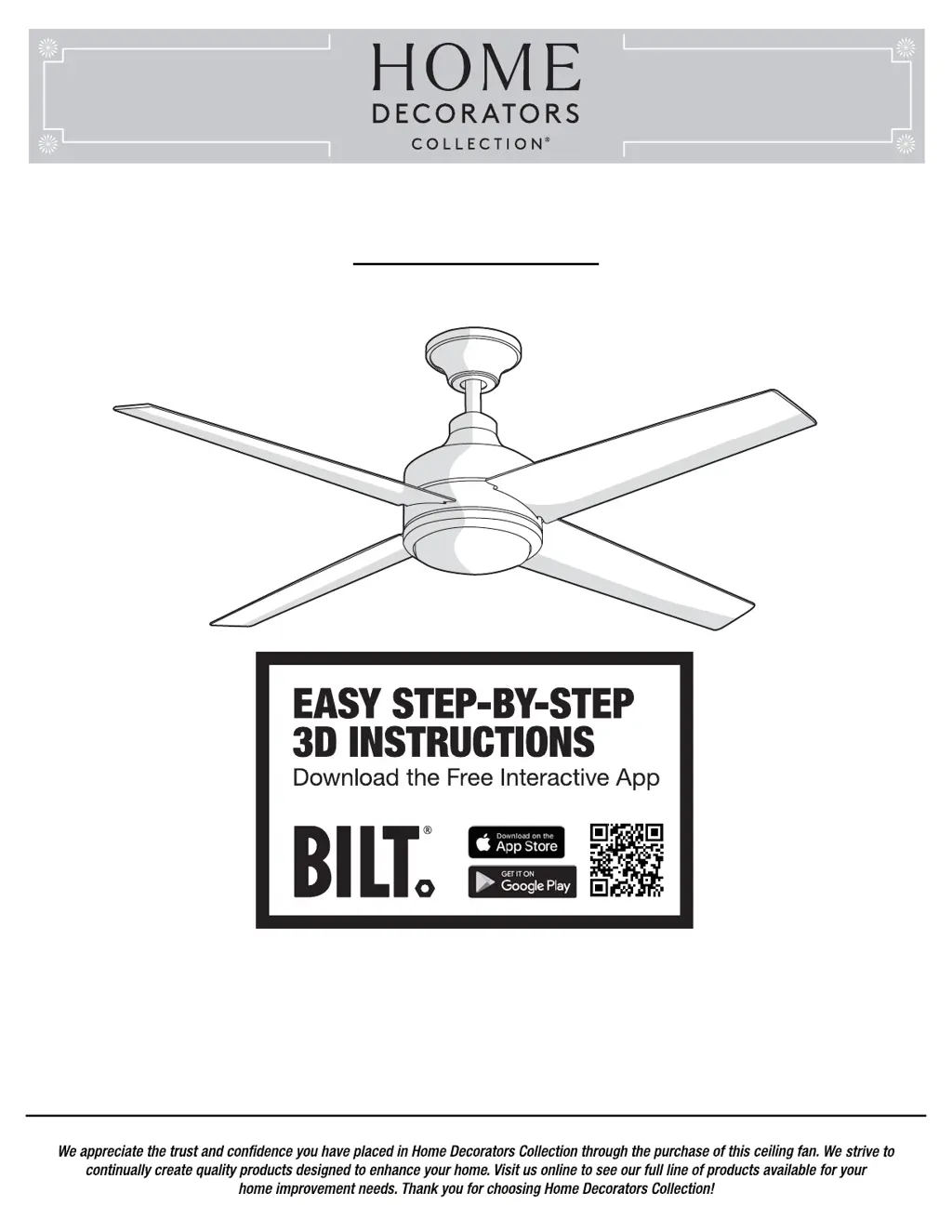
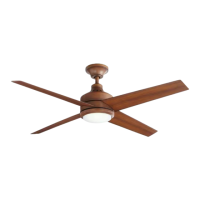
MERCER LED 52 INCH CEILING FAN
Item #1002 211 945
Model #54728
Questions, problems, missing parts? Before returning to the store,
call Home Decorators Collection Customer Service
8 a.m. - 7 p.m., EST, Monday-Friday, 9 a.m. - 6 p.m., EST Saturday
1-800-986-3460
HOMEDEPOT.COM/HOMEDECORATORS
THANK YOU
THANK YOU

Questions and Answers

  • R
    Robert ChaseAug 7, 2025
    How to fix a Home Decorators Collection MERCER 54728 Fan remote control that is not working?
    • J
      Jessica HansenAug 7, 2025
      To fix a non-working remote, first, ensure the fan is not connected to any wall-mounted variable speed controls. Then, verify that the dip switches are set correctly.
  • G
    George JohnstonAug 15, 2025
    What to do if my Home Decorators Collection Fan will not start?
    • S
      Samantha PerryAug 15, 2025
      If your fan won't start, check the main and branch circuit fuses or breakers. Also, inspect the line wire connections to the fan and the switch wire connections in the switch housing. Lastly, ensure the dip switches on the remote control and receiver are set to the same frequency.
  • R
    Ronald Chavez IIIAug 23, 2025
    Why is my Home Decorators Collection Fan wobbling?
    • M
      Mr. Randy MendozaAug 23, 2025
      Fan wobble is often due to loose screws or uneven blade levels. First, ensure all blade and blade arm screws are secure. Then, measure the distance from each blade tip to the ceiling; deviations should be within 1/8 inch. Running the fan for 10 minutes may also help. If the wobble persists, use the provided blade balancing kit.
  • S
    Savannah BurnsAug 30, 2025
    What to do if my Home Decorators Collection MERCER 54728 sounds noisy?
    • K
      Kyle GardnerAug 30, 2025
      If your fan is making noise, ensure all motor housing screws and screws attaching the fan blade arm to the motor hub are snug. Also, check that wire nut connections are not rattling. Allow 24 hours for the fan to break in, as noises often disappear during this period. If you're using a ceiling light kit, tighten the glassware screws. Ensure there's a small gap between the canopy and the ceiling, and that the ceiling box is secure with rubber isolator pads.

Summary

Safety Information

Warranty Information

Pre-Installation Guide

Fan Specifications

Details fan size, speed, voltage, amperage, wattage, RPM, CFM, weight, and dimensions.

Required Tools

Lists essential tools like screwdrivers, step ladder, wire stripper, and electrical tape.

Included Hardware

Lists all hardware parts (screws, nuts, pins, etc.) with quantities for fan assembly.

Package Contents Overview

Details all components included in the fan package, identified by letters and descriptions.

Dual Mounting Options

Explains standard ceiling and close-to-ceiling mounting methods and their height differences.

Installation Procedures

Mounting the Fan Bracket

Details how to mount the fan to an outlet box, including warnings and alternative methods.

Standard Mount Assembly

Step-by-step guide for assembling the fan using the standard ceiling mount method.

Close-to-Ceiling Mount Assembly

Step-by-step guide for assembling the fan using the close-to-ceiling mount method.

Hanging the Fan Assembly

Instructions on attaching the fan to the electrical box and hanging it for both mounting types.

Receiver and Remote Setup

Details on preparing the remote receiver and control for installation, including dip switch settings.

Electrical Wiring Connections

Guides on connecting fan wires to the receiver and receiver wires to house supply.

Final Canopy Securing (Standard)

Steps to secure the canopy and canopy ring for the standard ceiling mount.

Final Canopy Securing (Close-to-Ceiling)

Steps to secure the canopy and canopy ring for the close-to-ceiling mount.

Fan Blade Attachment

Light Kit Installation

Mounting Plate for Light Kit

Instructions for attaching the light kit mounting plate to the fan's mounting ring.

LED Light Kit and Shade Fitting

Steps for connecting the LED light kit and securing the glass shade.

Fan Operation

Remote Control Usage

Explains how to use the remote control buttons for fan speed and light functions.

Remote Holder Installation

Steps for mounting the remote control holder to a wall or surface.

Blade Direction Reverse Switch

How to use the reverse switch for warm and cool weather airflow.

Care and Cleaning Guide

Troubleshooting Common Issues

Service Parts List

Home Decorators Collection MERCER 54728 Specifications

General IconGeneral
BrandHome Decorators Collection
ModelMERCER 54728
TypeCeiling Fan
Blade Span52 inches
Number of Blades5
Motor TypeAC Motor
Mounting TypeDownrod Mount
Reversible MotorYes
Remote Control IncludedYes
Light Kit IncludedYes
FinishBrushed Nickel
WarrantyLimited Lifetime
Blade ColorDark Walnut
Bulb TypeLED
Damp/Wet RatingDry Rated
Fixture Color/FinishBrushed Nickel
Indoor/OutdoorIndoor
Fan Diameter (in.)52 inches
Light TypeIntegrated

Related product manuals