6
INTRODUCTION
COMPLETED INSTALLATION
7
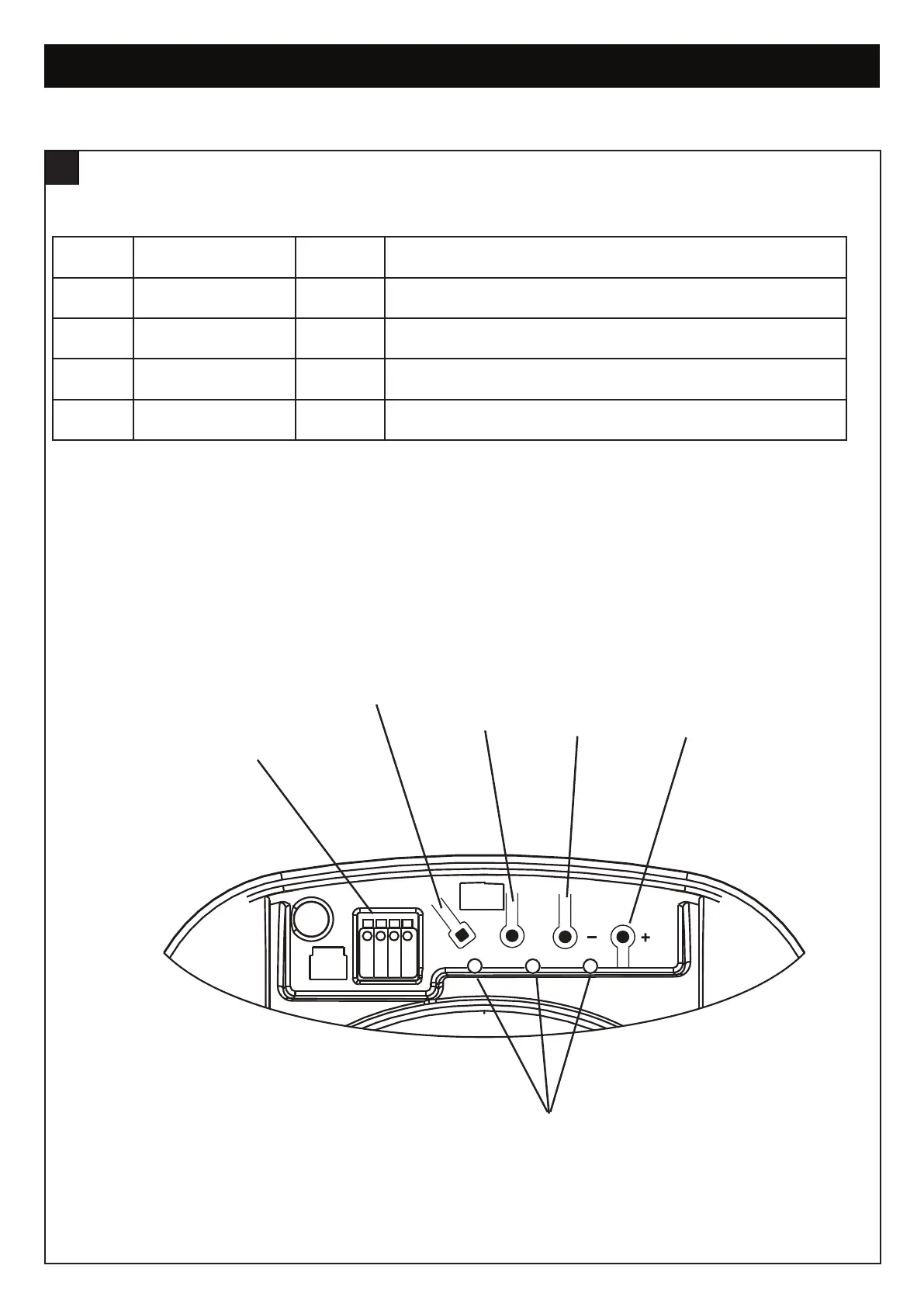
1. Terminal Block: used for external accessories (see chart below).
2. S Button: used to “SAVE” the REMOTE CONTROLS.
3. P Button: used to “PROGRAM” the DOOR LIMITS.
4. - Button: used to drive door DOWN.
5. + Button: used to drive door UP.
6. LEDs: 1. Remote Control Indicator
2. Program DOWN indicator, Door Operating & Passpoint indicator
3. Program UP indicator
NO FUNCTION POLARITY COMMENT
1 Push button +ve Dry contact input for push button wired wall controls
2 Common -ve Common terminal for push button and obstruction detecton beams
2 Coomon -ve Common terminal for push button and obstruction detecton beams
3 IR Sensor +ve Obstruction detection beams input (pulsing type only)
SP
123
1232
1
2
3
4
6
5


 To Next Page