key master A2.5 Version Manual www.hominggame.com
13
only edit the message
“AAAA” and send to the
game machine .If password is
correct, you can receive a
feedback message to you to see
the account
(4) Set mobile account checking password
Under mode 8 (8AXXXX) , input the SMS management password
(The default management password
is :0002)
,press “ENTER” , the digital tube shows 1bxxxx, begin to set the accounting checking password ,use “UP’
or “D
OW” button to input the new password .“UP” button for the tens digits , “DOWN” button for the single digits.
Press press the “ENTER” button ,the tube twinkles meaning the machine records the password you set .When the
owner want to check account via messag
e ,type the password using English letter (A means 0,B means 1,C means
2 ,D means 3 and so on……) , For example : when setting the mobile account checking password is:”0010”
mainboard. So ,the relevant mobile checking password is “AABA”. And then the
owner use his/her management
mobile phone to edit a message “AABA”(Notice:Need capital),
and send to the machine .You can get back a
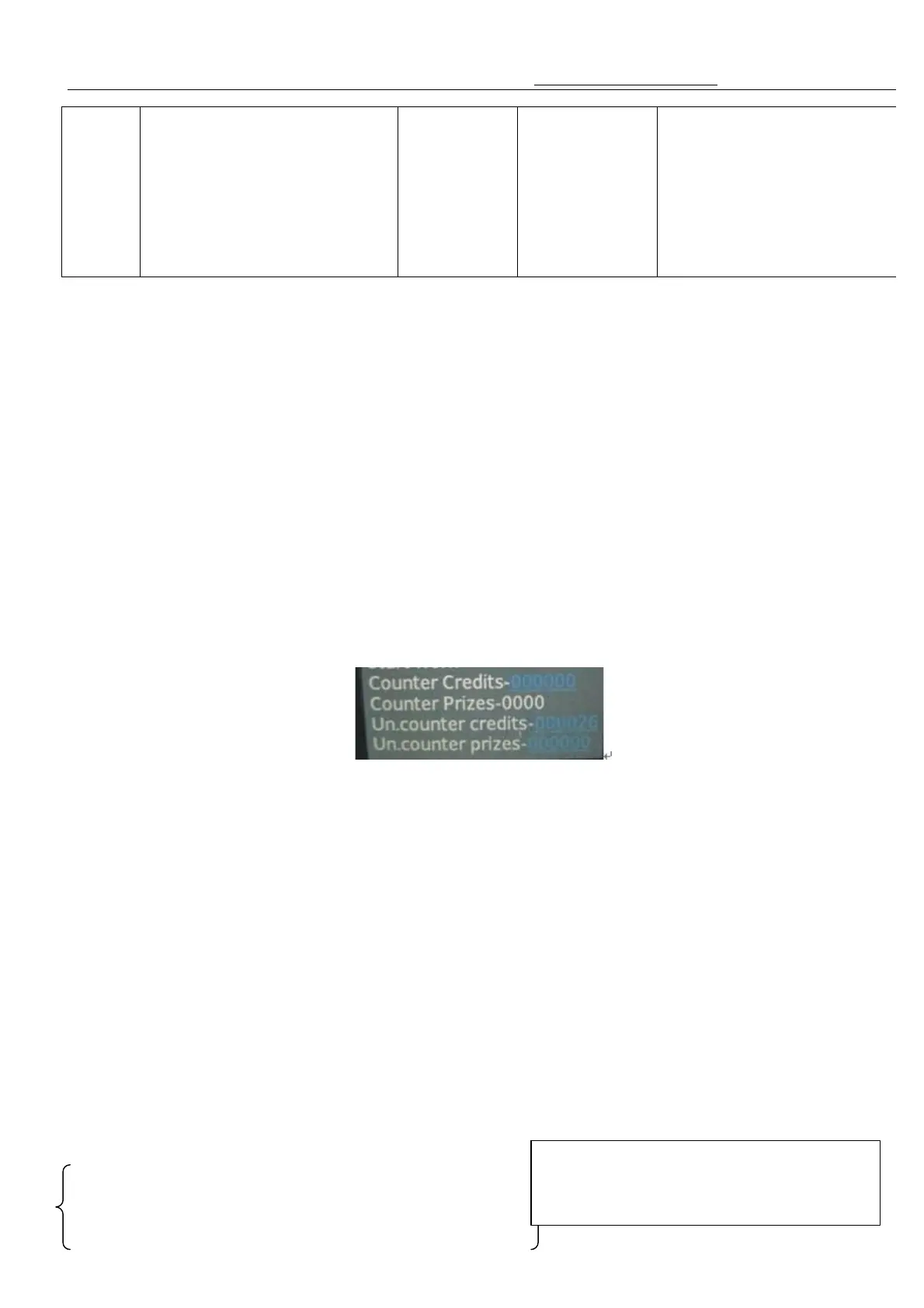
message showing :
Un-counter-xxxxxxf( unremovable credit-Permanent Data)
Un-prize counter-xxxxxx(un removable prize- Permanent Data )
Counter credits-xxxxxxx(total credit,show on in the motherboard digital tube)
Counter prizes-xxxxxxx( total amount of gift payout, show on in the motherboard digital tube)
(5)mobile setting winning probability password
Under mode 8 (8AXXXX) , input the SMS management password (Default password is :0002),press “ENTER”
button , and then press the “Test” button ,to let the digital tube shows 2bxxxx
, begin to set the Mobile winning
probability setting password ,use “UP’ or “DOW” button to input
the new password .“UP” button for the tens digits ,
“DOWN” button for the single digits. Press press the “ENTER” button ,the tube twinkles meaning the machine
records the password you set .When the owner want to set the winning probability by mobile, type
should type A ,1 should type B ,2 should type 3………)
(Notice: The message edit format for setting the probability by mobile phone between for each line and
each individual is different).
For example setting winning probability password is “0011” in the mainboard. S
phone message checking password is “AABB”(capital)
AABBA0100,0200,0300,0400,0500 The line 1 hooks setting
This setting for the different line each individual
prize ratio(probability)—need send 3 message to
finish this step



 To Next Page