key master A2.5 Version Manual www.hominggame.com
4
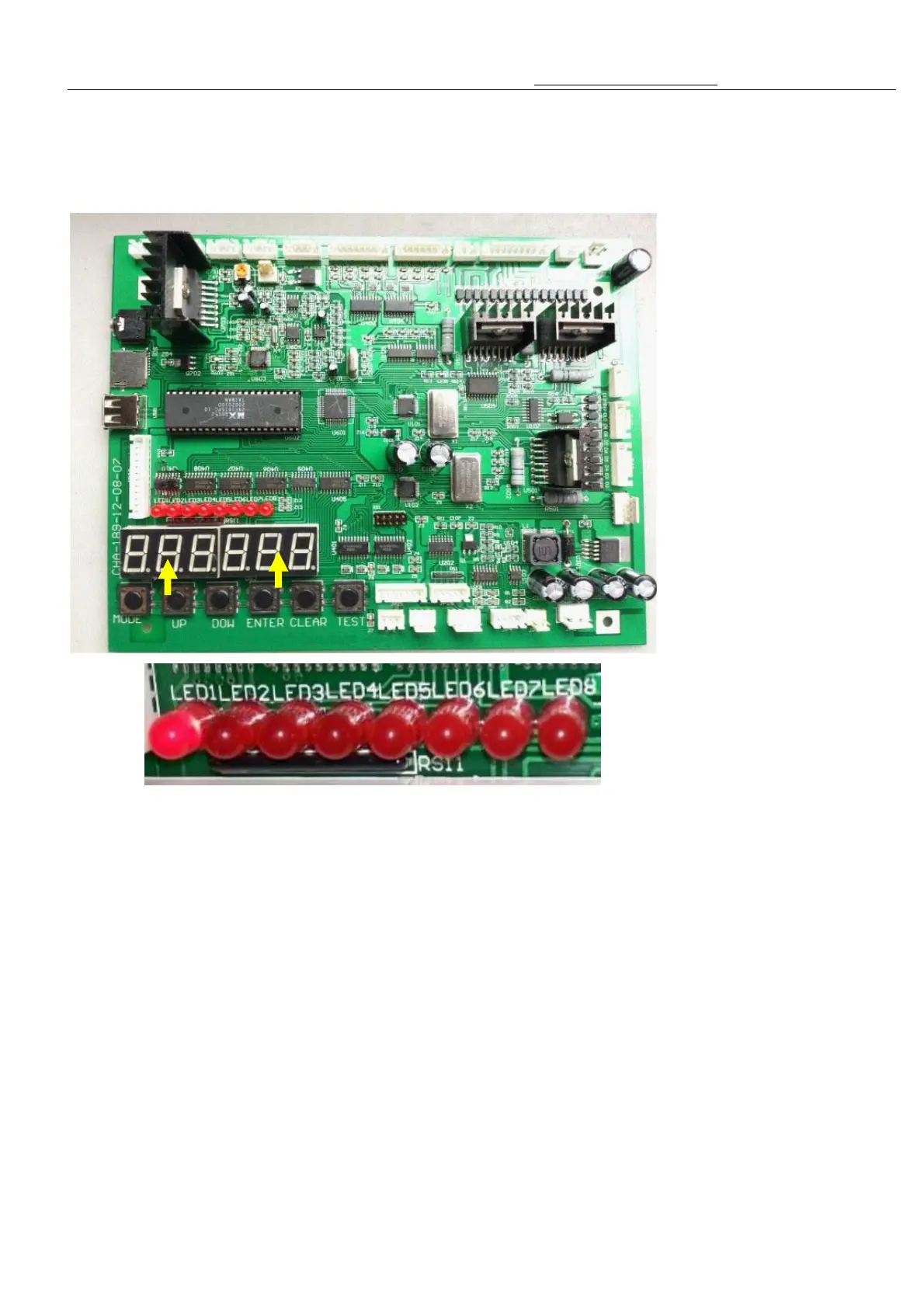
6.Illustration of main-board's function
(Direction is :From Left To Right)
1、LED 1(Mode 1) (as the pic shown above)------Shows total amount of Inserted coins
2、LED 2(Mode 2) (as the pic shown above):-------Shows total amount of gift payout
3、LED 3(Mode 3) (as the pic shown above) ----Setting the Credit(Signal) Per game
LED 4)Mode 4) (as the pic shown above)-----Setting the Demo music and Playing Music/ Setting the play
game time
4、LED 5(Mode 5)(as the pic shown above)------Setting Each Hook(Hanger) coordinate(Automatically)
5、LED 6(Mode 6) (as the pic shown above)-------“Checking” ,” Testing” ,”Clear”
6、LED 7(Mode 7)(as the pic shown above)-------Setting the probability for each line or for each individual
7、LED 8(Mode 8)(as the pic shown above)-------- SMS function setting
8、Mode 9(the LED1 and LED2 turn on)---------------Set the alarm system
9、MODE Button:----------------------- Use this button to change mode.
10、UP Button -------- In the appointed mode state,Use it to adjust(increase) the number
11、DOWN Button ----- In the appointed mode state,Use it to adjust(Reduce) the number
12、ENTER Button:-------- In the appointed mode state ,Use this button to make a confirmation.
13、CLEAR Button- In the appointed mode state ,Use this button to delete data or return to previous or
——



 To Next Page