#
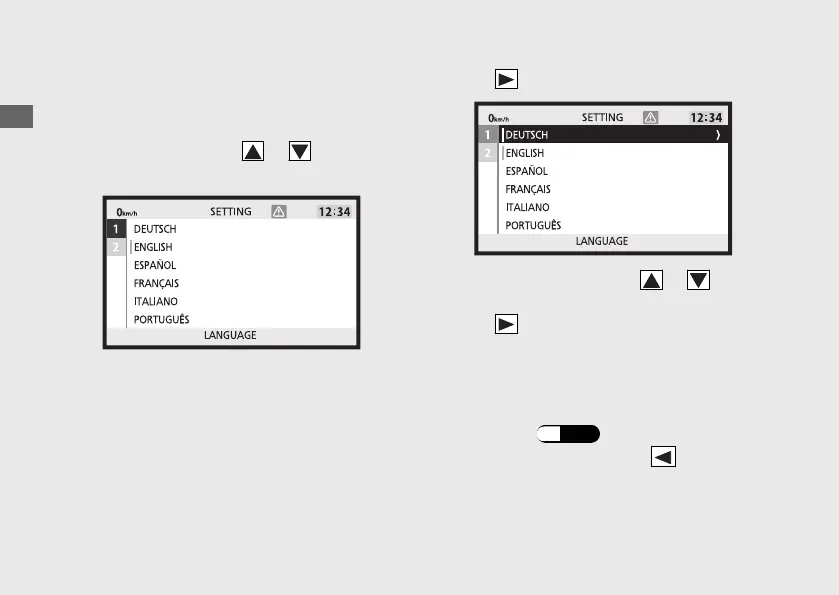
LANGUAGE
Changes the system language.
a
Select the 1 or 2 using or on the sel
switch.
b
Press on the sel switch.
c
Select the language using or on the
sel switch.
d
Press on the sel switch to select the
language.
u Items that have already been set are
displayed with a green cursor.
e
Return to the ordinary display to complete
the setting. (P.44)
To continue setting, press on the sel
switch to return to the upper hierarchy.
Operation Guide
60
Instruments (Continued)









 To Next Page