Continued
261
uuAudio System Basic OperationuPlaying a USB Flash Drive
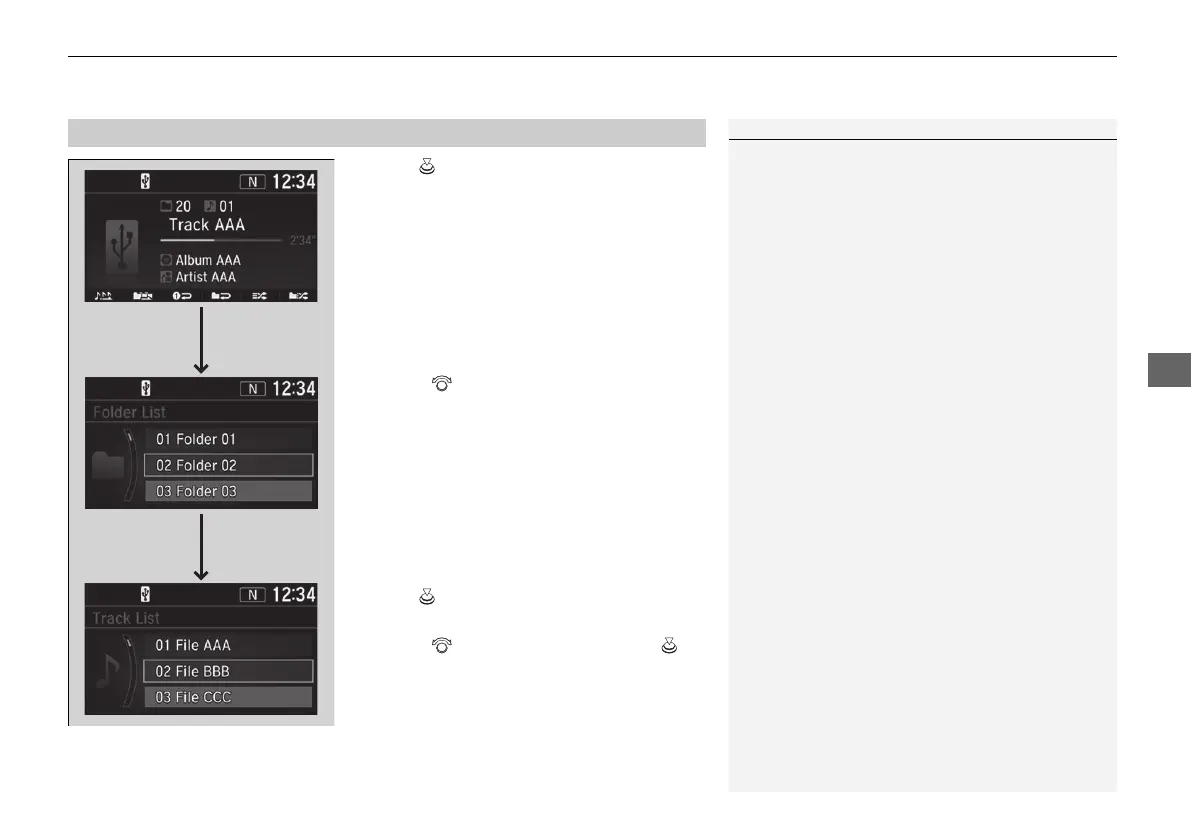
1. Press to display a folder list.
2. Rotate to select a folder.
3. Press to display a list of files in that
folder.
4. Rotate to select a file, then press .
■
How to Select a File from a Folder with the Selector Knob
1Playing a USB Flash Drive
Use the recommended USB flash drives.
2 General Information on the Audio System
P. 342
Files in WMA format protected by digital rights
management (DRM) cannot be played.
The audio system displays Unplayable File, and then
skips to the next file.
If there is a problem, you may see an error message
on the audio/information screen.
2 iPod/USB Flash Drive P. 337
Track
Selection
Folder
Selection
21 CR-V PET ELP_MAP_HMIN_HCM-31TLA6400.book 261 ページ 2020年9月2日 水曜日 午後1時35分














 To Next Page