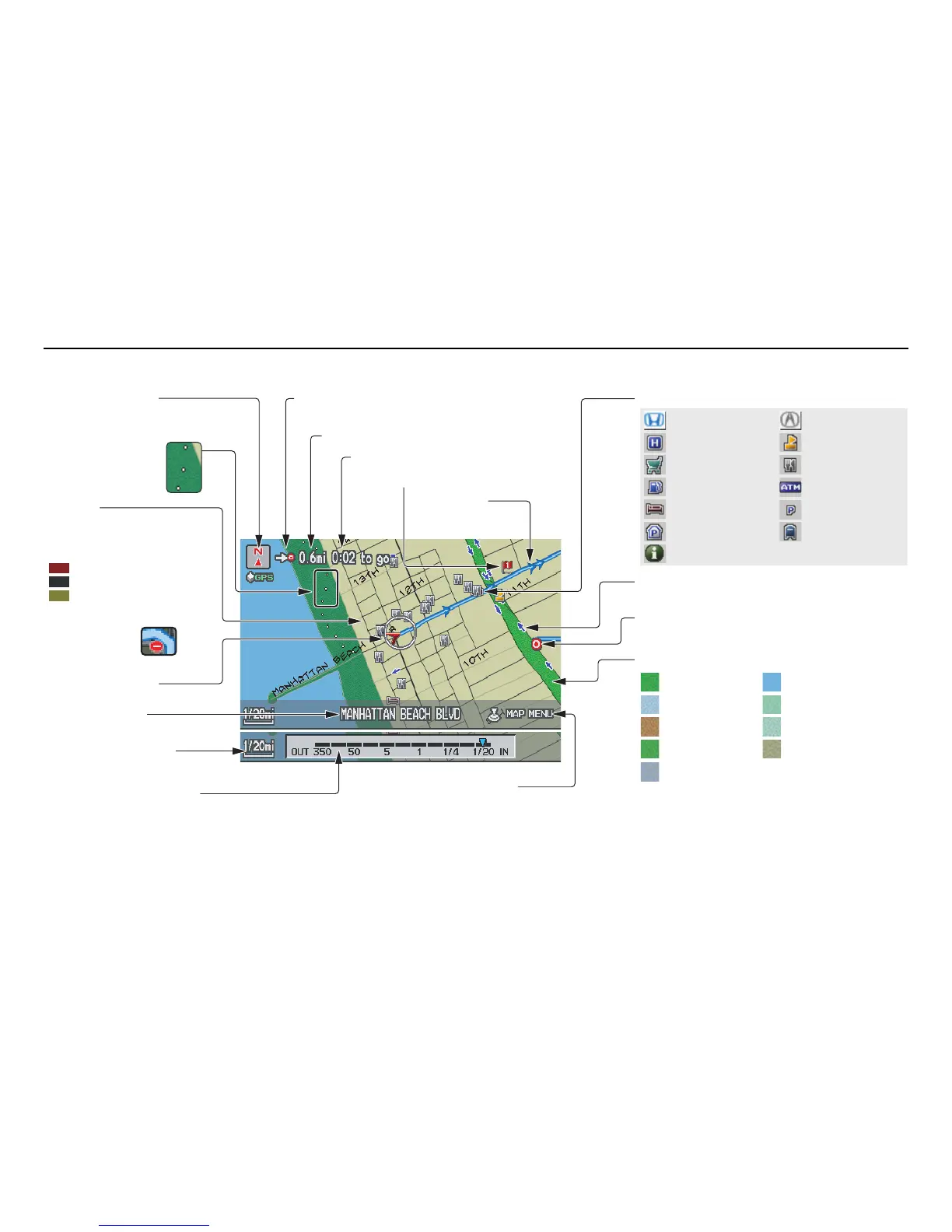
Landmark Icon - Generic (see page 58)
Destination Icon (see page 57)
Map Features
NOTE:
If you move the Interface Dial over an area (map
features shown above), the name is displayed on
the screen.
Map Scale Adjustment
(Mile or km per half-inch appears
only when you zoom in or out by
rotating the Interface Dial knob.)
(see page 56)
NOTE:
See Map Legend on the Information screen for further explanation (see page 75).
Current Map Scale
(see page 56)
Current Street
(see page 63)
Vehicle Position
(see page 63)
Breadcrumbs
(see Off-road
Tracking on
page 62)
Streets
(see Map Overview on
page 6, or Unverified Area
Routing on page 87)
Direction of Destination (when en route)
(see page 53)
Map Orientation
(see page 57)
Distance to Destination (see page 53)
Time to Destination (see page 53)
Waypoint (see page 66)
Blue Line
Calculated route
(see page 49)
Map Menu (see page 53)
(Push in on the Interface Dial to view.)
One-Way Traffic Icon (1/20 mile scale only)
(see page 58)










 To Next Page