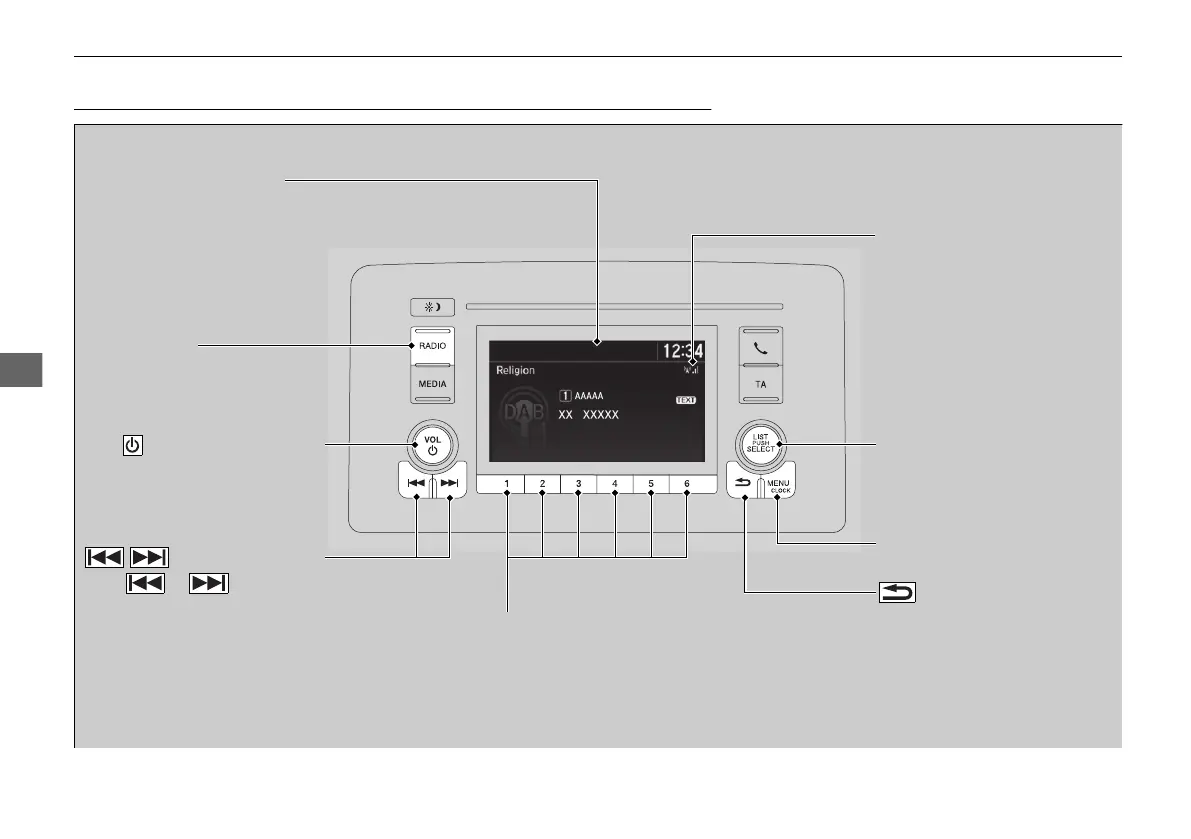
Audio/Information Screen
RADIO Button
Press to select a band.
VOL/ (Volume/Power) Knob
Press to turn the audio system
on and off.
Turn to adjust the volume.
/ (Seek/Skip) Buttons
Press or to tune a
DAB ensemble.
The DAB signal strength
indicator appears on the
display when the DAB band is
selected.
Selector Knob
Turn to tune the service.
Press, and then turn to select
an item. After that, press again
to make your selection.
MENU/CLOCK Button
Press to display the menu items.
(Back) Button
Press to go back to the previous
display or cancel a setting.
Preset Buttons (1-6)
To store a station:
1. Tune to the selected station.
2. Pick a preset button and hold it until you hear a beep.
To listen to a stored station, select a band, then press the preset button.















 To Next Page