304
uuDisplay AudiouClock Setup
Clock Setup
You can adjust the time manually and set the wallpaper of the clock in the audio/
information screen.
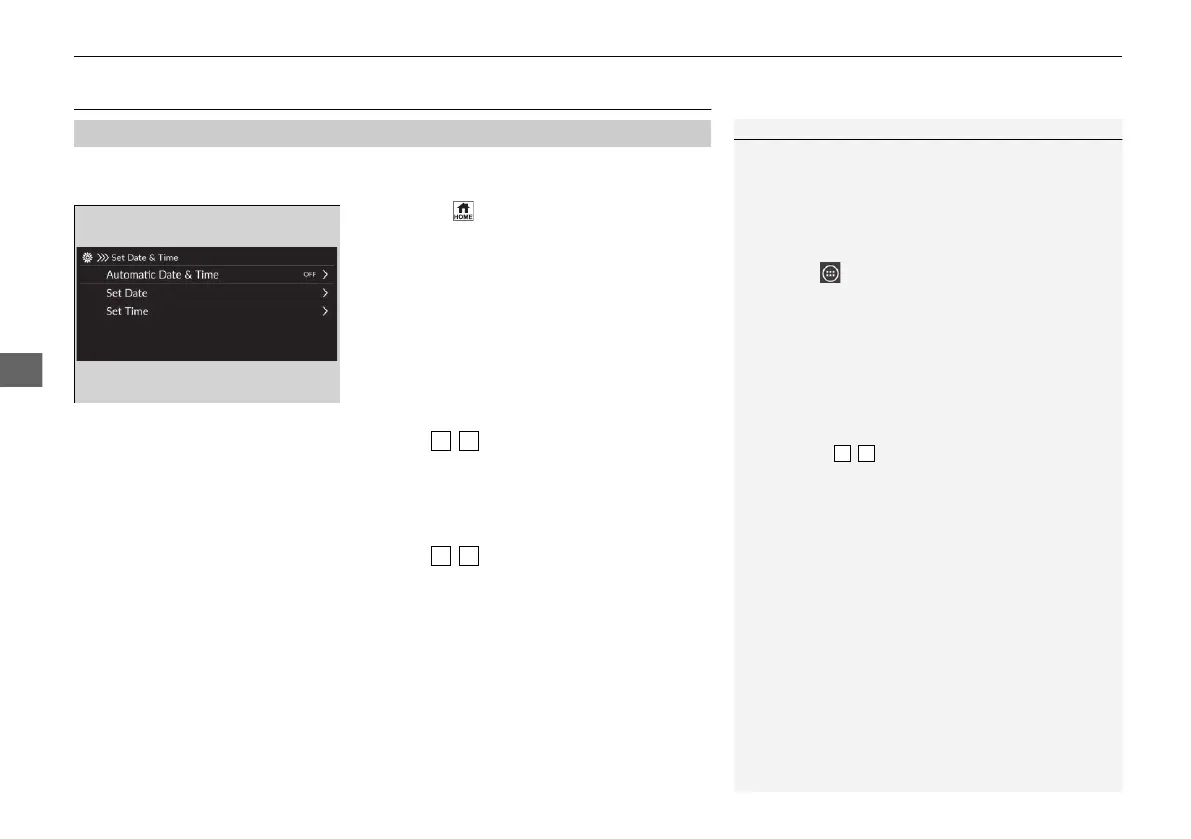
1. Press the button.
2. Select General Settings.
3. Select System.
4. Select Date & Time.
5. Select Set Date & Time.
6. Select Automatic Date & Time, then
select OFF.
To adjust date:
7. Select Set Date.
8. Select / .
9. Select Save to set the date.
To adjust time:
7. Select Set Time.
8. Select / .
9. Select Save to set the time.
■
Adjusting the Clock
1Adjusting the Clock
The clock is automatically updated through the audio
system.
You can also adjust the clock by touching the clock
displayed on the header area of the audio/
information screen, Clock displayed on the home
screen, or All Apps.
1. Touch the clock on the screen.
The clock screen of the face-type appears.
2. Select Settings.
3. Select Date & Time.
4. Select Set Date & Time.
5. Select Automatic Date & Time, then select OFF.
6. Select Set Date or Set Time.
7. Adjusting the dates, hours and minutes by
selecting / .
8. Select Save to set the time.
You can customise the clock display.
2 System P. 346
21 JAZZ HYBRID SSS-32TZA6000.book 304 ページ 2020年1月29日 水曜日 午前10時32分















 To Next Page