uuBluetooth® HandsFreeLink®uHFL Menus
530
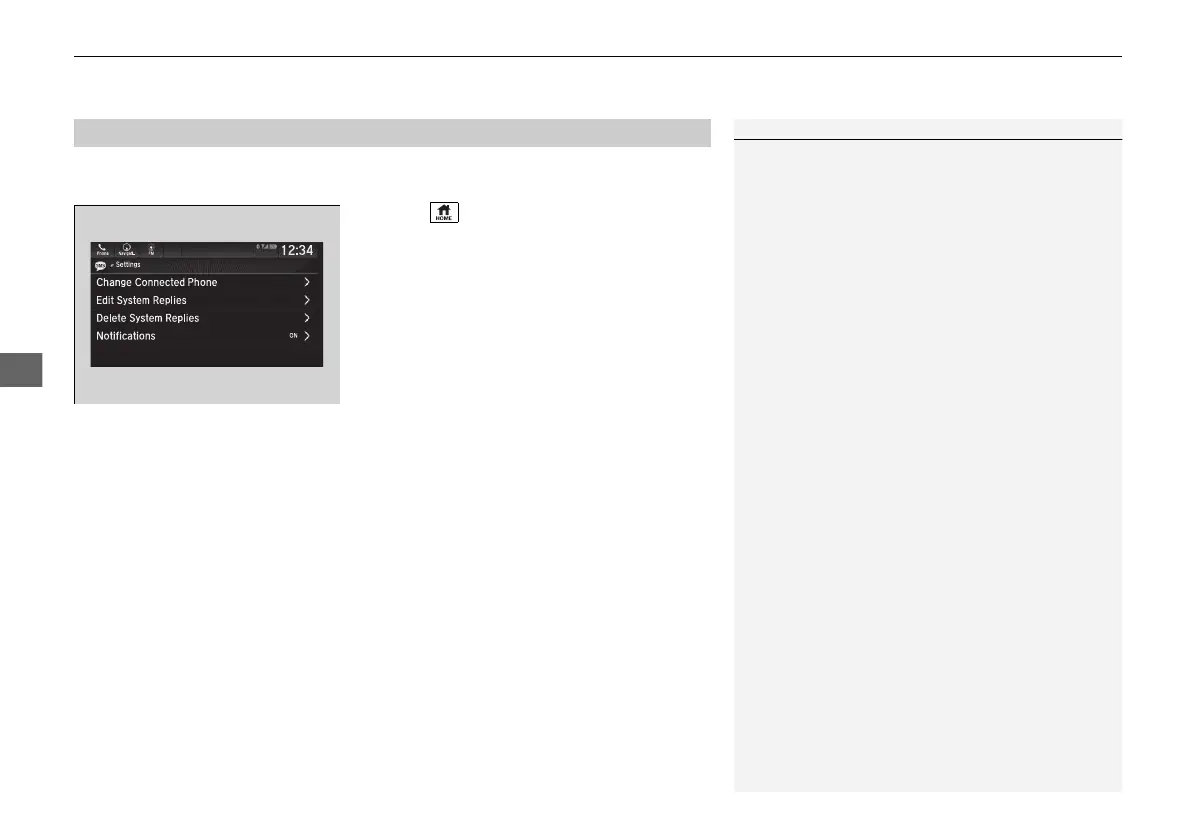
You can select one from the Bluetooth® device list to be active and receive
notifications.
1. Select .
2. Select Messages.
3. Select Settings.
4. Select Change Connected Phone.
5. Change a desired phone.
2 To change the currently paired phone
P. 519
■
Selecting a Phone
1Selecting a Phone
You can only receive notifications from one phone at
a time.
21 US ODYSSEY-31THR6310.book 530 ページ 2020年6月17日 水曜日 午後2時46分










 To Next Page