Continued
531
uuBluetooth® HandsFreeLink® uHFL Menus
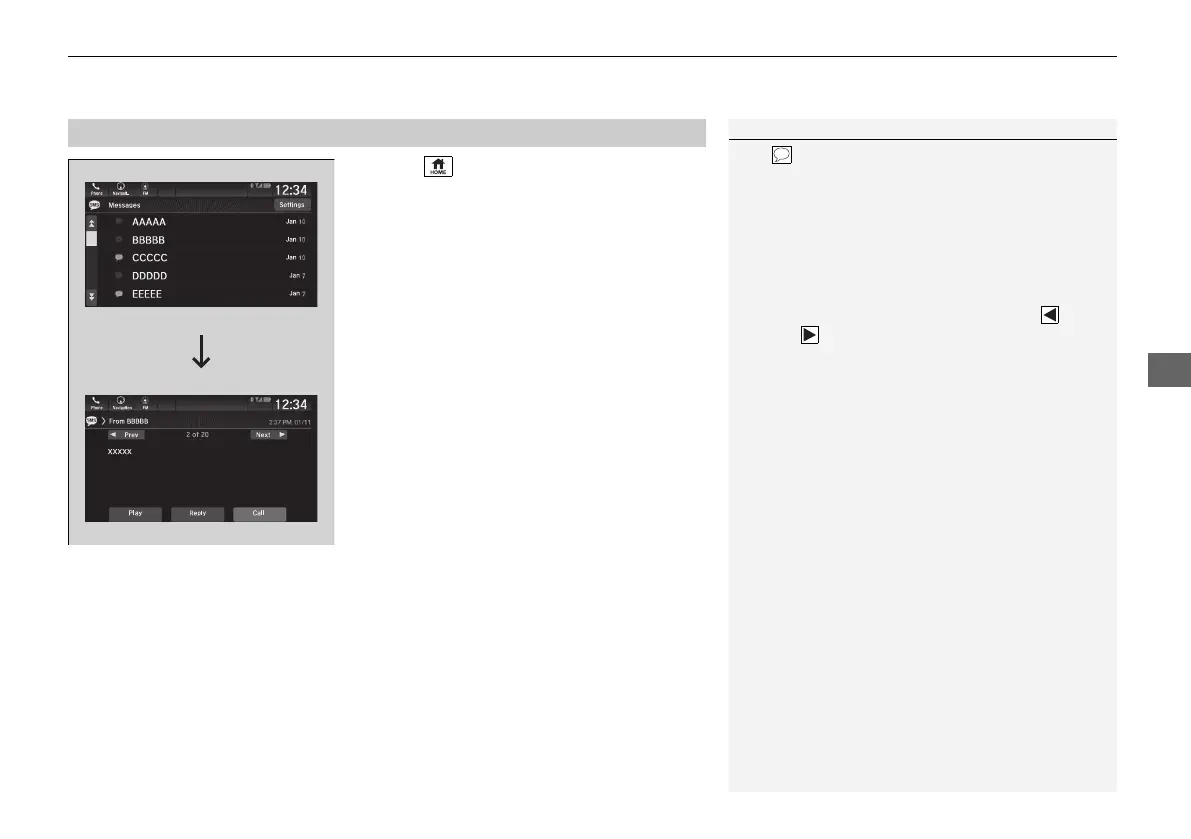
1. Select .
2. Select Messages.
u Select a phone if necessary.
3. Select a message.
u The text message is displayed.
■
Displaying Messages
1Displaying Messages
The (blue) icon appears next to an unread
message.
If you delete a message on the phone, the message
will also be deleted from the system. If you send a
message from the system, the message goes to your
phone’s outbox.
To see the previous or next message, select Prev
or Next on the message screen.
21 US ODYSSEY-31THR6310.book 531 ページ 2020年6月17日 水曜日 午後2時46分





 To Next Page