−
−
For security purposes, newer garage
door opening systems use a ‘‘rolling’’
or variable code. Information from
the remote control and the garage
door opener are needed before
HomeLink can operate the garage
door opener.
The ‘‘Training HomeLink’’
procedure trains HomeLink to the
proper garage door opener code.
The following procedure
synchronizes HomeLink to the
garage door opener so they send and
receive the correct codes.
Make sure you have properly
completed the ‘‘Training
HomeLink’’ procedure.
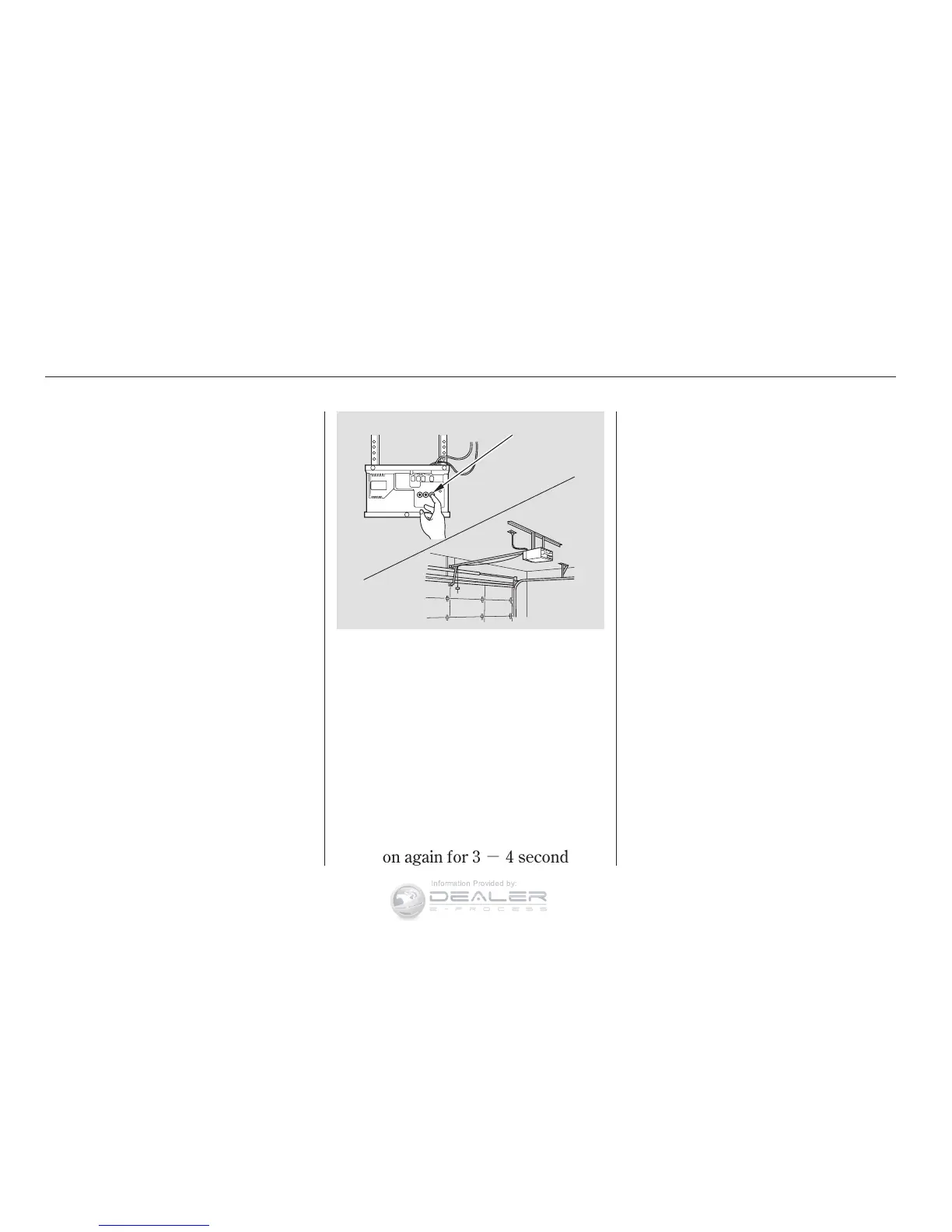
Find the ‘‘Training’’ button on your
garage door opener unit. The
location will vary, depending on
the manufacturer.
Press the Training button on the
garage door opener unit until the
light next to the button comes on,
then release it. The light may blink,
or come on and stay on. You then
have approximately 30 seconds to
complete the following steps.
Press and hold the button on
HomeLink for 3 4 seconds.
Press and hold the HomeLink
button again for 3 4 seconds.
This should turn off the training
light on the garage door opener
unit. (Some systems may require
youtopressthebuttonuptothree
times.)
Press the HomeLink button again.
It should operate the garage door.
Toerasethecodesstoredinallthree
buttons, press and hold the two
outside buttons until the red light
begins to flash, then release the
buttons.
Youshoulderaseallthreecodes
before selling the vehicle.
Totrainanalreadyprogrammed
transceiver button with a new device,
you do not have to erase all the
memory. Train the selected button
over the existing memory code
following the steps under
.
6.
2.
4.
5.
1.
3.
HomeLink Universal Transceiver
Comfort and Convenience Features
Training With a Rolling Code
System
Erasing Codes
Retraining a Button
Training
HomeLink
120
TRAINING BUTTON










 To Next Page